DUE TO SPAM, SIGN-UP IS DISABLED. Goto Selfserve wiki signup and request an account.

| Anchor | ||||
|---|---|---|---|---|
|
Apache Felix Web Console
| Table of Contents | ||||||||
|---|---|---|---|---|---|---|---|---|
|
The Apache Felix Web Console is a simple tool to inspect and manage OSGi framework instances using your favourite Web Browser.
Requirements
The Web Console only has a single required dependency on the framework: A running implementation of the OSGi Http Service Specification. The reason for this is, that the Web Console is implemented as a servlet (actually just a gateway servlet dispatching to Web Console plugins) which is registered with the Http Service. If your framework does not yet have a Http Service installed, you might select from a variety of such implementations. The following is just an incomplete list:
...
Note, that the Apache Felix Declarative Services implementation is the only Apache Felix dependency contained in the Web Console. If you do not use the Apache Felix Declarative Services implementation, you just cannot inspect the declared components (because there is no official public API for this). Otherwise the Web Console perfectly operates without any problems.
Installation
To install just use your favourite current means of installing new bundles in to the OSGi framework. For example using the Apache Felix shell console you might do:
...
where x is the bundle number printed by the Shell Console indicating the Bundle ID of the Web Console bundle.
Configuration
The configuration of the Web Console consists of two parts: One part is the configuration of the Http Service defining at which host address (host and port number) the servlet container is accessible. This configuration is technically outside of the scope of the Web Console configuration. See below for more information and how this is influenced.
...
The default values apply if the respective property is missing from the configuration or if no configuration is provided at all.
Configuration of the OSGi Http Service
As said above, the configuration of the OSGi Http Service used by the Web Console to register itself is outside of the scope of the Web Console. Lets just say, the OSGi Http Service specification defines a system propety – org.osgi.service.http.port – which may be set to define the port at which the Http Service should listen for HTTP requests. The respective Http Service implementation may define additional properties to define the actual interface on which to listen or to define a servlet context path.
...
If you happen to deploy an OSGi framework instance inside a traditional web application and thus the Http Service implementation is actually a bridge into the existing servlet container (see for example Equinox in a Servlet Container or the Apache Sling Launchpad Web application), the host, port and context path are defined by your servlet container and web application deployment. For example, if the servlet container listens on host sample.org at port 8888 and the web application with your OSGi container is available in the /osgi context, the Web Console would be accessible at http://sample.org:8888/osgi/system/console.
Security
The Web Console only has very basic security at the moment supporting only HTTP Basic authentication. This security is enabled by default and may be disabled by simply clearing the username property.
To enhance the security of the Web Console you strongly encouraged to change at least the password for the admin user.
Browser Compliance
The goal of the Web Console is to support as big a range of Web Browsers as possible. As it stands now, Firefox (versions 2 and 3), Opera and Internet Explorer (versions 6 and 7) seem to be capable of using the Web Console. Should you encounter any problems with your particular browser, please report an issue for the Web Console in our issue tracking system (JIRA).
Beginning with Release 1.2.8 the Web Console is using JQuery to enhance the user experience. This should also help in keeping browser support on the broadest possible basis.
Extending the Web Console
The Web Console can be extended by registering an OSGi service for the interface javax.servlet.Servlet with the service property felix.webconsole.label set to the label (last segment in the URL) of the page. The respective service is called a Web Console Plugin or a plugin for short.
Please for to the Extending the Apache Felix Web Console for full documentation on extending the Apache Felix Web Console.
Issues
Should you have any questions using the Web Console, please send a note to one of our Mailing Lists.
Please report any issues with the Web Console in our issue tracking system (JIRA) and be sure to report for the Web Console component. See our Issue Tracking page for more details.
Screenshots
| | |
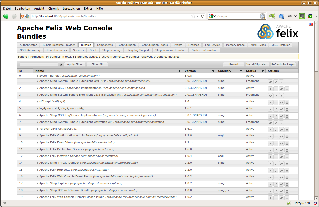
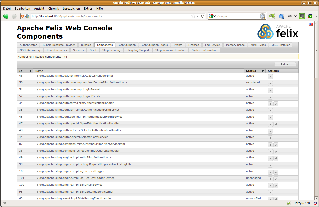
Bundle List | Bundle Details | Declarative Services Components (requires Apache Felix SCR) |
| | |
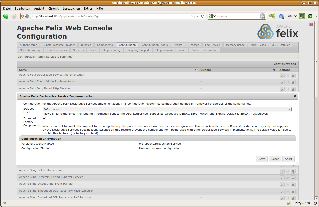
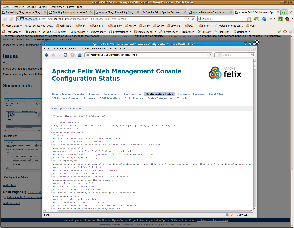
Configuration Admin | System Status | System Information |