DUE TO SPAM, SIGN-UP IS DISABLED. Goto Selfserve wiki signup and request an account.

Prerequisites:
You have signed and submitted a CONTRIBUTOR LICENSE AGREEMENT, if you are an individual it will be the ICLA form. Otherwise you will be using the CCLA form.
You have received a welcome email with you approved Apache ID and have reset your password.
Here are the steps:
- Verify you have a Github ID enabled with 2FA https://help.github.com/articles/securing-your-account-with-two-factor-authentication-2fa/Enter your Github ID into your Apache ID profile https://id.apache.org/Username and you have enabled with Github's Two Factor Authentication (2FA)
- Enter your Github Username into your Apache ID's Profile (The entry on the form listed as Your GitHub Username, use the second entry to edit it)
- Merge your Apache and GitHub accounts using GitBox ( Apache Account Linking utility. After logging in on that page using Start ASF Oauth, follow the steps. Until you receive 3 Checks in the boxes
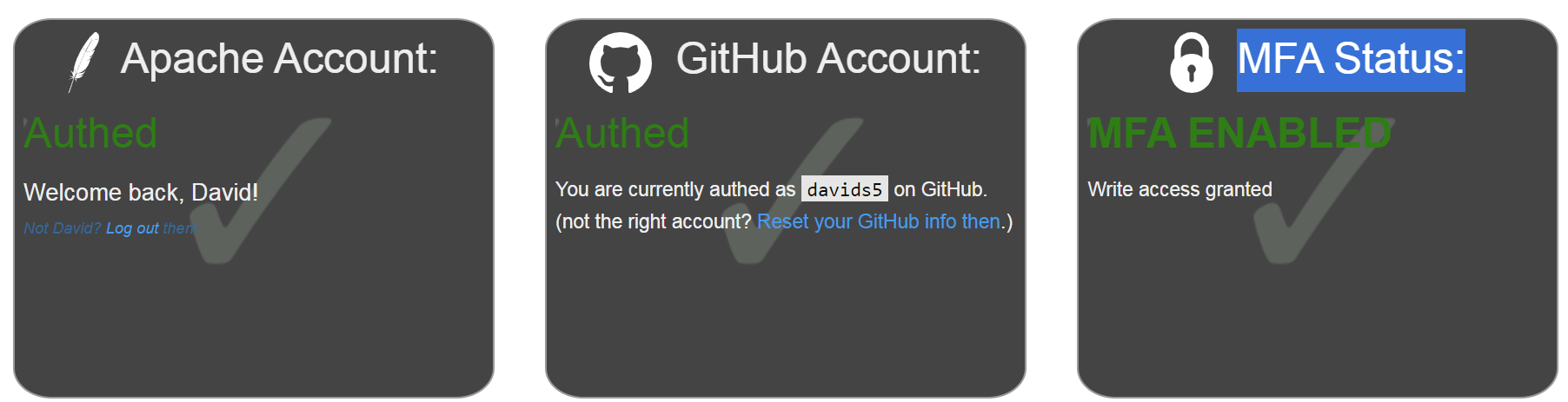
- Keep in mind, That you might have to wait up to 30 ): https://gitbox.apache.org/setup/ You should see 3 green checks in GitBox
Wait at least 30 minutes for an email inviting you to Apache GitHub Organization and accept that invitation. - After accepting the Github Invitation verify that you are a member of the team https://github.com/orgs/apache/teams/incubator-committersthe team by accessing the nuttx committers page.
Additionally, if you have been elected to the NuttX Podling Project Mgmt. Committee (PPMC)
- Verify you are part of the LDAP NuttX ppmc https://whimsy.apache.org/roster/ppmc/incubator-nuttx NuttX PPMC Dashboard.