DUE TO SPAM, SIGN-UP IS DISABLED. Goto Selfserve wiki signup and request an account.
...
This wiki page aims to show how to change log levels via administration console.
Change Log Level

- Click on Configuration tab.
- Click on Core Log/Console Log tab and change log levels as needed (Fig. Set Log Level). .
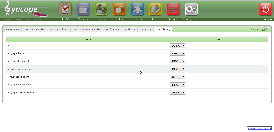
- ALL: turn on all logging.
- DEBUG: fine-grained informational events that are most useful to debug an application.
- ERROR: error events that might still allow the application to continue running.
- INFO: informational messages that highlight the progress of the application at coarse-grained level.
- OFF: turn off logging.
- TRACE: finer-grained informational events than the DEBUG.
- WARN: potentially harmful situations.