DUE TO SPAM, SIGN-UP IS DISABLED. Goto Selfserve wiki signup and request an account.
...
Step | Example | ||||||||||
|---|---|---|---|---|---|---|---|---|---|---|---|
1. Navigate to the source downloads for a released version on SourceForge |
| ||||||||||
2. Download the cTAKES-2.6.zip file. | | ||||||||||
3.
Linux:
This folder we will call <cTAKES_HOME>. You will need to refer to the directory later. |
Process documents using cTAKES
...
Step | Example | |||||||||||||||
|---|---|---|---|---|---|---|---|---|---|---|---|---|---|---|---|---|
1. Open a command prompt and change to the cTAKES_HOME directory.
Linux:
|
| |||||||||||||||
2. Start the CAS Visual Debugger by running this command:
Linux:
The application may take a minute to start on slower hardware. |
| |||||||||||||||
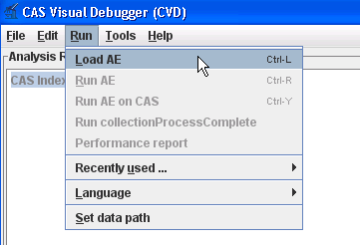
3. An analysis engine (AE) needs to be loaded in order to process text.
Click Open. | | |||||||||||||||
4. Copy the text in the example at the right (next cell) and paste the
| Dr. Nutritious | |||||||||||||||
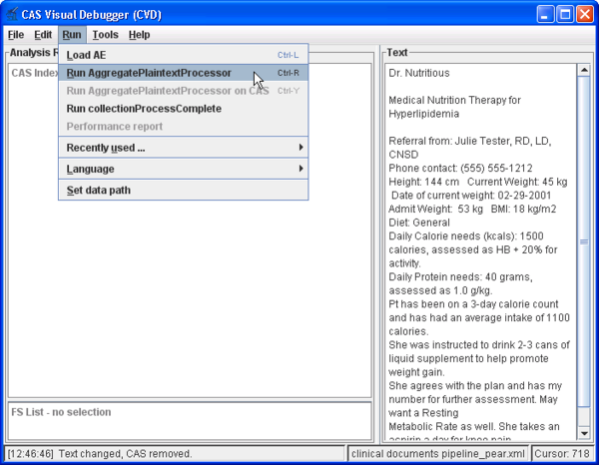
3. From the menu bar, click Run -> Run AggregatePlaintextProcessor. | | |||||||||||||||
4. Named entities are now recognized in this clinical document. | |

Collection processing engine (CPE)
Step | Example | |||||||||||||||
|---|---|---|---|---|---|---|---|---|---|---|---|---|---|---|---|---|
1. Open a command prompt and change to the cTAKES_HOME directory:
Linux:
|
| |||||||||||||||
2. Start the collection processing engine by running this command:
Linux:
The application may take a minute to start on slower hardware. |
| |||||||||||||||
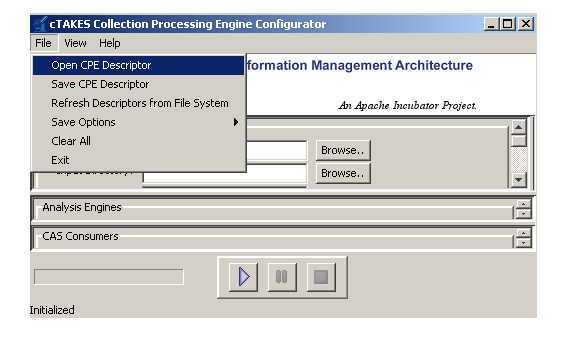
3. This will bring up the Collection Processing Engine Configurator. In the Menu bar click File >Open CPE Descriptor | | |||||||||||||||
4. Navigate to the file
Click Open. |
| |||||||||||||||
5. Click the Play button (green/blue play arrow near the bottom). |
| |||||||||||||||
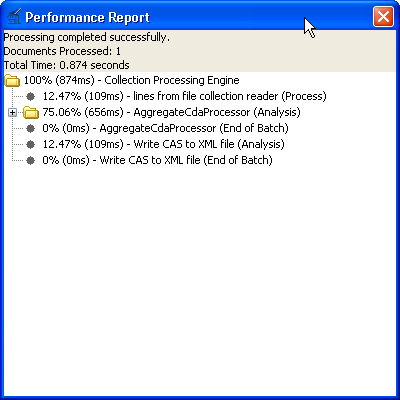
6. You should see that one document was processed. You did process a collection of documents. In this case the collection only contained one just to show how to do it. Close the results window. | | |||||||||||||||
7. Close the CPE application. You may be prompted to save changes. Since this was just a test you may click the No button. |
| |||||||||||||||
8. Open a new command prompt and change to the <cTAKES_HOME> |
| |||||||||||||||
9. To test the results there is a comparison tool that will help show that the results match expectations with the following syntax:
Where: <First File> is the first file to compare; <Second File> is the second file to compare; <diff-html> is where the results are written to | Windows:
| |||||||||||||||
10. The resulting file will open for you. Look at the comparison to see the annotations resulting from this pipeline.
Linux:
|
|
...