...
- Source code for the Marketplace client. Marketplace client is installed along with CloudStack management server . By default, it points to the listing repository in (2).
- A listing repository (URL with folder structure) for vendors to contribute listings. It provides a central place for vendors to contribute listings if they are willing to sign the Apache Contributor License Agreement.
- A listing contains one or more XML files, graphics and code that can be invoked by web browsers. Each listing will contain the following information:
- Description about products and services
- User actions needed to use the products and services
- Optional admin actions needed to set up the products and services
- and provides the Marketplace UI to the admins and users. The Marketplace client points to various listing repositories specified by the admin.
- Listing repositories contain product listings. An Apache listing repository contains listings contributed by the vendors to Apache CloudStack. Any third party can set up its own private or public listing repositories.
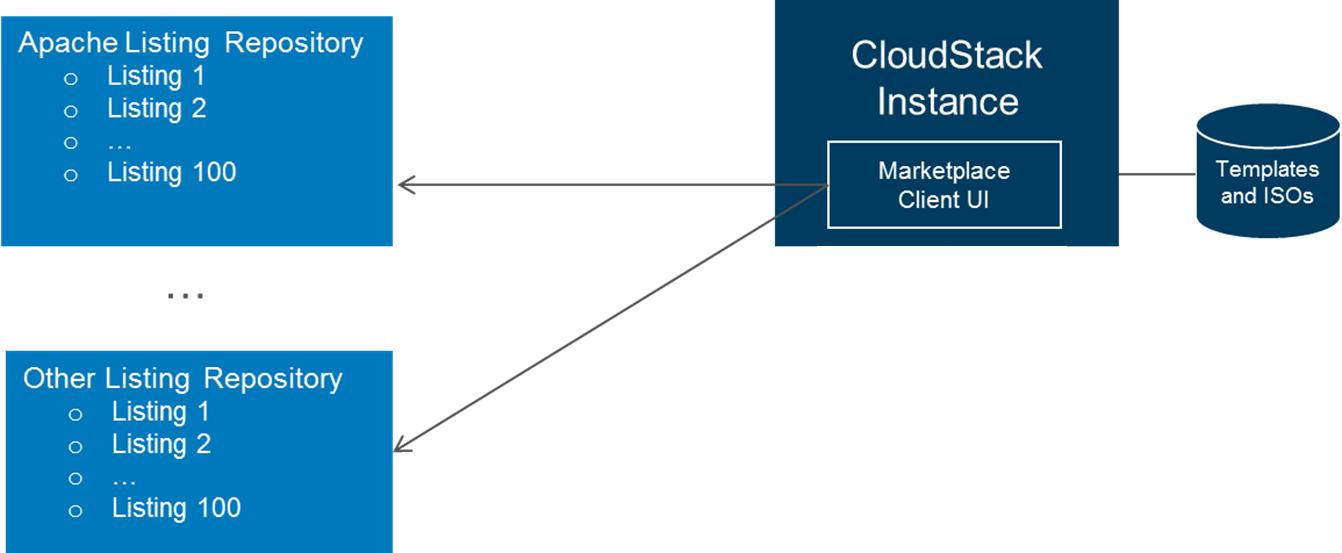 Image Added
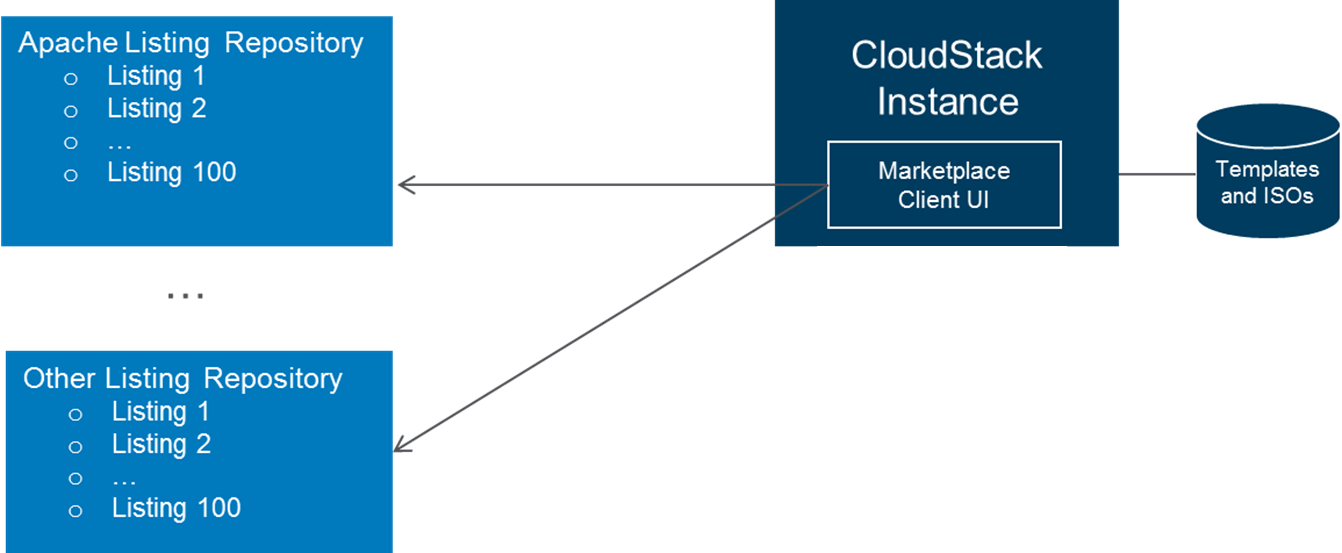 Image Removed
Use Cases
Version 1.0 will support vendor products and services distributed in the forms of image templates, bootable ISOs, non-bootable ISOs, and SaaS/PaaS offerings.
Vendors Make Listing Contribution
...
The listing repository contains a config.js file and vendor product folders. The config.js file contains an index of the listings, which will be read by the Marketplace UI to build the Marketplace Homepage. The Listing folders contain metadata and supporting files for each product listing, which will be read by the Marketplace UI to build the Details page for each product listing.
 Image Added
Vendors can contribute to the listing repository following these steps:
- Create a listing folder for its product or service.
- Create and place a listing.js file in the folder which includes metadata for the listing. This metadata file will be read by the Marketplace UI and present to the admins and users.
- (Optional) Place any supporting files including graphics and scripts into the listing folder.
- (Optional) Place any UI or regular plugins in the CloudStac
- Add an entry to the config.js file for its listing.
Admins Install and Configure CloudStack Marketplace
...
