DUE TO SPAM, SIGN-UP IS DISABLED. Goto Selfserve wiki signup and request an account.
...
Step | Example | |||||||||||||||
|---|---|---|---|---|---|---|---|---|---|---|---|---|---|---|---|---|
1. Open a command prompt and change to the cTAKES_HOME directory.
Linux:
|
| |||||||||||||||
2. Start the CAS Visual Debugger by running this command:
Linux:
The application may take a minute to start on slower hardware. | No example | |||||||||||||||
3. Copy the example text from the next cell in this table and paste the contents into the Text section of CVD, replacing the text that is already there.
|
| |||||||||||||||
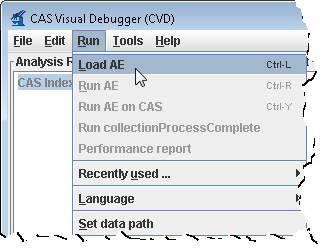
4. An analysis engine (AE) needs to be loaded in order to process text.
Click Open.
| | |||||||||||||||
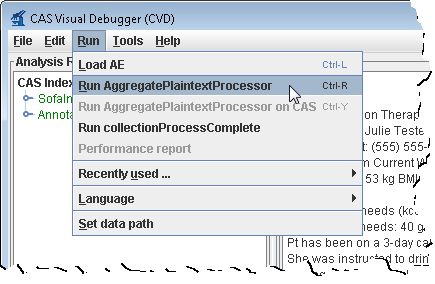
5. From the menu bar, click Run -> Run AggregatePlaintextProcessor. | | |||||||||||||||
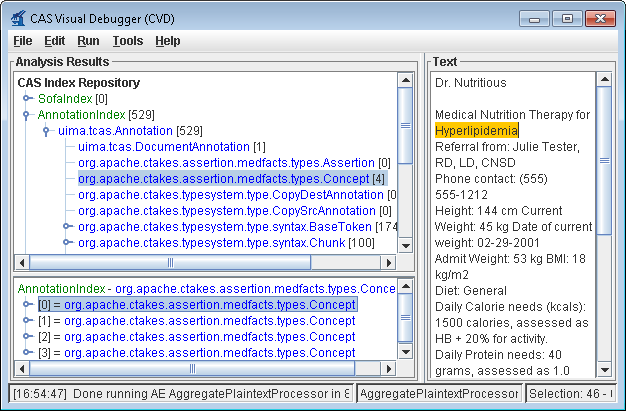
6. You'll get a list of all the annotations for this clinical document in the Analysis Results frame. Annotations such as concepts mentioned, division by sentence, etc from the pipeline are viewable. To see one, in the Analysis Results frame, click on the key in front of:
This will show an AnnotationIndex in the lower frame. Select any annotation in that lower frame and you will see the text discovered in
Now select items in the lower frame to see the text being annotated. | |
...
Step | Example | |||||||||||||||
|---|---|---|---|---|---|---|---|---|---|---|---|---|---|---|---|---|
1. Open a command prompt and change to the cTAKES_HOME directory:
Linux:
|
| |||||||||||||||
2. Start the collection processing engine by running this command:
Linux:
The application may take a minute to start on slower hardware. | No example | |||||||||||||||
3. This will bring up the Collection Processing Engine Configurator. In the Menu bar click File >Open CPE Descriptor | 37 | |||||||||||||||
4. Navigate to the file
Click Open. | No example | |||||||||||||||
5. Click the Play button (green/blue play arrow near the bottom). | 38 | |||||||||||||||
6. You should see that one document was processed. You did process a collection of documents. In this case the collection only contained one just to show how to do it. Close the results window. | ||||||||||||||||
7. Close the CPE application. You may be prompted to save changes. Since this was just a test you may click the No button. |
| |||||||||||||||
8. Open a new command prompt and change to the <cTAKES_HOME> |
| |||||||||||||||
9. To test the results there is a comparison tool that will help show that the results match expectations with the following syntax:
Where: <First File> is the first file to compare; <Second File> is the second file to compare; <diff-html> is where the results are written to | Windows:
| |||||||||||||||
10. The resulting file will open for you. Look at the comparison to see the annotations resulting from this pipeline.
Linux:
|
|
...