I am proposing a new icon set for AOO 4.0 that will make them more usable and recognizable to users.
| 3.4.1
| 4.0 Proposed
|
|---|
Shape
256px
|  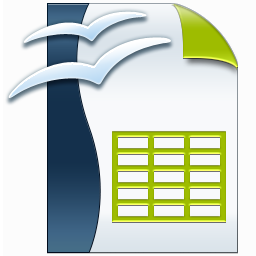 Image Added Image Added
This is for documents.
The Templates are similarly designed
Rather than the page corner in the top right, its in the bottom right.
As well the top of the page has a solid color designating it as a template.
|  Image Added Image Added
Why?
- Color, user can identify the file type quickly by color
- Enlarged Designation, helps color blind and hard of seeing individuals.
- Mime designation, helps users differentiate file type when the above two fail to help, include when screen space permits.
|
64px | 
| Image Removed  Image Removed Image Removed
|  Image Added Image Added
Optimal size, great for showing how fabulous and sophisticated our product is.
| Image Added
At this level we keep the MIME designation but the three characters at a little larger.
|
32px
|  Image Added Image Added  Image Added Image Added
At this level we should still be able to see the branding well as well as identifying the file type quickly
|  Image Added Image Added
At this level we drop the MIME designation, space is limited and mime type becomes less likely to help identify or connect with the user.
|
16px
|  Image Added Image Added  Image Added Image Added
At 16px, space is limited, we want to be the lease busiest.
|  Image Added Image Added
Optionally drop the branding to make less busy.
|
Legend
| Green - Branding (Twin Gulls)
Red - Application Designation
Orange - Page Corner (Colored)
| Green - Branding (Approx 1/4 icon)
Red - Application Designation (Approx 1/2 icon)
Orange - Page Corner (Colored)
Blue - MIME Designation (CAPs Approx 1/4 icon)
|
At 256x256, all element are visible and with high detail.
At 64 x 64,
Description | 3.4.1 256px (click to enlarge)
|
|---|
Base - .odb Database Document |  Image Added Image Added  Image Removed Image Removed
|
Calc - .ods Spreadsheet | 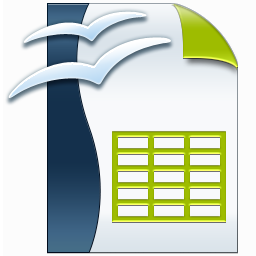 Image Added Image Removed Image Added Image Removed
|
Calc - .ots Spreadsheet Template |  Image Added Image Added  Image Removed Image Removed
|
Draw - .odg Drawing |  Image Added Image Added  Image Removed Image Removed
|
Draw - .otg Drawing Template |  Image Added Image Added  Image Removed Image Removed
|
Impress - .odp Presentation |  Image Added Image Added  Image Removed Image Removed
|
Impress - .otp Presentation Template |  Image Added Image Added  Image Removed Image Removed
|
Math - .odf Formula Document |  Image Added Image Added  Image Removed Image Removed
|
Writer - .odm Master Document |  Image Added Image Added  Image Removed Image Removed
|
Writer - .odt Text Document |  Image Added Image Added  Image Removed Image Removed
|
Writer - .ott Text Template |  Image Added Image Added  Image Removed Image Removed
|
Writer - .oth Web Template |  Image Added Image Added  Image Removed Image Removed
|