DUE TO SPAM, SIGN-UP IS DISABLED. Goto Selfserve wiki signup and request an account.
...
Step | Example | |||||||||||||||
|---|---|---|---|---|---|---|---|---|---|---|---|---|---|---|---|---|
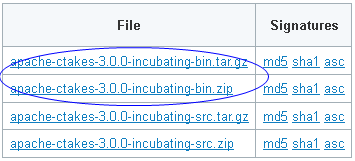
1. Navigate to the cTAKES downloads page on the Apache site and download the binary package. Select a mirror site and press the Change button to modify the URL to your desired mirror location before doing the download or accept the default.
| Windows:
| |||||||||||||||
2. (Optional but recommended) Verify the downloaded files against a file signature to ensure you have the proper and complete file. | No example | |||||||||||||||
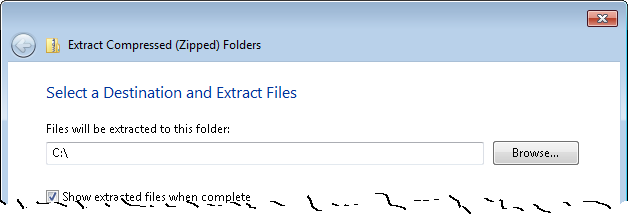
3. Unzip the file you downloaded into a directory that you want to be the cTAKES install location. The compressed files contain a single directory at the top level. This folder we will call <cTAKES_HOME>. You will need to refer to this directory later.
Linux:
| Windows:
| |||||||||||||||
4. Download cTAKES 3.0 Dictionaries and models.
| Windows:
Linux:
| |||||||||||||||
5. Copy (or move) the resources to cTAKES_HOME.
| Windows:
Linux:
|
...
Step | Example | ||||||||||||
|---|---|---|---|---|---|---|---|---|---|---|---|---|---|
1. Open a command prompt and change to the cTAKES_HOME directory:
|
Linux:
| ||||||||||||
2. Create a directory for some test data. | Windows:mkdir testdata | ||||||||||||
3. Download this sample file and place it into the testdata directory. | No example | ||||||||||||
4. Start the collection processing engine by running this command: | Windows:
Linux:
| ||||||||||||
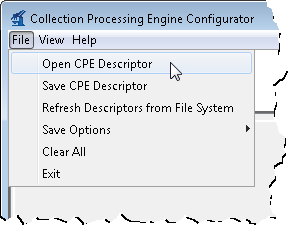
5. This will bring up the Collection Processing Engine Configurator. In the Menu bar click File >Open CPE Descriptor | | ||||||||||||
6. Navigate to the file
| No example | ||||||||||||
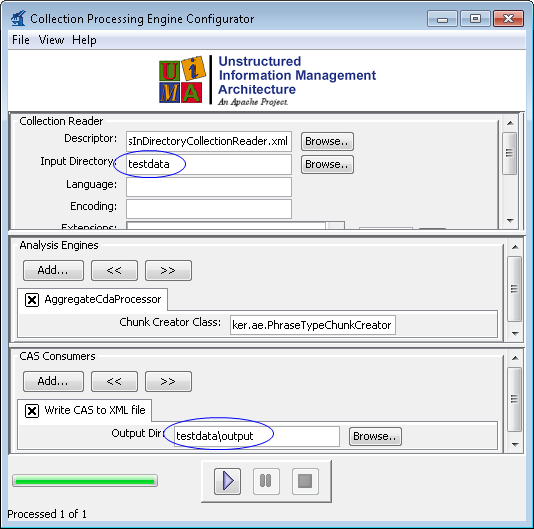
7. Change the Collection reader input directory to testdata and the CAS Consumer output directory to testdata/output in the CPE fields | | ||||||||||||
8. Click the Play button (green/blue play arrow near the bottom).
| | ||||||||||||
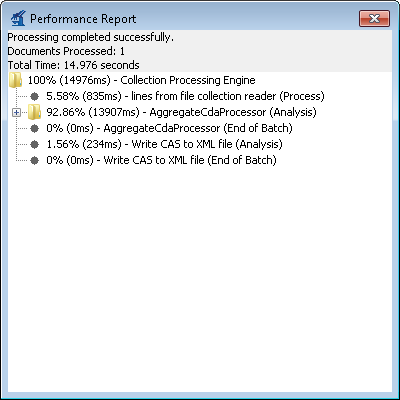
9. You should see that one document was processed. You did process a collection of documents. In this case the collection only contained one just to show how to do it. Close the results window. | | ||||||||||||
10. Close the CPE application. You may be prompted to save changes. Since this was just a test you may click the No button. | No example |

...