DUE TO SPAM, SIGN-UP IS DISABLED. Goto Selfserve wiki signup and request an account.
Status
| Page properties | ||||||||||||||||
|---|---|---|---|---|---|---|---|---|---|---|---|---|---|---|---|---|
|
Motivation
After the completion of AIP-79 Remove Flask App Builder we need to explore new ways to build UI plugins. Out-of-the-box, custom plugin views and menu items will no longer be supported.
Additionally, after the completion of AIP-38 Modern Web Application we are looking forward to close gaps in UI for a better business integration. From a perspective of business users the UI might be very technical. You can see task details, logs and run-times. This is very good for a pipeline developer and operations teams, business users would also like to see custom details of the workflow that is represented behind the scene.
Today this is mostly compensated by embedding Airflow behind other UI's or business applications and just drive or schedule a pipeline, hiding the UI to business users. But Airflow UI - especially after AIP-38 - does not need to be shy and could be opened up also for (technical oriented) business users.
As Airflow UI is generic and allows deep customization's of Operators, Provider Packages, Workflows, the UI is quite generic. It would be great to be able to extend the Grid view to populate custom information via adding widgets or details besides adding full web pages or the need to populate another UI in front of the workflow.
Considerations
General knowledge of the UI and state of development is known by the AIP authors. UI Plugins are knows to be implemented via Flask Appbuilder pages, which integrate with menu and web page in the past. Also teams contributed AIP-50 Trigger DAG UI Extension with Flexible User Form Concept in the past. From this perspective the following options have been considered as options to make a business user UI:
- Implement a "Business Targeted" UI in front of Airflow - this might be exactly tailored to the UX and needs a user has to see what is going on with his business processes and details. Such a UI might offer the possibility to trigger workflows manually (
 Here the trigger UI would need to be re-implemented mostly, triggering via API) and also as kind of reporting a business user could see his status of success ( For details a couple of state information points must be sourced from Airflow via API. Parts of the workflow must be re-modeled in a custom UI and for details probably a deep link to Airflow UI is needed. Up to 50-80% of complexity might be re-implement UI features). Sometimes Reporting tools like Grafana, Power BI etc. might serve the need to aggregate the results from resulting systems or also provide dashboards of workflows from Airflow database. Nevertheless a lot of UI, authentication might need to be implemented for the customer use case with overlap to Airflow - which means a big investment and maintenance. Also not forgetting the efforts to harden a separate UI for security and implementing Authentication, authorization, access control and redirecting such permissions to back-end API.
 - If Airflow delivers most business workflow information and just an overview is missing, you could assume that 80% of UI is reasonable but 20% is missing. In such case some Flask UI Plugins could be added to render custom web pages which allow an overview for the business user, maybe alongside a Grafana, Power BI etc. reporting for statistics. But most detailed information behind an overview might be visible in Grid view. But the Grid view provides mostly textual data on the technical level based on logs, properties and statistics. Sometimes you could use Operator Extra Links to connect the basic technical information with an external system showing more details. Still the UI would have some "custom parts" and some "Airflow standards" which are served from the same place but which are not integrated well.
- Extensions as proposed in the AIP below, allowing the option to extend the Grid view for business information based on use case needs via an extended Plugin interface
- Cutting down modules of current UI, allowing Airflow UI components to be embedded into other UX / business views. Whereas this is technically possible it would be a lot of re-work on the UI and would also limit end-2-end navigation which would need to be replicated by a container. It would be a lot of re-work of efforts from AIP-38.
What change do you propose to make?
We propose within the scope of this AIP that the existing Airflow Plugin Interface is extended for the purpose of adding custom panels based on business needs into Grid views. Compared to separate Flask pages, business specific information could be added at the right place into panels where needed.
In detail the following proposals for plugin extensions are made:
- First Version / Increment
- Grid View → DAG Overview
- Custom Panel(s) on DAG Details
- Grid View → DAG Run
- Custom Panel(s) on DAG Run Details
- Custom Tab (allowing to fill the whole content panel) on DAG Run
- Grid View → Task Instance
- Custom Panel(s) on Task Instance Details
- Custom Tab (allowing to fill the whole content panel) on Task Instance
- Grid View → DAG Overview
- Next increments
- Custom API Endpoints
- (Technically need to be checked if these would be separate or could be added into the stable API infrastructure and Swagger overview - this would be needed allowing custom panels to source data dynamically - else rendered components would be limited to static HTML widgets)
- Dataset-specific plugins Custom Home Page (Separating "Click on Airflow Logo" (path="
/") from "DAGs View" (path="/home") - today both links show the DAG overview - there is no option to have a custom landing page - Similar like "Cluster Activity" allow a plugin to render a user overview page e.g. "Open Activities / Business Problems / My Workflows running/completed" - or whatever the business user needs - Trigger DAG Run
- Custom HTML rendered field entry (which was removed from initial AIP-50 implementation because of security)
 Note: This assumes that the existing Trigger DAG Run page is converted from previous HTML rendering to ReactJS
- Custom API Endpoints
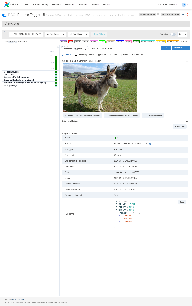
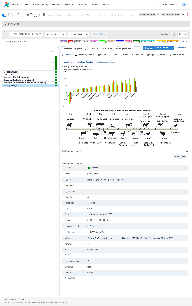
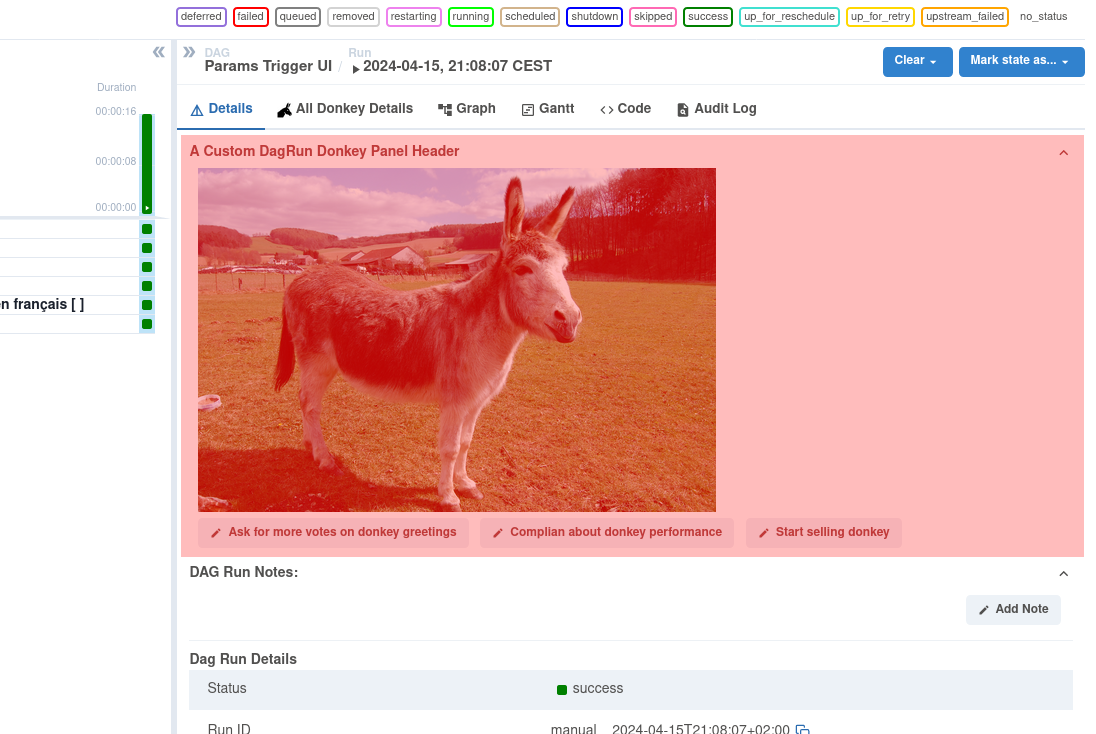
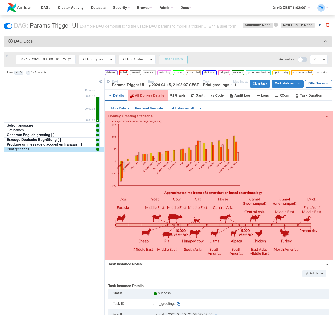
Examples - Extended Grid views with a "Donkey example":
| DAG Run View | Task Instance View |
|---|---|
 |
|
Custom Panel Area populated for DAG Run
| Custom Panel and Tab for Donkey Statistics and History in Task Instance View
|
Custom Tab Added to DAG Run
|
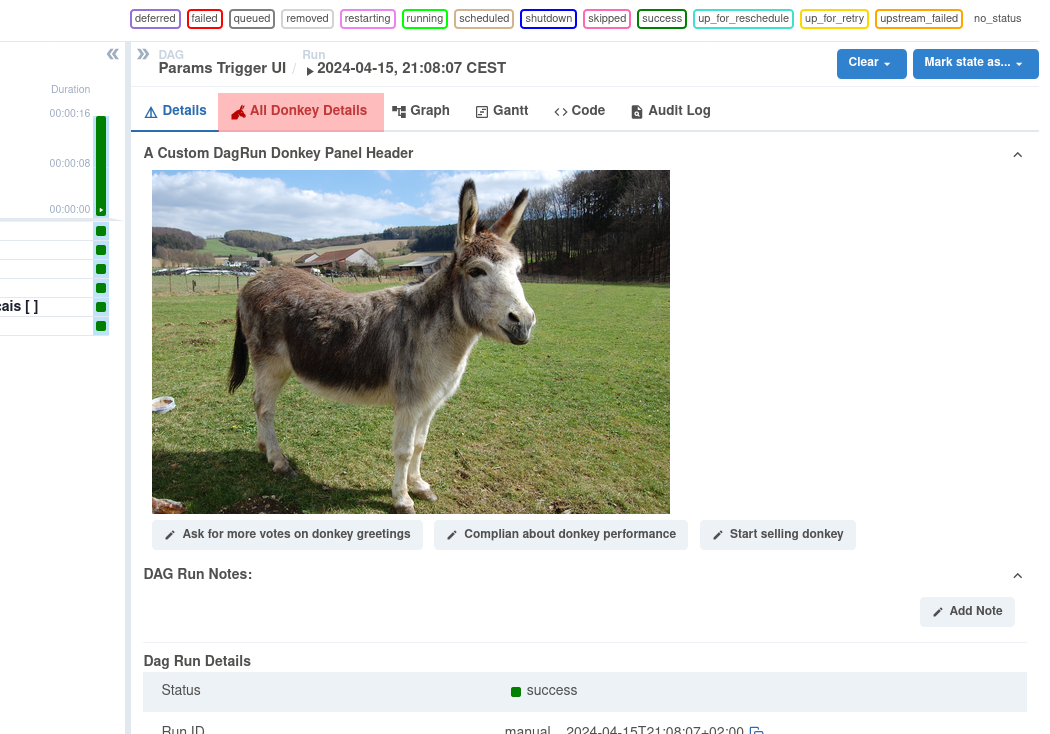
Technical approach assumed to provide the panels:
- Panels are created in javascript, and registered as plugin modules based on a template with ReactJS code and are compiled with NPMa plugin with a new
entry_filefield on a Plugin. A user can also specify a tab name and even icon. This all can take two approaches:- Simple Path
- Write any javascript, and it will be loaded in isolation inside of the Airflow UI
- Advanced Path:
- Build a React application using a provided template that has the same dependencies as the Airflow UI
- We can pass specific props to the plugin such as Task Instance details
- Experience can look identical to the rest of the Airflow UI
- It would be nice to include a sort of
airflow init plugincli command to generate the necessary templates
- Simple Path
- Airflow Plugin provides
- Flask endpoints to load JS code fragments of the plugin
- Via the Plugin static resources like images, CSS and JavaScript must be able to be added.
- Registers the plugin such that the React UI loads the fragments where needed
- Due to the integration as Plugin the content could be generated with access to all DAG/Task Instance context information (Stable API) or also query external systems or extended API provided by the plugin
- Security and deployment is in the responsibility and ownership of Deployment Manager
- Panel details and selection is made on DAG name/tags and Operator type. (Similar like the mapping to Extra Operator Links today)
It is assumed that multiple plugins can be loaded and extend the UI.
What problem does it solve?
Once FAB is removed we need a new way to do plugins. Those plugins can be better integrated into the UI, showing up next to where the user needs them vs tacked on as a new page. The new/current Grid view is generic and shows all technical information of an Operator - with the option to extend via Plugins the UI can be enriched with business relevant information above the current Operator Extra Links
Why is it needed?
Save users to develop another UI on top if Airflow serves for 60% of needs and UX is required to be added to close the gap
Are there any downsides to this change?
- (Small) Added complexity
- Risks if bad plugins are added by developers
- Risk of performance problems (e.g. UI is badly implemented and creates a lot of API calls to backend)
- Security problems generated by bad implemented plugins
- XSS problems by bad HTML code generated by Plugins
Which users are affected by the change?
None. Plugin would be optional to be extended
How are users affected by the change? (e.g. DB upgrade required?)
Assumed no DB changes. All by Python code, JS, templating and API extensions
Other considerations?
- Airflow 2.x and discussions about upcoming Airflow 3.0 development: AIP authors initially targetted to have this AIP implemented in Airflow 2.10 In light of efforts in UI integration and planned rework (especially to remove FAB) the plugin concept of Airflow 2.x must be reworked in general.
- Therefore the scope of this AIP has been shifted to be integrated in Airflow 3.x only.
- This AIP is specific to a new style of javascript plugins The work of removing FAB plugins is part of AIP 79.
What defines this AIP as "done"?
- The extended Plugin interface is with the described features available in a first increment
- Further intended features are implemented listed in the scope
- Airflow users/developers can implement a plugin based on a provided template.
- Documentation is complete
- Example is provided