DUE TO SPAM, SIGN-UP IS DISABLED. Goto Selfserve wiki signup and request an account.
...
现在您可从我们的官方下载页面获得 Apache OpenOffice 4.0。基于 OpenOffice 3.4 的成功发布(其下载量已达 57,000,000),此次的*重要更新*包括令人振奋的新功能、程序改进和漏洞修复。OpenOffice 4.0 增加了许多新功能,包括创新的 Sidebar 用户界面、支持另外 用户界面、附加支持 22 个语种(包括 3 个新语种),500 个漏洞修复、Microsoft Office 互操作性完善、绘制/图形改进和性能提升等等。详情可参见后续的 Release Note。
...
在 Apach,我们的工作模式非常透明,就像开放社区的志愿者。我们开发开源软件以服务大众,不会请求您给予资金援助。如果您有兴趣加入我们,帮助我们发布 OpenOffice 的下个杰出版本,我们将竭诚欢迎。我们不仅是编程人员,也是一群测试人员、用户界面设计师、网页设计师、技术写作人员、易用性专家、译员和社交媒体专家等等。我们欢迎各领域的志愿者加入。欲了解更多信息,请访问 Get Involved 页面。
New Features and Enhancements
...
新特性和改进
全新 Sidebar
The Sidebar is a major new feature of the user interface in all of the OpenOffice applications.
The Sidebar makes better use of today's widescreen displays than traditional toolbars. The 'Properties' deck is context-sensitive and shows panels with the document properties that are most frequently used for the current editing task.
Sidebar 是所有 OpenOffice 应用中的主要新特性。
比起传统的工具栏,Sidebar 可更好地利用目前的宽屏显示。“Properties”面板属于环境敏感型,其面板显示其最常用于当前编辑任务的文档属性。
单击这些图片可查看详细视图:Click on these images for a more detailed view:
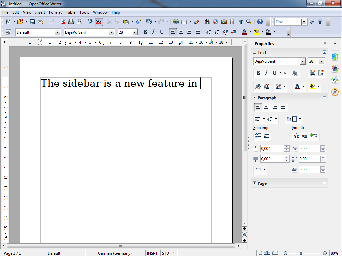
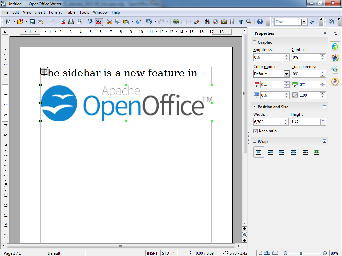
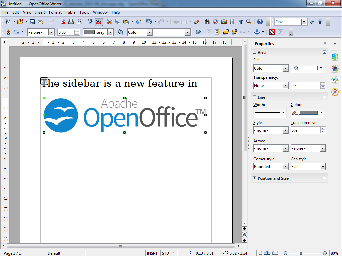
Screenshots of Writer with contexts for text, bitmap, and shapes (from left to right). The new OpenOffice logo has been pasted as bitmap (center) and editable outlines (right).
If you find that you don't use a particular panel very often, just click on its title and it will collapse to a single line of text. A small + or - at the left side of the panel title indicates whether the panels is collapsed or expanded.如果您发现自己不经常使用特定面板,只需点击其标题,便可收缩到单行文本。面板标题左侧 + 或 - 指示面板是否需要收缩或扩展。
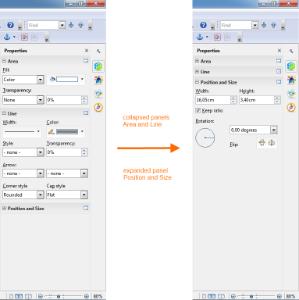
Different panels expanded or collapsed
...