Versions Compared

Key

  • This line was added.
  • This line was removed.
  • Formatting was changed.

...

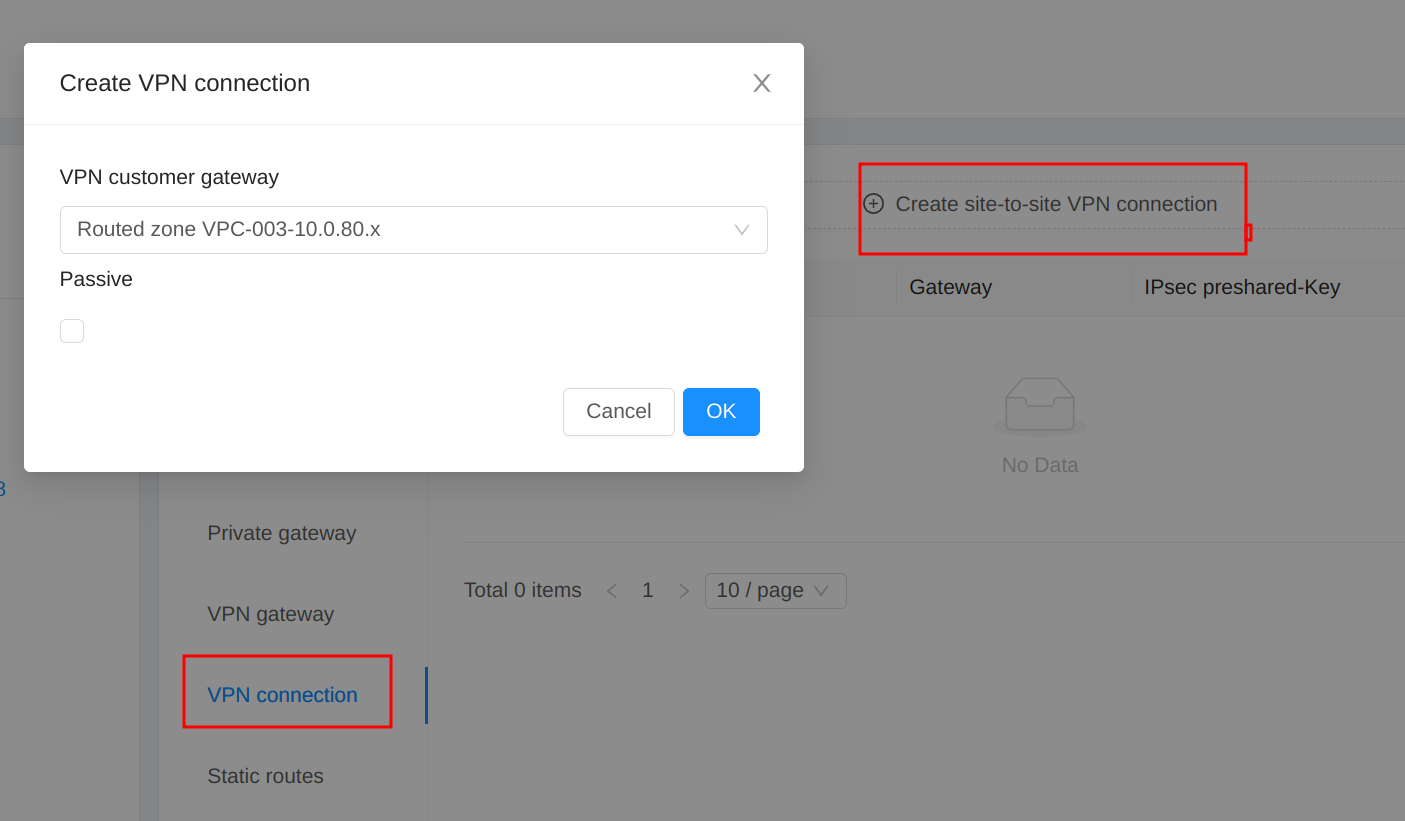
(3) Create VPN connection

5. Test plan


5.1 Create VPC, VPC tier and VM


Test cases

Check items and expected results

Create VPC, VPC tier and VM


  1. Create VPC

  • Should succeed

  1. Create VPC tier-1

  • Should succeed

  1. Create VM-1 in VPC tier-1

  • Should succeed

  • VM

    • can get correct VM password

    • can get userdata from VPC VR

  • VPC VR

    • gets placeholder IP (not VM gateway .1)

    • use first guest NIC as default route


5.2 Setup Remote Access VPN


Setup Remote Access VPN


  1. Setup VPN on the Source NAT IP (IP-0)

  • Should fail

  1. acquire a Public IP (IP-1)

  • Should succeed

  1. Enable remote access VPN (IP-1)

  • Should succeed

  • Backend

    • Enable static NAT to first guest NIC/IP of VR

    • Add Static route for guest IP range (next hop: first guest IP of VR)

  1. Test VPN in Windows client (with PSK-1)

  • Should work

    • from VPN client to VM

    • from VM to VPN client

  1. Disable Static NAT (IP-1)

  • Should fail

  1. Release IP (IP-1)

  • Should fail

  1. Disable remote access VPN on (IP-1)

  • Should succeed

  • Backend

    • Delete Static route for guest IP range (next hop: first guest IP of VR)

  1. Enable remote access VPN (IP-1) again

  • Should succeed

  • Backend

    • Add Static route for guest IP range (next hop: first guest IP of VR)

  1. Test VPN in Windows client (with PSK-2)

  • Should work

    • from VPN client to VM

    • from VM to VPN client

  1. Acquire Public IP (IP-2) and Enable VPN

  • Should fail

  1. Disable remote access VPN on (IP-1)

  • Should succeed

  • Delete Static route for guest IP range (next hop: first guest IP of VR)

  1. Disable Static NAT (IP-1)

  • Should succeed

  • Disable static NAT to first guest NIC/IP of VR

  1. Acquire Public IP (IP-3) and Enable VPN

  • Should succeed

  • Backend

    • Enable static NAT to first guest NIC/IP of VR

    • Add Static route for guest IP range (next hop: first guest IP of VR)

  1. Test VPN in Windows client (with PSK-3)

  • Should work

    • from VPN client to VM

    • from VM to VPN client

  1. Disable remote access VPN on (IP-3)

  • Should succeed

  • Delete Static route for guest IP range (next hop: first guest IP of VR)

  1. Disable Static NAT (IP-3)

  • Should succeed

  • Disable static NAT to first guest NIC/IP of VR


5.3 Setup Site-to-Site VPN

Setup Site-to-Site VPN


  1. Create VPN gateway

  • Should work

  • Backend

    • Acquire a Public IP (IP-4) automatically (not Source NAT IP)

    • Enable static NAT to first guest NIC/IP of VR

  1. (Optional) If there is no VPN server to test

    1. Create another VPC

    2. Create VPC tier and VPC VM

    3. Create VPN gateway

    4. Create VPN customer gateway (in step 1)

    5. Create VPN connection

  • Should work

  1. Create VPN customer gateway (in step 2)

  • Should work

  1. Create VPN connection

  • Should work

  • Backend

    • ipsec configs are created in /etc/ipsec.d/ (.conf and .secret) in in VPC VR

    • Add Static routes for multiple CIDRs (next hop: first guest IP of VR)

  1. Check state of VPN connection

  • Should be Connected or Connecting

  1. Reset VPN connection (in VR of VPC in step 2)

    1. ipsec down vpn-xxxxxx

    2. ipsec up vpn-xxxxxx

  • VPN connection is Established

  • ping/ssh work from remote to local tier-1

  • ping/ssh work from local tier-1 to remote

  1. Reset VPN connection (in VR of VPC in step 1)

    1. ipsec down vpn-xxxxxx

    2. ipsec up vpn-xxxxxx

  • VPN connection is Established

  1. Delete VPN connection

  • Should succeed

  • Backend

    • Delete Static routes for multiple CIDRs (next hop: first guest IP of VR)

  1. Disable Static NAT

  • Should fail

  1. Release IP

  • Should fail

  1. Delete VPN gateway

  • Should work

  1. Disable Static NAT (IP-4)

  • Should succeed

  • Disable static NAT to first guest NIC/IP of VR


5.4 Setup both Remote Access VPN and S2S VPN


Setup both Remote Access VPN and S2S VPN


  1. Acquire IP and Enable Remote Access VPN

  • Should work

  • Backend

    • Enable static NAT to first guest NIC/IP of VR

    • Add Static route for guest IP range (next hop: first guest IP of VR)

  1. Create VPN gateway

  • Should work

    • Same IP as Remote Access VPN

  1. Create VPN connection

  • Should work

  • Backend

    • ipsec configs are created in /etc/ipsec.d/ (.conf and .secret) in in VPC VR

    • Add Static routes for multiple CIDRs (next hop: first guest IP of VR)

  1. Test VPN in Windows client (with PSK-4)

  • Should work

    • from VPN client to VM

    • from VM to VPN client

  1. Test Site-to-Site VPN connection

  • If not Established

    • reset VPN connection in remote server

  • Should work

    • from remote to tier-1

    • from tier-1 to remote

  1. Remove Site-to-Site VPN connection

  • Should work

  • Backend

    • Delete Static routes for multiple CIDRs (next hop: first guest IP of VR)

  1. Disable Remote Access VPN

  • Should work

  • Backend

    • Delete Static route for guest IP range (next hop: first guest IP of VR)

  1. Delete VPN gateway

  • Should work

  1. Create VPN gateway

  • Should work

  1. Create VPN connection

  • Should work

  • Backend

    • ipsec configs are created in /etc/ipsec.d/ (.conf and .secret) in in VPC VR

    • Add Static routes for multiple CIDRs (next hop: first guest IP of VR)

  1. Enable Remote Access VPN

  • Should work

  • Backend

    • Add Static route for guest IP range (next hop: first guest IP of VR)

  1. Test Site-to-Site VPN connection

  • If not Established

    • reset VPN connection in remote server

  • Should work

    • from remote to tier-1

    • from tier-1 to remote

  1. Test VPN in Windows client (with PSK-4)

  • Should work

    • from VPN client to VM

    • from VM to VPN client


5.5 Test VPC tier creation


Test VPC tier creation


  1. Create VPC tier-2

  • Should succeed

  1. Create VM-2 in VPC tier-2

  • Should succeed

  • VM

    • can get correct VM password

    • can get userdata from VPC VR

  • VPC VR

    • gets placeholder IP (not VM gateway .1)

    • use first guest NIC as default route

  1. Test Remote access VPN client to tier-2

  • Should work

    • from VPN client to tier-2

    • from tier-2 to VPN client

  1. Test Site-to-Site VPN to tier-2

  • Should work

    • from remote to tier-2

    • from tier-2 to remote

  1. Create VPC tier-3

  • Should succeed

  1. Create VM-3 in VPC tier-3

  • Should succeed

  • VM

    • can get correct VM password

    • can get userdata from VPC VR

  • VPC VR

    • gets placeholder IP (not VM gateway .1)

    • use first guest NIC as default route

  1. Test Remote access VPN client to tier-3

  • Should work

    • from VPN client to tier-3

    • from tier-3 to VPN client

  1. Test Site-to-Site VPN to tier-3

  • Should work

    • from remote to tier-3

    • from tier-3 to remote


5.6 Test VPC tier deletion (first tier)


Test VPC tier deletion (first tier)


  1. Expunge VM-1

  • Should succeed

  1. Remove VPC tier-1

  • Should succeed

  • Backend

    • Disable static NAT to guest NIC/IP of tier-1

    • Enable static NAT to guest NIC/IP of tier-2

    • Delete Static routes for multiple CIDRs (next hop: guest IP of VR of tier-1)

    • Add Static routes for multiple CIDRs (next hop: guest IP of VR of tier-2)

  1. Check VPC VR

  • VPC VR:

    • use guest NIC of tier-2 as default route

    • l2tp.conf uses the guest IP of tier-2

    • vpn-xxxxxx uses the guest IP of tier-2

  1. Test Remote access VPN client to tier-2 and tier-3

  • Should work

    • from VPN client to tier-2 and tier-3

    • from tier-2 and tier-3 to VPN client

  1. Test Site-to-Site VPN to tier-2 and tier-3

  • Should work

    • from remote to tier-2 and tier-3

    • from tier-2 and tier-3 to remote


5.7 Test VPC VR reboot


Test VPC VR reboot


  1. Reboot router

  • Should work

  • VPC VR

    • gets placeholder IP (not VM gateway .1)

  1. Check VPC VR

  • VPC VR:

    • use guest NIC of tier-2 as default route

    • l2tp.conf uses the guest IP of tier-2

    • vpn-xxxxxx uses the guest IP of tier-2

  1. Test Remote access VPN client to tier-2 and tier-3

  • Should work

    • from VPN client to tier-2 and tier-3

    • from tier-2 and tier-3 to VPN client

  1. Test Site-to-Site VPN to tier-2 and tier-3

  • Should work

    • from remote to tier-2 and tier-3

    • from tier-2 and tier-3 to remote


5.8 Test VPC restart with cleanup


Test VPC restart with cleanup


  1. Restart VPN with cleanup

  • Should work

  • VPC VR

    • gets placeholder IP (not VM gateway .1)

  1. Check VPC VR

  • VPC VR:

    • use guest NIC of tier-2 as default route

    • l2tp.conf uses the guest IP of tier-2

    • vpn-xxxxxx uses the guest IP of tier-2

  1. Test Remote access VPN client to tier-2 and tier-3

  • Should work

    • from VPN client to tier-2 and tier-3

    • from tier-2 and tier-3 to VPN client

  1. Test Site-to-Site VPN to tier-2 and tier-3

  • Should work

    • from remote to tier-2 and tier-3

    • from tier-2 and tier-3 to remote


5.9 Test VPC tier deletion (from last tier)


Test VPC tier deletion (from last tier)


  1. Expunge VM-3

  • Should succeed

  1. Remove VPC tier-3

  • Should succeed

  • Backend

    • No changes.

  1. Expunge VM-2

  • Should succeed

  1. Remove VPC tier-2

  • Should succeed

  • Backend

    • Disable static NAT to guest NIC/IP of tier-2

    • Delete Static routes for multiple CIDRs (next hop: guest IP of VR of tier-2)

  1. Remove VPC

  • Should fail

  1. Disable Remote access VPN

  • Should work

  1. Remove VPC

  • Should fail

  1. Remove VPN connection

  • Should work

  1. Remove VPC

  • Should fail

  1. Remove VPC gateway

  • Should work

  1. Remove VPC

  • Should work