DUE TO SPAM, SIGN-UP IS DISABLED. Goto Selfserve wiki signup and request an account.

...
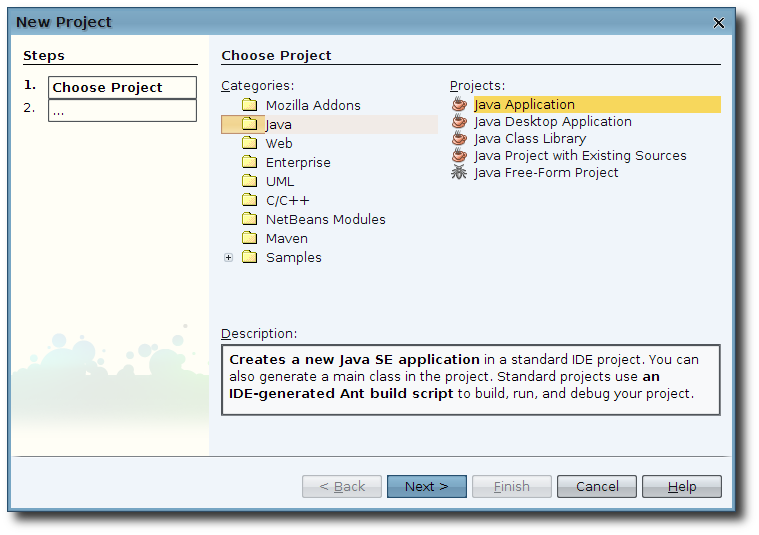
This action will launch the project creation wizard. From the "Categories" list choose "Java" and from the "Projects" list choose "Java Application" as shown in Figure 2, then press the "Next >" button.
Enter the project name ("Felix" for example), select your project directory, and uncheck the "Create Main Class" check box then press the finished button. See Figure 3.
...