DUE TO SPAM, SIGN-UP IS DISABLED. Goto Selfserve wiki signup and request an account.

...
If you are going to send multiple requests to the same LDAP server, consider using an LDAP Request Defaults Configuration Element so you do not have to enter the same information for each LDAP Request. The same way the Login Config Element also using for Login and password.
Control Panel
http://jakarta.apache.org/jmeter/images/screenshots/ldap_request.png
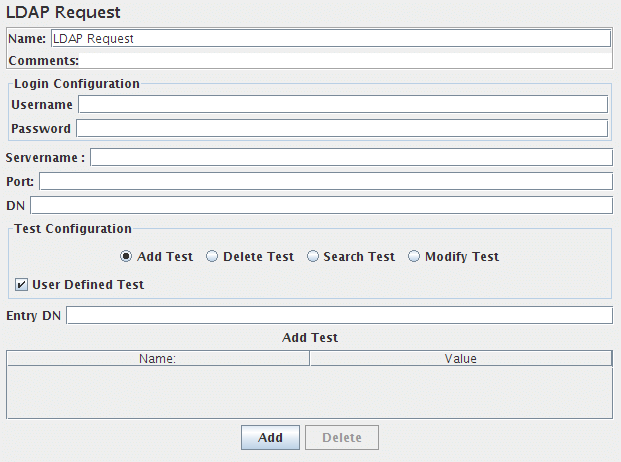
There are two ways to create test cases for testing a LDAP Server.
...
Attribute | Description | Required |
Name | Descriptive name for this controller that is shown in the tree. | No |
Server Name or IP | Domain name or IP address of the LDAP server. JMeter assumes the LDAP server is listening on the default port(389). | Yes |
Port | default port(389). | Yes |
root DN | DN for the server to communicate | Yes |
Username | LDAP server username. | Usually |
Password | LDAP server password. | Usually |
Entry DN | The name of the context to create or Modify; may not be empty Example: do you want to add cn=apache,ou=test you have to add in table name=cn, value=apache | yes |
Delete | The name of the context to Delete; may not be empty | yes |
Search base | The name of the context or object to search | yes |
Search filter | The filter expression to use for the search; may not be null | yes |
add test | This name, value pair to added in the given context object | yes |
modify test | This name, value pair to add or modify in the given context object | Yes |
See Also: