| Note |
|---|
|
The content below is for Apache Syncope <= 1.2 - for later versions the Reference Guide is available. |
| Note |
|---|
|
The DB Connector does not support synchronization of roles. If you also require role synchronization you should use a scripted SQL resource instead. |
Introduction
This wiki page shows all the steps needed to configure an external Database Table resource identified by the following connection parameters:
...
Please, take a look at all configurable parameters at LDAP Database Table Connector Configuration and use this page as reference to provide your configuration.
- Open your browser and access to the Syncope administration console (http://host:port/syncope-console
 Image Removed).
 - Log into the interface by providing the following credentials:
- Login: admin
- Password: password
- Click on the Resources tab.
- Click on the Connectors sub-tab.
- Click on Create new Connector button (configuration modal page appears).
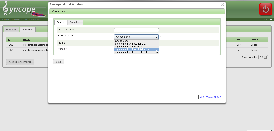
- Click on tab General.
- Provide Display name (e.g. 'Db Table Demo') and the correct Bundle name (org.connid.bundles.db.${version}).
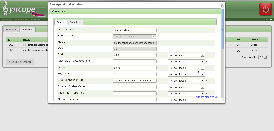
- Click on tab Configurations and provide connector instance configuration.
User: root
Password: password
Host: localhost
TCP Port: 3306
JDBC Connection URL: jdbc:mysql://localhost:3306/demo
JDBC Driver: com.mysql.jdbc.Driver
Database: demo
Table: test
Key Column: id
- Click on tab Capabilities.
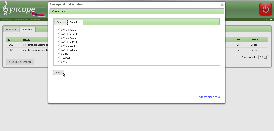
- Check needed capabilities as shown at Connector instance configuration.
- Click on Save button.
...
| Panel |
|---|
| borderColor | #ccc |
|---|
| bgColor | #fff |
|---|
| borderStyle | dashed |
|---|
| title | Schema mapping | borderStyle | dashed |
|---|
|
Internal mapping types | Internal mapping | External Attributes | Mandatory condition | Account Id | Password |
|---|
Username | | | true | X | | Password | | | true | | X | UserSchema | surname | surname | true | | | UserSchema | firstname | firstname | false | | | UserSchema | email | email | false | | |
|