DUE TO SPAM, SIGN-UP IS DISABLED. Goto Selfserve wiki signup and request an account.

Building NuttX with Applications Outside of the Source Tree
Q: Has anyone come up with a tidy way to build NuttX with board-specific pieces outside the source tree?
A: Here are four:
1. Make export
There is a make target called make export. It will build NuttX, then bundle all of the header files, libaries, startup objects, and other build components into a .zip file. You can can move that .zip file into any build environment you want. You can even build NuttX under a DOS CMD window.
This make target is documented in the top level nuttx/README.txt.
2. Replace the apps/ Directory
You can replace the entire apps/ directory. It is not a critical part of the OS. The apps/ is simply provided for you to help with your application development. It should not dictate anything that that you do.
...
You can copy any pieces that you like from the old apps/directory to your custom apps directory as necessary. This is documented in nuttx/boards/README.txt, in the NuttX Porting Guide and Build options, and in the apps/README.txt file.
3. Extend the apps/ Directory
If you like the random collection of stuff in the apps/ directory but just want to expand the existing components with your own, external sub-directory then there is an easy way to that too: You just create a sympolic link in the apps/ directory that redirects to your application sub-directory (or copy your code into a sub-directory of apps/).
http://www.nuttx.org/Images/Extended-apps.jpg?400
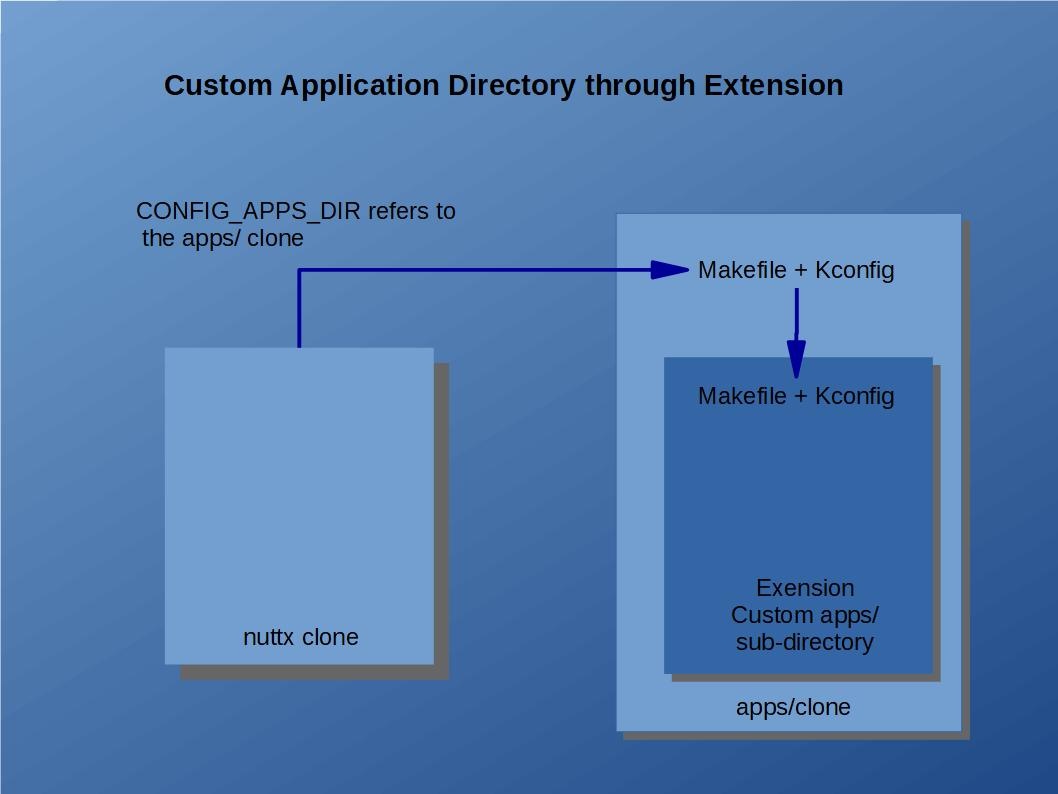
Makefile and Make.defs. In order to be incorporated into the build, the directory that you link under the apps/ directory should contain (1) a Makefile that supports the clean and distclean targets (see other Makefile}}s Makefiles for examples), and (2) a tiny {{Make.defs make file fragment that simply adds the build directories to the variable ''{{ CONFIGURED_APPS like:
| Code Block |
|---|
CONFIGURED_APPS += my_directory1 my_directory2 |
Automatic Sub-directoy Inclusion. The }}apps/Makefile{{ will always automatically check for the existence of sub-directories containing a }}Makefile{{ and a }}Make.defs{{ file. The }}Makefile{{ will be used only to support cleaning operations. The }}Make.defs{{ file provides the set of relative pathes paths to directories to be built; these directories must also contain a }}Makefile{{. That }}Makefile{{ that can build the sources and add the object files to }}apps/libapps.a{{ archive (see other }}Makefile{{s Makefiles for examples). It should support the }}all{{, }}install{{, }}context{{, and }}depend{{ targets.
}}apps/Makefile{{ does not depend on any hard-coded lists of directories. Instead, it does a wildcard search to find all appropriate directories. This means that to install a new application, you simply have to copy the directory (or link it) into the }}apps/{{ directory. If the new directory includes a }}Makefile{{ and a }}Make.defs{{ file, then it will be automatically discovered and included in the build at make time.
Kconfig. If the directory that you add also includes a }}Kconfig{{ file, then it will automatically be included in the NuttX configuration system as well. }}apps/Makefile{{ uses a tool at }}apps/tools/mkkconfig.sh{{ that dynamically builds the }}apps/Kconfig{{ file at pre-configuration time.
NOTE: The native Windows build is will use a corresponding tool called }}apps/tools/mkconfig.bat{{.
Install script. You could, for example, create a script called install.sh that installs a custom application, configuration, and board specific directory:
- Copy }}
MyBoard{{ directory to }}boards/MyBoard{{. - Add a symbolic link to }}
MyApplication{{ at }}apps/external{{ - Configure NuttX:
| Code Block |
|---|
tools/configure.sh MyBoard:MyConfiguration |
Special }} apps/external Directory{{. Use of the name }}apps/external{{ is suggested because that name is included in the .gitignore file and will save you some nuisance when working with GIT.
4. Contain the apps/ Directory
A simple, minimally invasive approach would be to contain the }}apps/{{ GIT clone within your custom application directory. In this case }}apps/{{ would appear as a directory under your custom application directory instead of your application directories being kludged in as sub-directories of }}apps/{{. It may even be implemented as a sub-module of your custom application directory.
http://www.nuttx.org/Images/Contained-apps.jpg?400
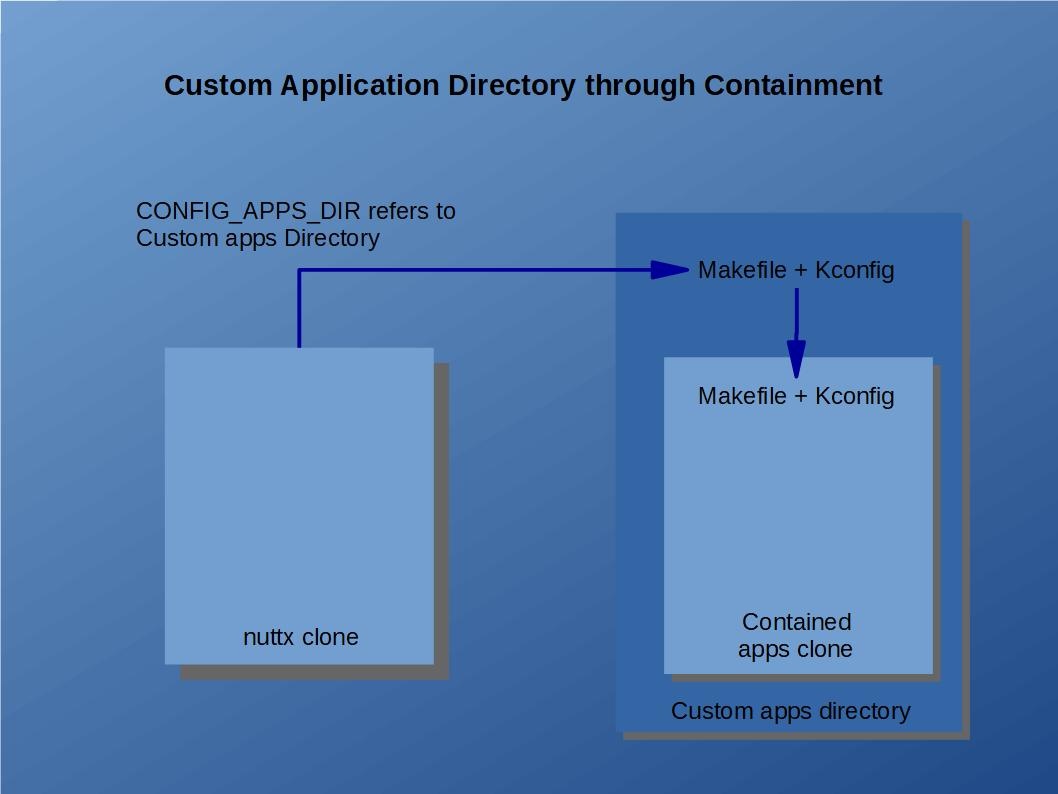
Kconfig and Makefile. There are only a few minimal requirements of your custom application directory. It needs to have only its own }}Makefile{{ and }}Kconfig{{ file. That }} Kconfig {{ would need to include the }}apps/Kconfig{{. The }}Makefile{{, would similarly need to invoke the }}apps/Makefil{{e Makefile for all of the relevant build targets. For example, the clean target:
...
Library Issues. The contained directory will create and install a static library called }}libapps($LIBEXT){{ in the }}nuttx/staging{{ directory. Your custom logic must also appear in the }}nuttx/staging{{ directory. Here are two ways that you might do that:
- Merge with }} libapps($LIBEXT)''. The custom application directory's
Makefilecould create and install the finallibapps($LIBEXT)in thenuttx/stagingdirectory. The<custom-dir>/apps/libapps($LIBEXT)could merge its custom object files with<custom-dir>/libapps($LIBEXT)and then re-install the library atnuttx/staging. - Use the
EXTRA_LIBSFeature. The build system supports two special Make-related variables callEXTRA_LIBSandEXTRA_LIBPATHS. These may be defined in your board-specificMake.defsfile.EXTRA_LIBSprovides the name of you custom library. If you create<custom-dir>/libcustom.a, then the value ofEXTRA_LIBSwould be-lcustomand the value ofEXTRA_LIBPATHSwould be-L <custom-dir>(assuming the GNUldlinker).
...
In this case, you would probably also want to contain the nuttx/ directory in the project directory as well so that the entire system is built out-of-tree.
Hooking External Applications into the Configuration System
Suppose you have opted to extend the apps/ directory with your custom external applicatoin directories and would also like to support configuration variables in your external application. No problem. Thanks to Sebastien Lorquet, any external application that you install into the apps/, whether via a symbolic link or via a directory copy, will be included into the NuttX configuration system.
...