DUE TO SPAM, SIGN-UP IS DISABLED. Goto Selfserve wiki signup and request an account.

...
There are various password-based services where it's required to authenticate with credentials. Here are a few examples:
- DockerHub
- Pip
- Maven
- NexusCentral
- SSH (private key based authentication)
- GIT
When to NOT use this guide
...
- AWS: For AWS, we should always aim to use IAM based authorization. Authentication is automatically done using the IAM roles the slaves have attached. In case you need assistance with this, feel free to attend the Berlin office hours or attend Berlins Recurring Apache (Incubating) MXNet User Group meeting or send an email to dev@mxnet.apache.org.
...
After previewing and saving it, you 're good to proceed to the next step.
Jenkins Environment Variables
...
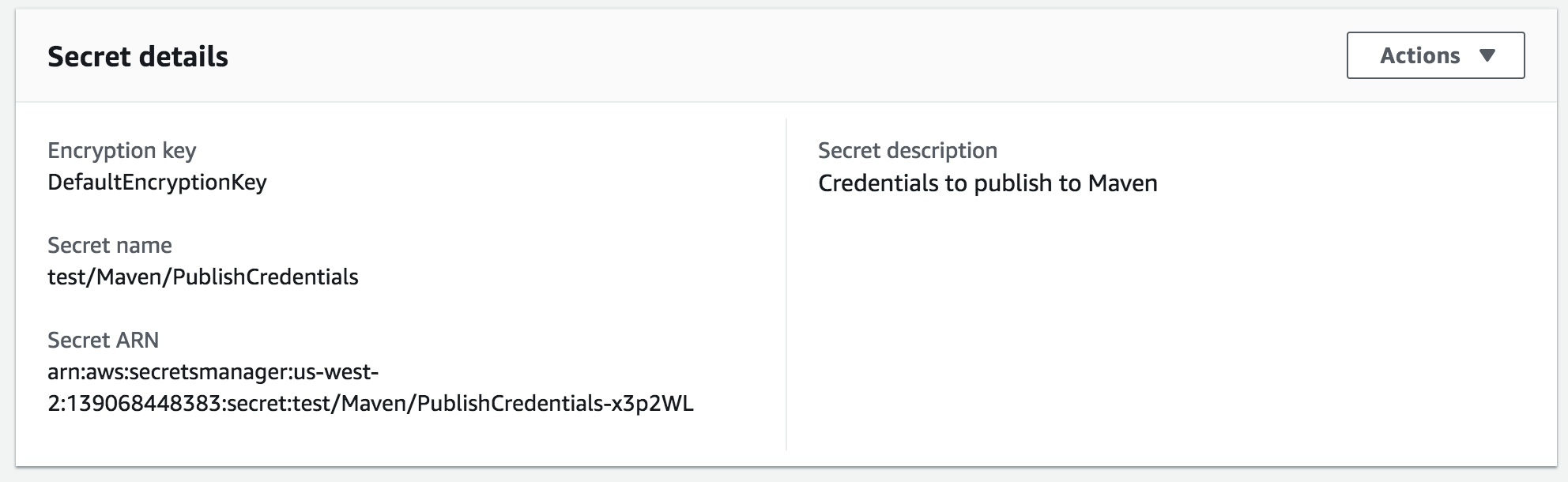
can click on the new entry and will find the required ARN:
IAM access to credential
The access to credentials is controlled using IAM permissions. In our specific case, each slave-type (restricted and unrestricted) has an IAM role attached. First, we need to create an IAM Policy here with the following content - note that you have to modify the ARN to match with the one you just created:
| Wiki Markup |
|---|
{
    "Version": "2012-10-17",
    "Statement": [
        {
            "Effect": "Allow",
            "Action": [
                "secretsmanager:DescribeSecret",
                "secretsmanager:List*"
            ],
            "Resource": "*"
        },
        {
            "Effect": "Allow",
            "Action": "secretsmanager:GetSecretValue",
            "Resource": [
                "arn:aws:secretsmanager:us-west-2:139068448383:secret:test/Maven/PublishCredentials-x3p2WL"
            ]
        }
    ]
} |
After creating the IAM policy, switch to the IAM role of your choice and attach the previously created policy. You will see a confirmation screen as follows:
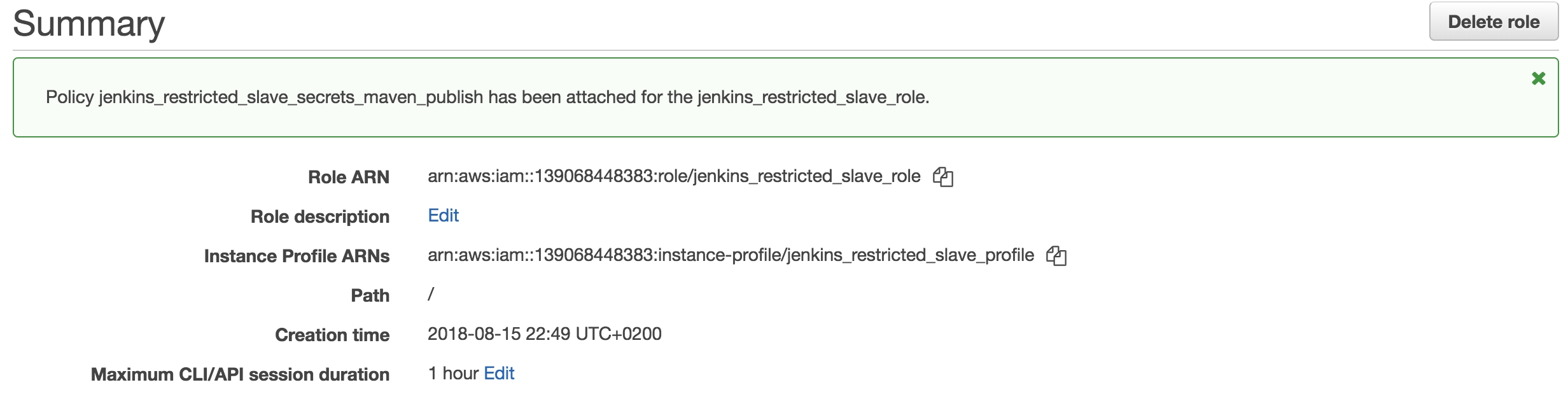
The IAM policy is now properly connected with the slave's role which grants it access to that specific secret.
Jenkins Environment Variables
In order to announce the paths to the secrets to the underlying jobs, we are making use of Environment Variables in Jenkins. Please note that these variables will be readable by anybody, but that should not be a problem because they will only contain the ARNs and Names of the secrets. Knowing these values does not grant access or gives any other possibility to retrieve any information since the authorization is controlled using IAM.
Navigate to the "Configure System" interface (dev - prod), scroll down to "Global Properties - Environment Variables" and you will see something along the lines of:
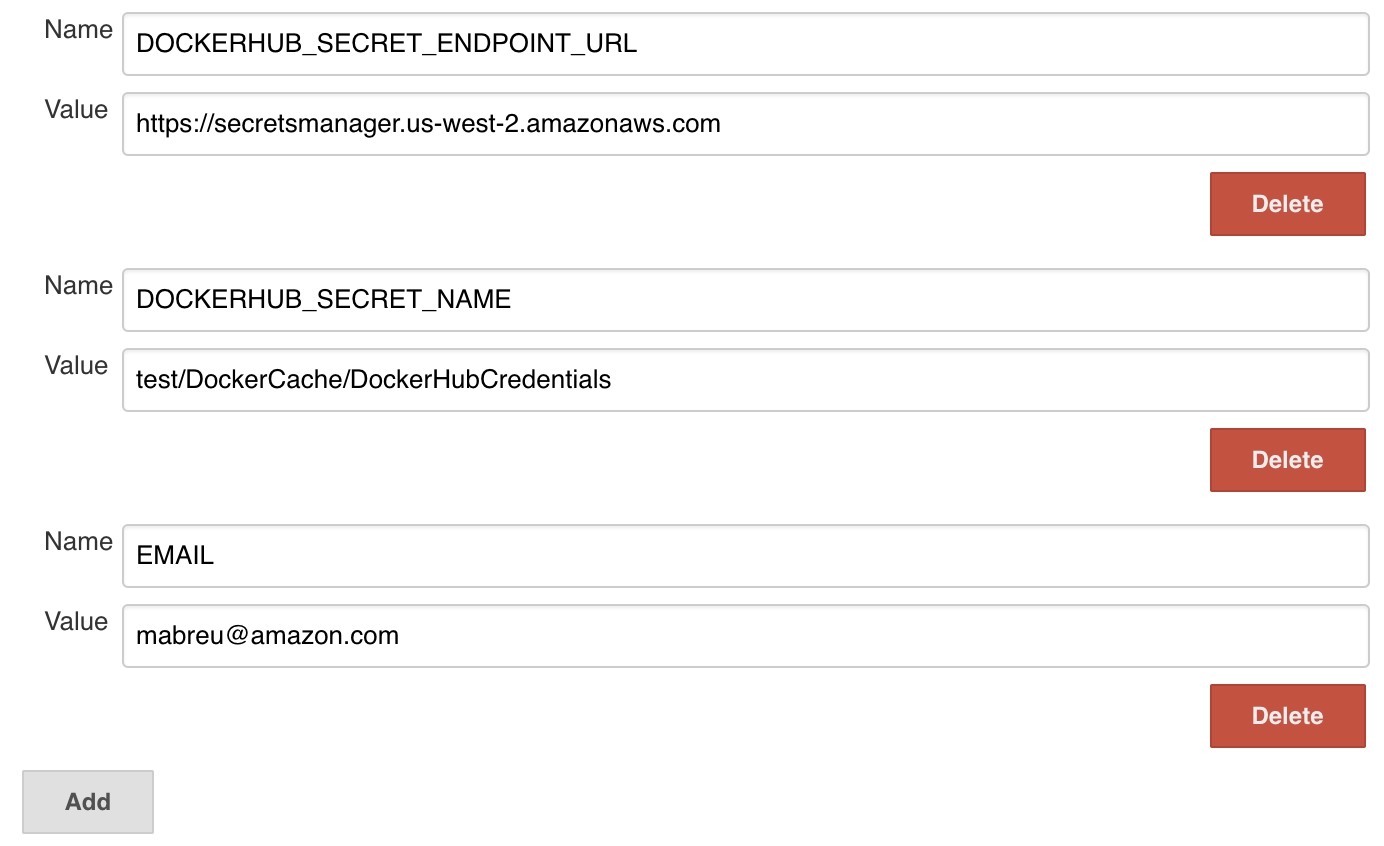
Simply press "Add" and add the environment variables:
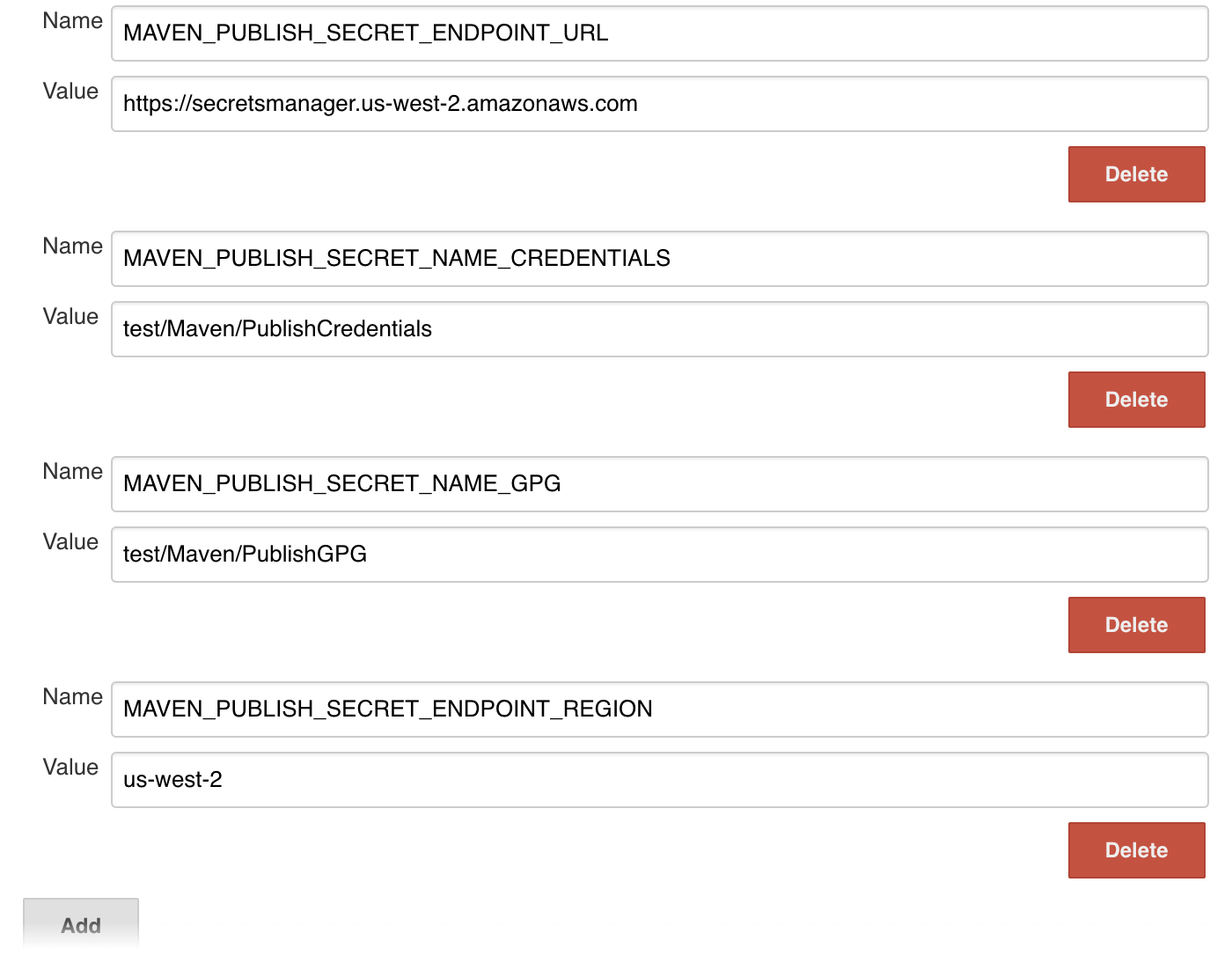
At the bottom of the page, press "Save" and you're done. The environment variables are now available to all slaves.
Usage
This part will explain how to access these credentials.
Restrictions
To protect the integrity of these secrets, you need to run on a restricted node. Please consult this guide for further details.
Environment variables and the AWS profiles are not being propagated to the Docker containers. Thus, you have to do necessary actions before entering the Docker environment. An example can be found at https://github.com/apache/incubator-mxnet/blob/master/ci/Jenkinsfile_docker_cache and https://github.com/apache/incubator-mxnet/blob/master/ci/docker_cache.py.
Retrieving credentials
In order to retrieve credentials, you have to query the AWS API using the instance profiles' credentials. This can be done with the following example code:
| Code Block | ||||
|---|---|---|---|---|
| ||||
def _get_credentials():  # pragma: no cover
    import boto3
    import botocore
    secret_name = os.environ['MAVEN_PUBLISH_SECRET_NAME_CREDENTIALS']
    endpoint_url = os.environ['MAVEN_PUBLISH_SECRET_ENDPOINT_URL']
    region_name = os.environ['MAVEN_PUBLISH_SECRET_ENDPOINT_REGION']

    session = boto3.Session()
    client = session.client(
        service_name='secretsmanager',
        region_name=region_name,
        endpoint_url=endpoint_url
    )
    try:
        get_secret_value_response = client.get_secret_value(
            SecretId=secret_name
        )
    except botocore.exceptions.ClientError as client_error:
        if client_error.response['Error']['Code'] == 'ResourceNotFoundException':
            logging.exception("The requested secret %s was not found", secret_name)
        elif client_error.response['Error']['Code'] == 'InvalidRequestException':
            logging.exception("The request was invalid due to:")
        elif client_error.response['Error']['Code'] == 'InvalidParameterException':
            logging.exception("The request had invalid params:")
        raise
    else:
        secret = get_secret_value_response['SecretString']
        secret_dict = json.loads(secret)
return secret_dict |
That's it.