Following are UI changes made to support the userdata to register/list/delete, in deploy/update/reset virtual machine and to link to templates.
- A new sub-section under “Compute” tab is added for userdata, where userdata can be registered, listed and removed.
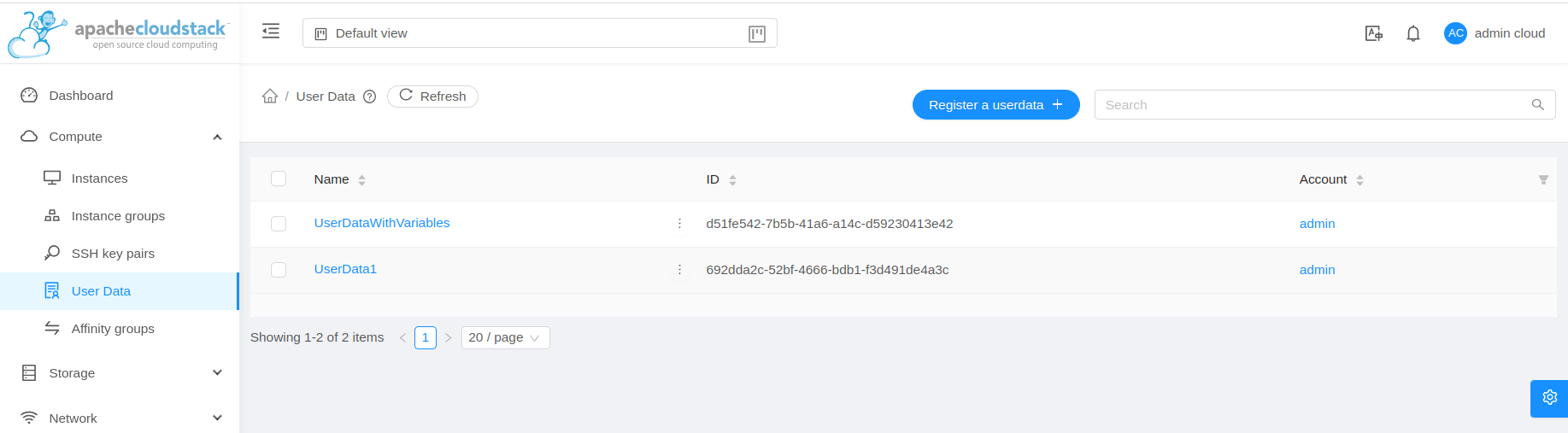
 Image Modified
- Register userdata form with custom parameters
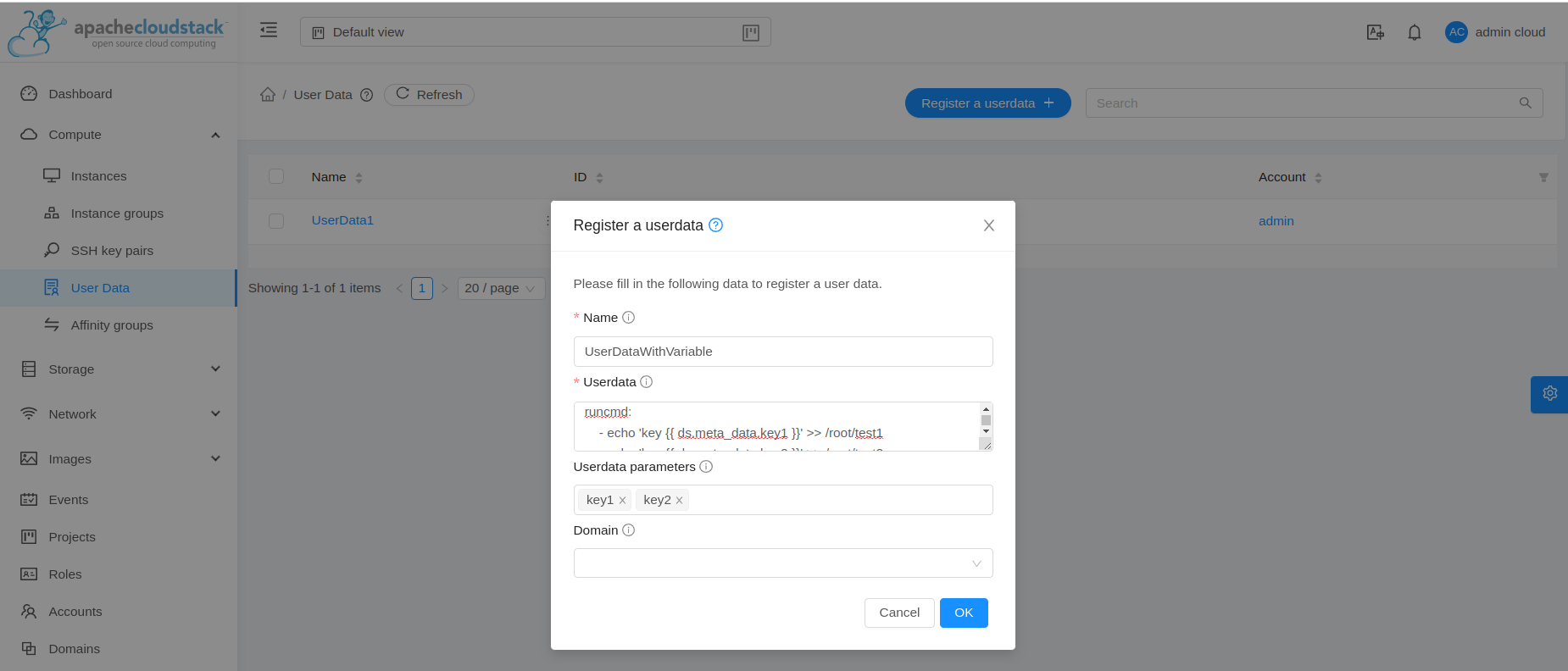 Image Modified
- To support linking of userdata to template/ISO during registration, upload and edit
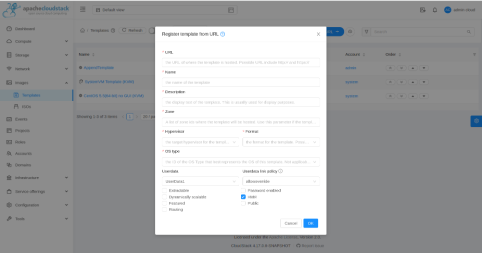 Image Modified
- To support unlinking of userdata to template/ISO during edit using empty values
 Image Modified
- In “Add Instance” form, under “Advanced Mode”, there is a userdata section to either select a registered userdata or a userdata content
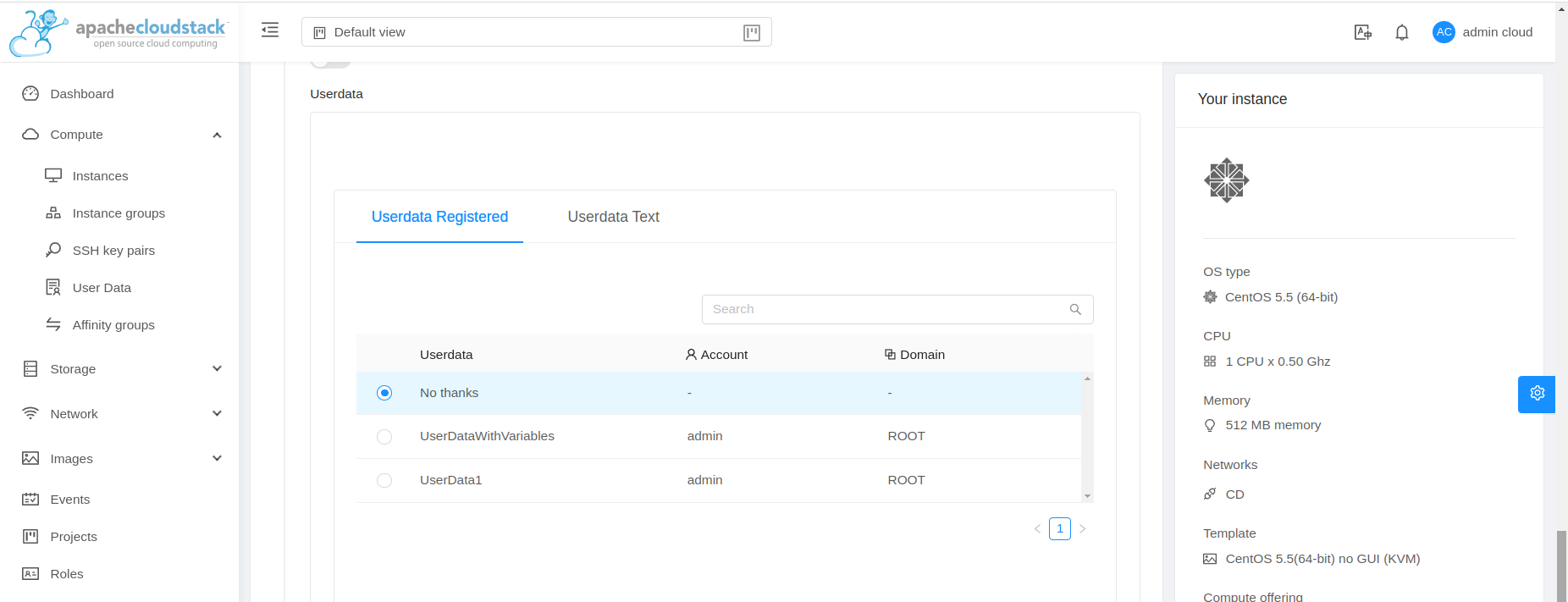 Image Modified
- If a userdata is already linked to the template which is being used in VM deployment, following options are show based on the userdata override policy defined during linking of userdata and template
 Image Modified
A text is shown which describes the userdata linked to the template and the override policy and based on the override policy we get the option to either override or append the userdata. If the override policy is deny, then we don’t provide option to select or provide userdata.
If the userdata linked to template or the selected userdata has the custom parameters declared, then we provide a table to provide key value pairs.
- A reset userdata button is added for stopped VM, next to reset ssh key button
 Image Modified
- Reset userdata form looks like below, this is similar to the userdata section in “Add Instance” form
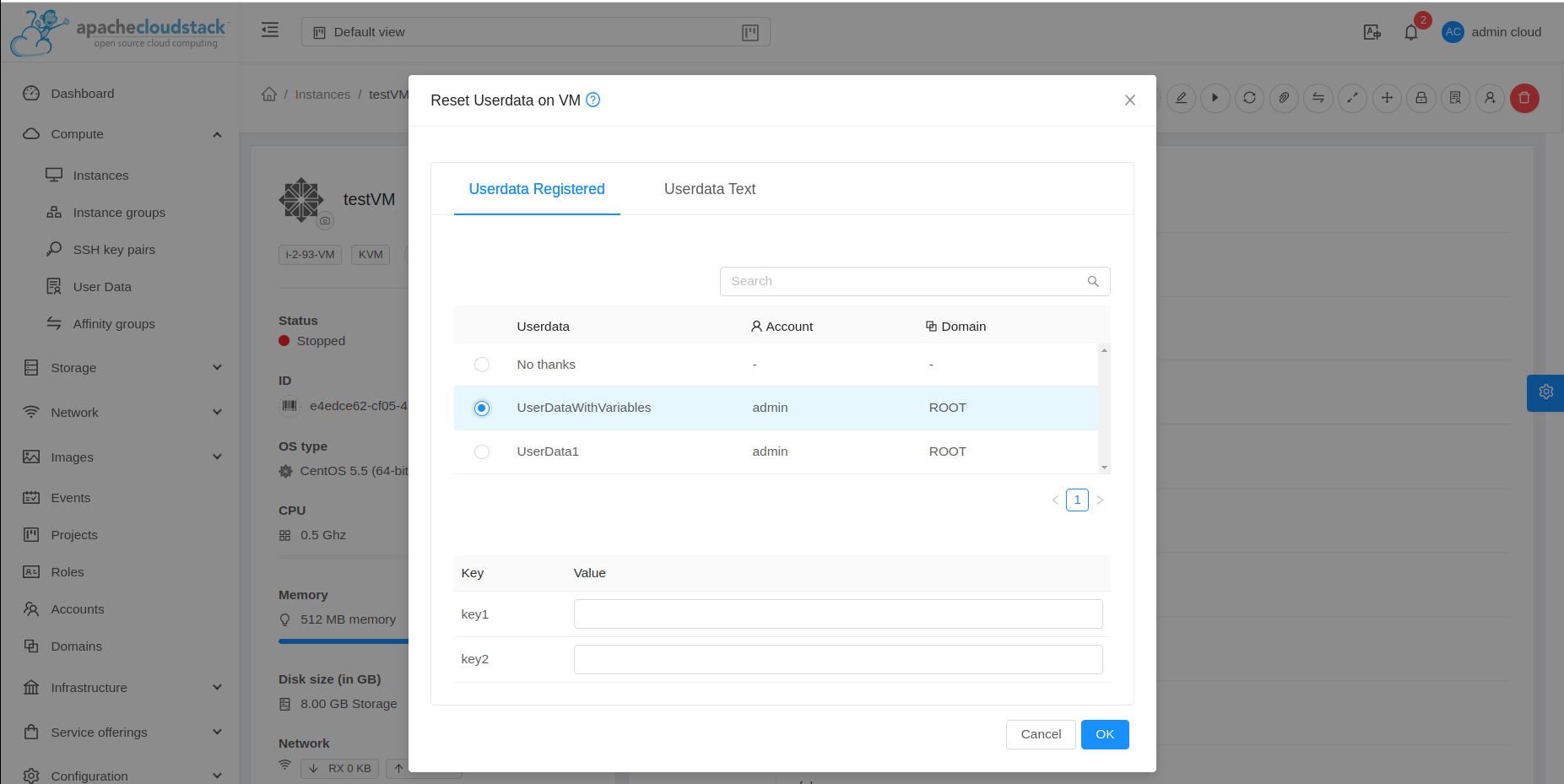 Image Modified
