DUE TO SPAM, SIGN-UP IS DISABLED. Goto Selfserve wiki signup and request an account.

...
- Ubuntu 14.04, 16.04, 18.04, 20.04
- CentOS 7
- See bootstrap_development.sh for other supported versions (this wiki page may be stale).
...
Option 1 - Building Impala (for developing Impala)
This will also load all the test data, i.e. on HDFS, Kudu and HBase and for all formats (text/parquet/orc) and compressions (none/gzip/snappy etc.) which usually takes hours. If you just need some simple test data (e.g. TPCH data set), try Option 2 below.
| Code Block |
|---|
git clone https://gitbox.apache.org/repos/asf/impala.git ~/Impala
cd ~/Impala
export IMPALA_HOME=`pwd`
./bin/bootstrap_development.sh |
Option 2 - Building Impala without Test Data (for manually testing Impala)
If you have some test data in hand, or you just need a subset of the test data (e.g. TPCH tables in parquet format), you can try this.
| Code Block |
|---|
git clone https://gitbox.apache.org/repos/asf/impala.git ~/Impala cd ~/Impala export IMPALA_HOME=`pwd` ./bin/bootstrap_system.sh source ./bin/impala-config.sh # Format the test cluster and start Impala and dependent services ./buildall.sh -noclean -notests -format -start_minicluster -start_impala_cluster # Load some test data (skip this if you don't need them) # Example 1: Load functional test data in parquet format. Note that you need the text tables since parquet tables are generated from them. bin/create_testdata.sh bin/load-data.py -e core -w functional-query --table_formats=text/none,parquet/none # Example 2: Load TPCH test data in parquet format. bin/load-data.py -e core -w tpch --table_formats=text/none,parquet/none # Example 3: Load TPCDS test data in parquet format. bin/load-data.py -e core -w tpcds --table_formats=text/none,parquet/none |
Rebuilding after initial build
| Code Block | ||||
|---|---|---|---|---|
| ||||
# Rebuild both backend and frontend
${IMPALA_HOME}/buildall.sh -skiptests -noclean

# Rebuild with optimized release binaries
${IMPALA_HOME}/buildall.sh -skiptests -noclean -release

# Incremental builds
source ${IMPALA_HOME}/bin/impala-config.sh # If you didn't already source impala-config.sh in this shell
 # Optional: Rebuild the impala binary only
make -j$IMPALA_BUILD_THREADS impalad
# Optional: Build the Java-side frontend only
make -j$IMPALA_BUILD_THREADS fejava

# Restart the Impala cluster
${IMPALA_HOME}/bin/start-impala-cluster.py |
See Tips for Faster Impala Builds for more tips on how to do incremental builds.
FAQ
Q: The build is stuck at 100% progress for a while (as the screenshot shows). What's going on there?
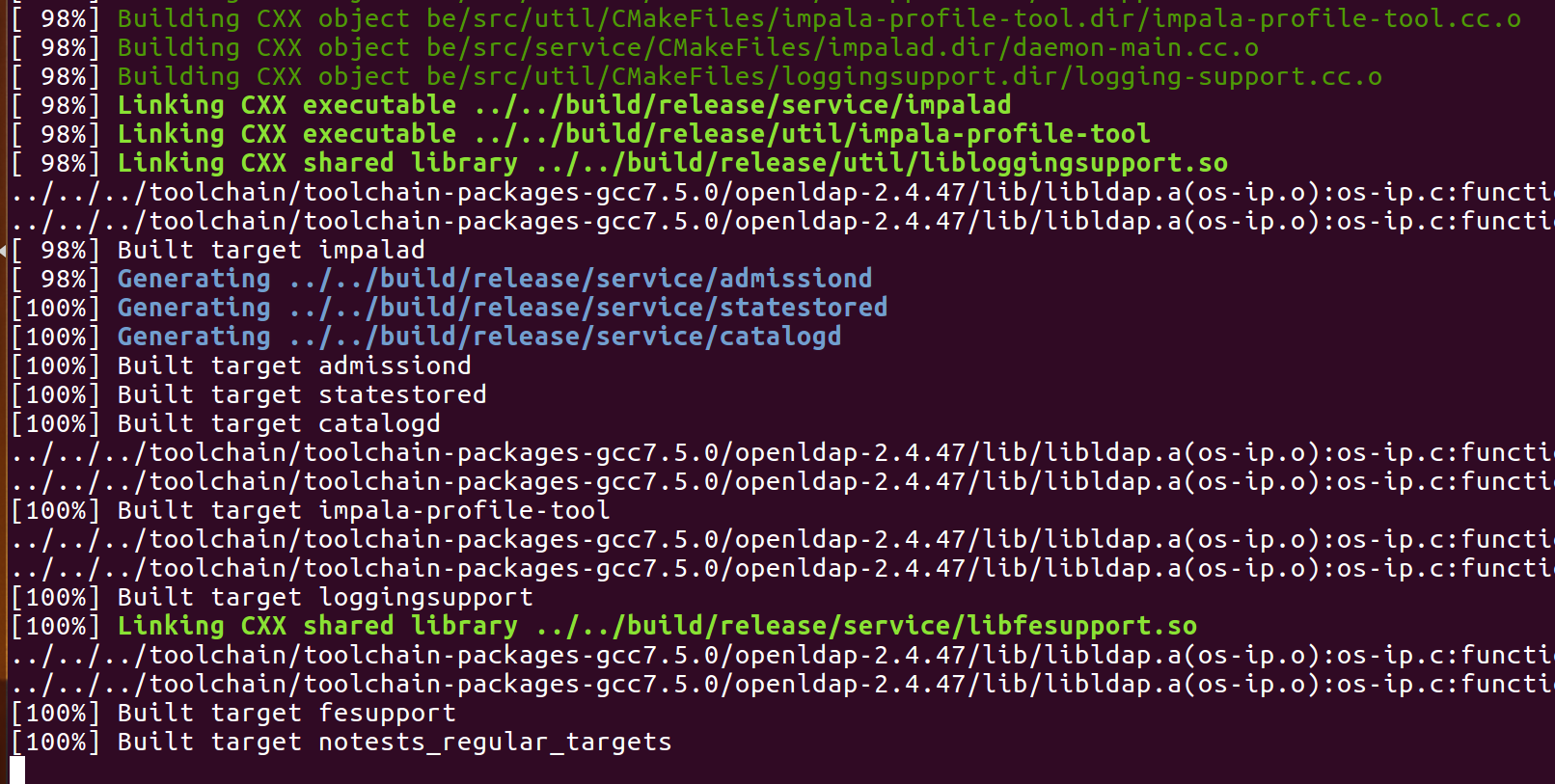
A: Usually the FE compilation is still running. Maven downloads a lot of artifacts. So you will see slow progress there if your internet connection is slow. You can check the logs at ${IMPALA_HOME}/logs/mvn/mvn.log