DUE TO SPAM, SIGN-UP IS DISABLED. Goto Selfserve wiki signup and request an account.

DUE TO SPAM, SIGN-UP IS DISABLED. Goto Selfserve wiki signup and request an account.
...
The Jira issue associated with this design spec
https://issues.apache.org/jira/browse/CLOUDSTACK-664 https://issues.apache.org/jira/browse/CLOUDSTACK-665
What branch is this work being done in Master
...
This is functional specifications for the feature https://issues.apache.org/jira/browse/CLOUDSTACK-443
f
State the purpose of the document; something like: this is functional specificationS of feature "..." which has Jira ID CS-xyzw
...
Configuring health checks in Aws http://docs.amazonwebservices.com/ElasticLoadBalancing/latest/DeveloperGuide/ConfigureHealthCheck.html
API to configure health check http://docs.amazonwebservices.com/ElasticLoadBalancing/latest/APIReference/API_ConfigureHealthCheck.html
...
Using NS API / haproxy commands to create/delete/modify the health check monitor
...
Available to User.
Request parameters:
lbruleid
pingPath
responsetime
intervaltime
healthythresshold
unhealthythresshold
By using the createLBHealthCheck api command we can create the healtcheck monitor for the services in the Rule.When new VM’s got assigned to the rule, monitor should be added to these services also.
Availabler to User
Request Parameters:
id : id of the healthcheck policy
To delete the healthcheck/monitor, call the deleteLBHealthCheck api which will delete health check from the LB rule.
Availability to user
request Parameters:
lbruleid : id of the LB rule.
Using the listLBHealthCheck, health check created for the LB rule will be retrieved.
This is a batch operation. To modify the health check, first call deleteLBHealthCheck which will delete the already existing health check and call createLBHealthCheck with the new configuration parameters.
Note: if the new configuration parameters were not able to be applied, then it won’t restore the old health check.
To delete the healthcheck/monitor, call the deleteLBHealthCheck api which will delete health check from the LB rule.
Using the listLBHealthCheck, health check created on the LB rule will be retrieved.
...
Id | Bigint(20) | Primary Key | Auto_increment |
uuid | varchar | Not null | |
Load_balancer_id | BigInt | Fk to Load_balancer_rule(id) | |
pingpath | varchar2(1024) | Default ("/") | |
Response_time | Int | Default (5 sec) | |
Healthcheck_interval | Double | Default (5 sec) | |
Healthy_thresshold | Int | Default (2) | |
Unhealth_thresshold | Int | Default(10) |
a new colum "state" will be added which will store the state of the service.
The following APIs are supported in this feature.
...
lbmonitor mymon = new lbmonitor();
mymon.set_monitorname("cshttpmon");
mymon.set_type(lbmonitor.typeEnum.HTTP);
lbmonitor.add(ns_session, mymon);
netscaler commands:
TBD
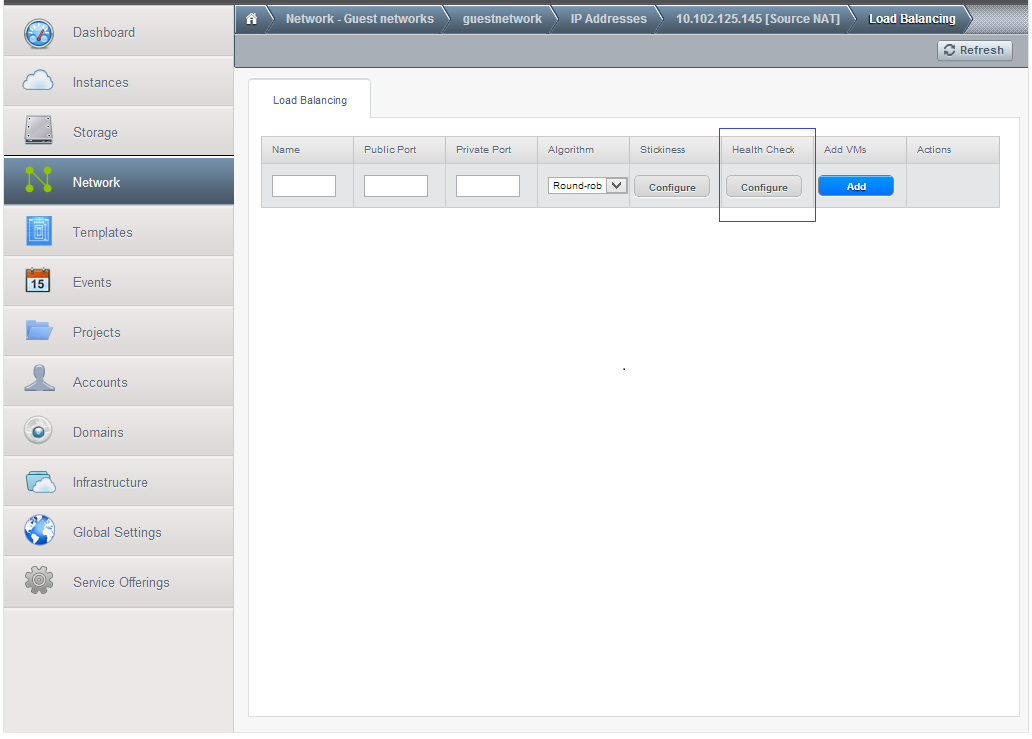
...