DUE TO SPAM, SIGN-UP IS DISABLED. Goto Selfserve wiki signup and request an account.

...
You can copy any pieces that you like from the old apps/directory to your custom apps directory as necessary. This is documented in nuttx/boards/README.txt, in the NuttX Porting Guide and Build options, and in the apps/README.txt file.
...
If you like the random collection of stuff in the apps/ directory but just want to expand the existing components with your own, external sub-directory then there is an easy way to that too: You just create a sympolic link in the apps/ directory that redirects to your application sub-directory (or copy your code into a sub-directory of apps/).
http://www.nuttx.org/Images/Extended-apps.jpg?400
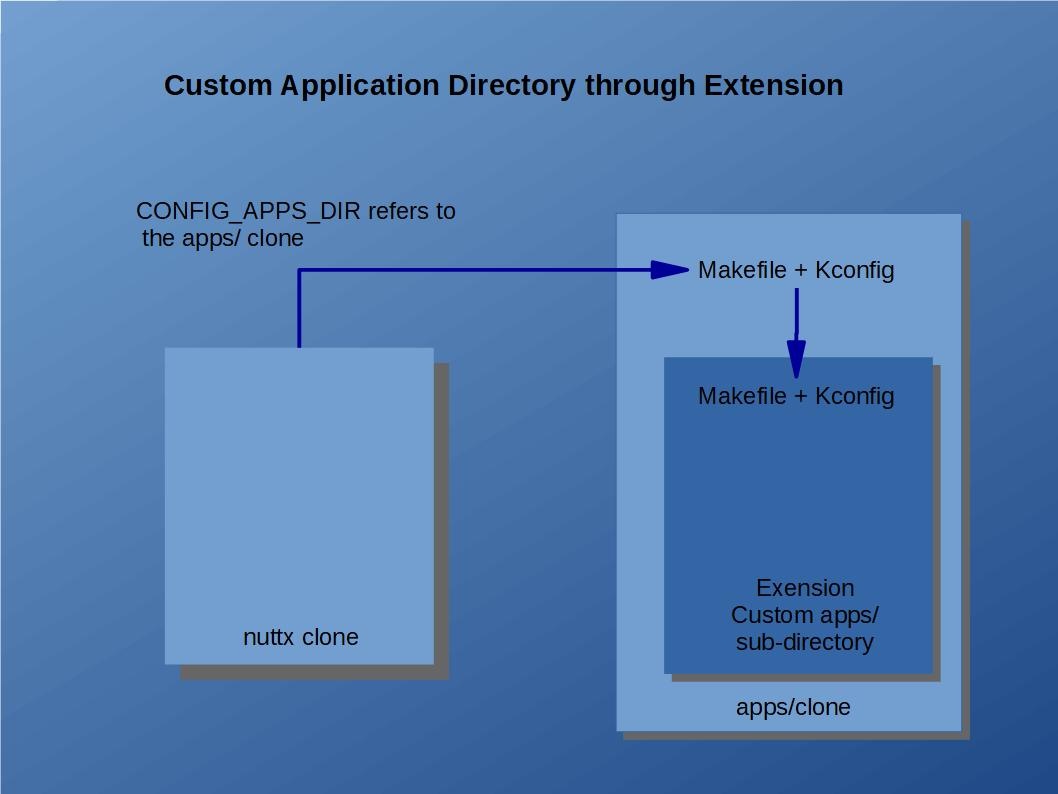
Makefile and Make.defs. In order to be incorporated into the build, the directory that you link under the apps/ directory should contain (1) a Makefile that supports the clean and distclean targets (see other Makefile}}s Makefiles for examples), and (2) a tiny {{Make.defs make file fragment that simply adds the build directories to the variable ''{{ CONFIGURED_APPS like:
| Code Block |
|---|
CONFIGURED_APPS += my_directory1 my_directory2 |
Automatic Sub-directoy Inclusion. The }}apps/Makefile{{ will always automatically check for the existence of sub-directories containing a }}Makefile{{ and a }}Make.defs{{ file. The }}Makefile{{ will be used only to support cleaning operations. The }}Make.defs{{ file provides the set of relative pathes paths to directories to be built; these directories must also contain a }}Makefile{{. That }}Makefile{{ that can build the sources and add the object files to }}apps/libapps.a{{ archive (see other }}Makefile{{s Makefiles for examples). It should support the }}all{{, }}install{{, }}context{{, and }}depend{{ targets.
}}apps/Makefile{{ does not depend on any hard-coded lists of directories. Instead, it does a wildcard search to find all appropriate directories. This means that to install a new application, you simply have to copy the directory (or link it) into the }}apps/{{ directory. If the new directory includes a }}Makefile{{ and a }}Make.defs{{ file, then it will be automatically discovered and included in the build at make time.
Kconfig. If the directory that you add also includes a }}Kconfig{{ file, then it will automatically be included in the NuttX configuration system as well. }}apps/Makefile{{ uses a tool at }}apps/tools/mkkconfig.sh{{ that dynamically builds the }}apps/Kconfig{{ file at pre-configuration time.
NOTE: The native Windows build is will use a corresponding tool called }}apps/tools/mkconfig.bat{{.
Install script. You could, for example, create a script called install.sh that installs a custom application, configuration, and board specific directory:
- Copy }}
MyBoard{{ directory to }}boards/MyBoard{{. - Add a symbolic link to }}
MyApplication{{ at }}apps/external{{ - Configure NuttX:
| Code Block |
|---|
tools/configure.sh MyBoard:MyConfiguration |
Special }} apps/external Directory{{. Use of the name }}apps/external{{ is suggested because that name is included in the .gitignore file and will save you some nuisance when working with GIT.
...
A simple, minimally invasive approach would be to contain the }}apps/{{ GIT clone within your custom application directory. In this case }}apps/{{ would appear as a directory under your custom application directory instead of your application directories being kludged in as sub-directories of }}apps/{{. It may even be implemented as a sub-module of your custom application directory.
http://www.nuttx.org/Images/Contained-apps.jpg?400
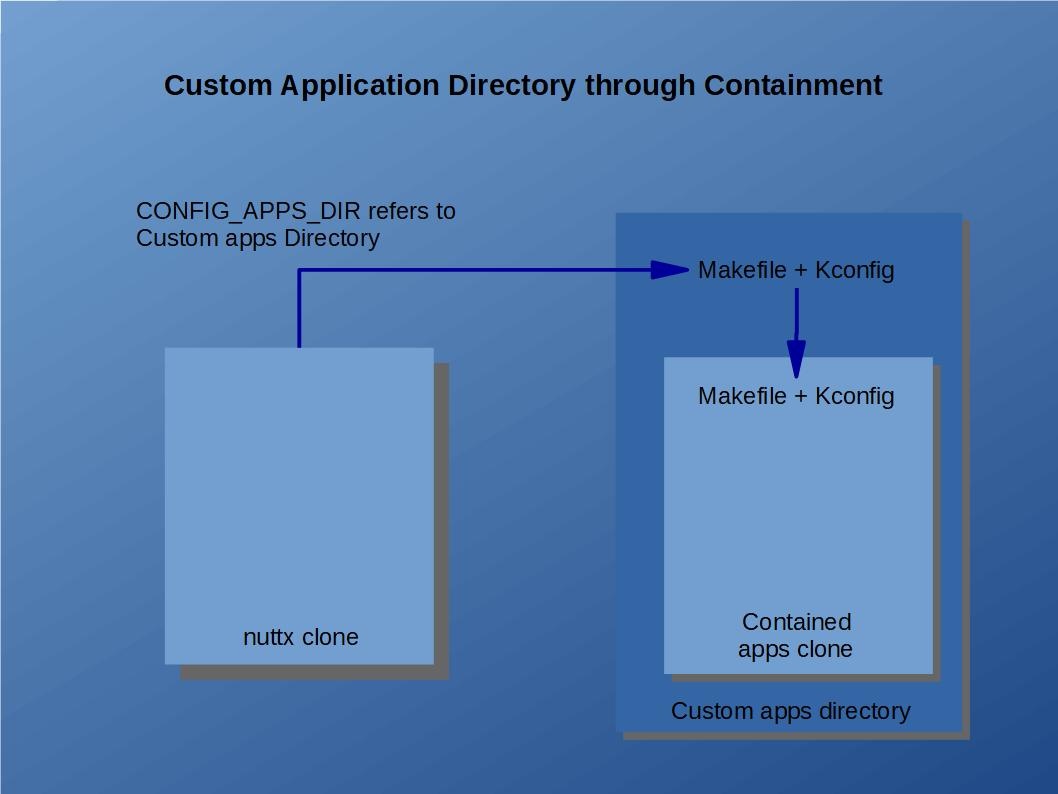
Kconfig and Makefile. There are only a few minimal requirements of your custom application directory. It needs to have only its own }}Makefile{{ and }}Kconfig{{ file. That }} Kconfig {{ would need to include the }}apps/Kconfig{{. The }}Makefile{{, would similarly need to invoke the }}apps/Makefil{{e Makefile for all of the relevant build targets. For example, the clean target:
...
Library Issues. The contained directory will create and install a static library called }}libapps($LIBEXT){{ in the }}nuttx/staging{{ directory. Your custom logic must also appear in the }}nuttx/staging{{ directory. Here are two ways that you might do that:
- Merge with }} libapps($LIBEXT)''. The custom application directory's
Makefilecould create and install the finallibapps($LIBEXT)in thenuttx/stagingdirectory. The<custom-dir>/apps/libapps($LIBEXT)could merge its custom object files with<custom-dir>/libapps($LIBEXT)and then re-install the library atnuttx/staging. - Use the
EXTRA_LIBSFeature. The build system supports two special Make-related variables callEXTRA_LIBSandEXTRA_LIBPATHS. These may be defined in your board-specificMake.defsfile.EXTRA_LIBSprovides the name of you custom library. If you create<custom-dir>/libcustom.a, then the value ofEXTRA_LIBSwould be-lcustomand the value ofEXTRA_LIBPATHSwould be-L <custom-dir>(assuming the GNUldlinker).
...