DUE TO SPAM, SIGN-UP IS DISABLED. Goto Selfserve wiki signup and request an account.
OFBIZ-13240 - Getting issue details... STATUS
Introduction
In Apache OFBiz, direct inventory receipt without a purchase order provides a flexible way to add items straight into warehouse stock when no formal procurement process is required. This workflow bypasses purchase orders, shipments, and automatic invoice generation entirely, allowing warehouse teams to update inventory instantly based on physical arrivals. The system records the receipt with basic details (such as product, quantity, and optional supplier reference), immediately increasing Quantity on Hand (QOH) and Available to Promise (ATP) levels while creating a clear audit trail in the inventory records.
This method is fully supported for ad-hoc or unplanned inflows, ensuring stock accuracy even when goods arrive outside the standard procurement cycle. It is particularly useful for maintaining real-time inventory visibility without administrative overhead.
Common Use Cases
- Receiving free samples, promotional items, or gifts from suppliers that were not formally ordered.
- Correcting inventory discrepancies (e.g., found stock or minor adjustments) or accepting donations and non-purchased contributions.
By using this workflow, businesses can quickly reflect unexpected or informal inflows in the system, preventing stockouts and supporting accurate reporting without complicating procurement records.
How It Works in Practice
The process is extremely straightforward: warehouse staff enter product details and quantities directly in the Facility (warehouse) module, with no need for PO or shipment references. This results in an immediate inventory update and generates inventory item records for traceability, while leaving no links to procurement or financial transactions (invoices can be created manually later in Accounting if needed).
Below is a detailed, step-by-step walkthrough of receiving shipments directly into inventory in Apache OFBiz.
Step-by-step guide with screenshots
In Apache OFBiz, direct inventory receipt without a purchase order provides a flexible way to add items straight into warehouse stock when no formal procurement process is required. This workflow bypasses purchase orders, shipments, and automatic invoice generation entirely, allowing warehouse teams to update inventory instantly based on physical arrivals. The system records the receipt with basic details (such as product, quantity, and optional supplier reference), creating a clear audit trail in the inventory records.
Below is a detailed, step-by-step walkthrough of receiving shipments directly into inventory in Apache OFBiz.
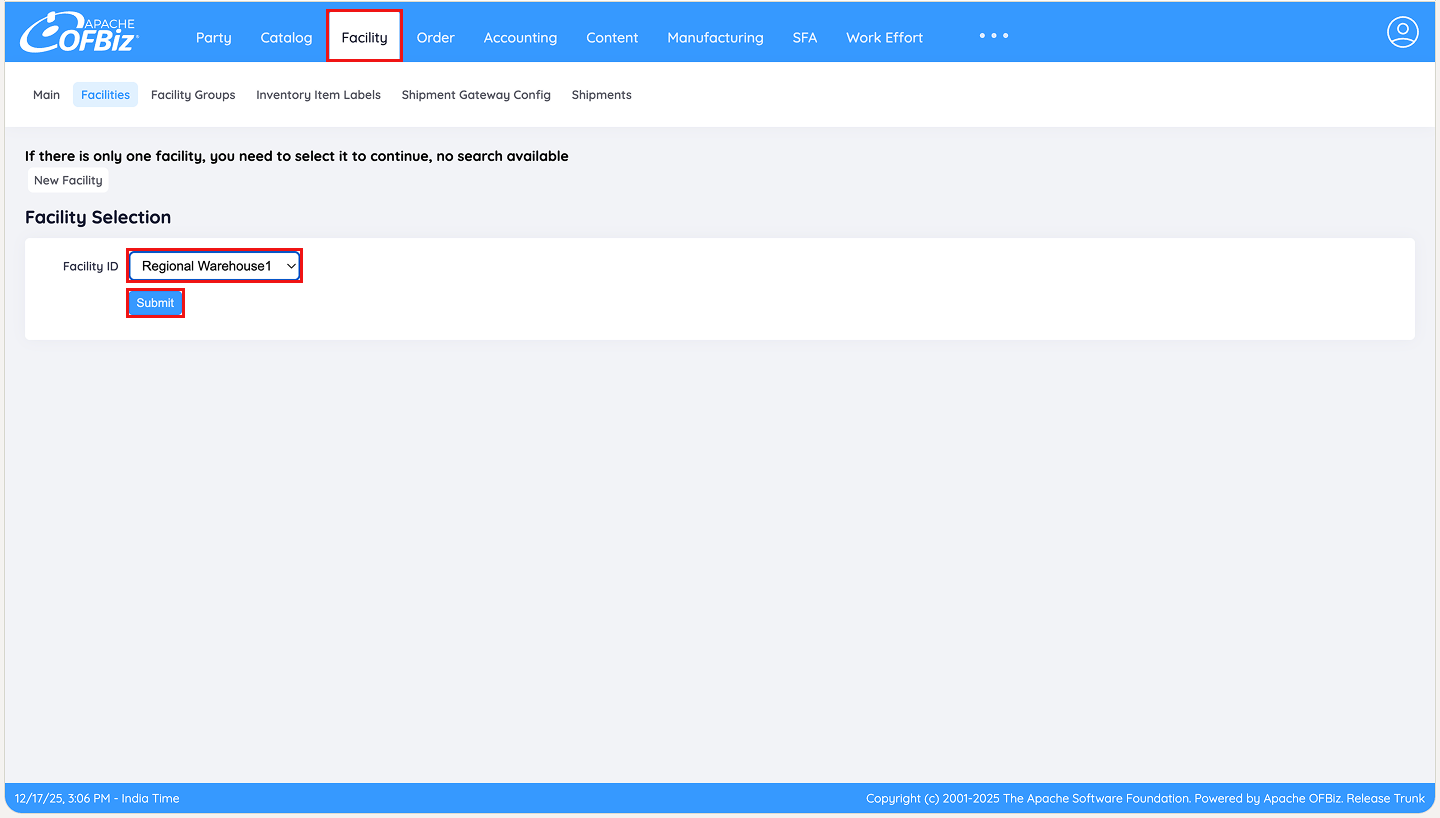
Step 1: Navigate to the Facility Screen
From the main tabs at top of the screen select Facility. Choose the warehouse where the items are being received and click Submit.
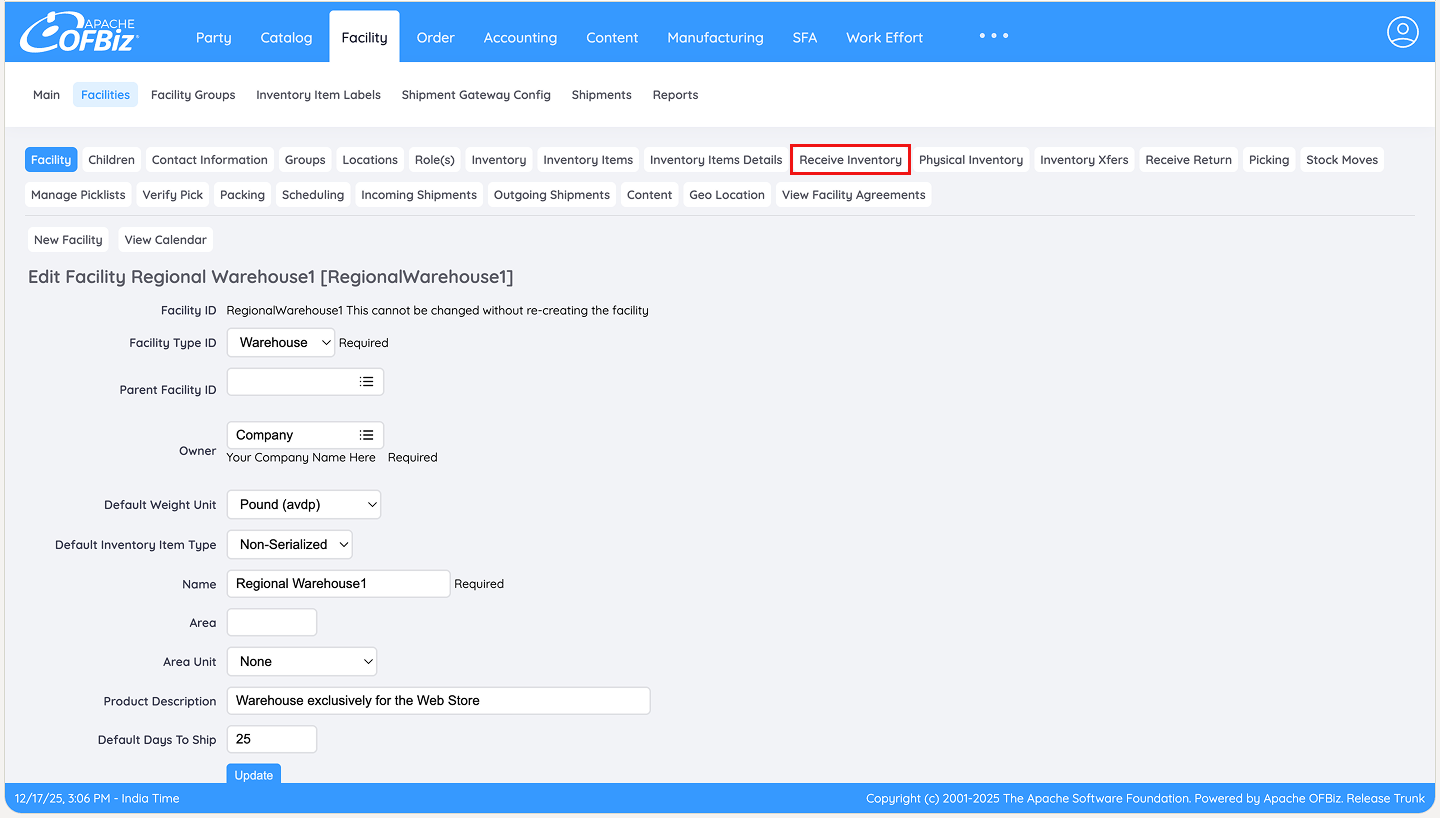
Step 2: Access Receive Inventory
On the Facility detail page, click the Receive Inventory tab to begin the receiving process.
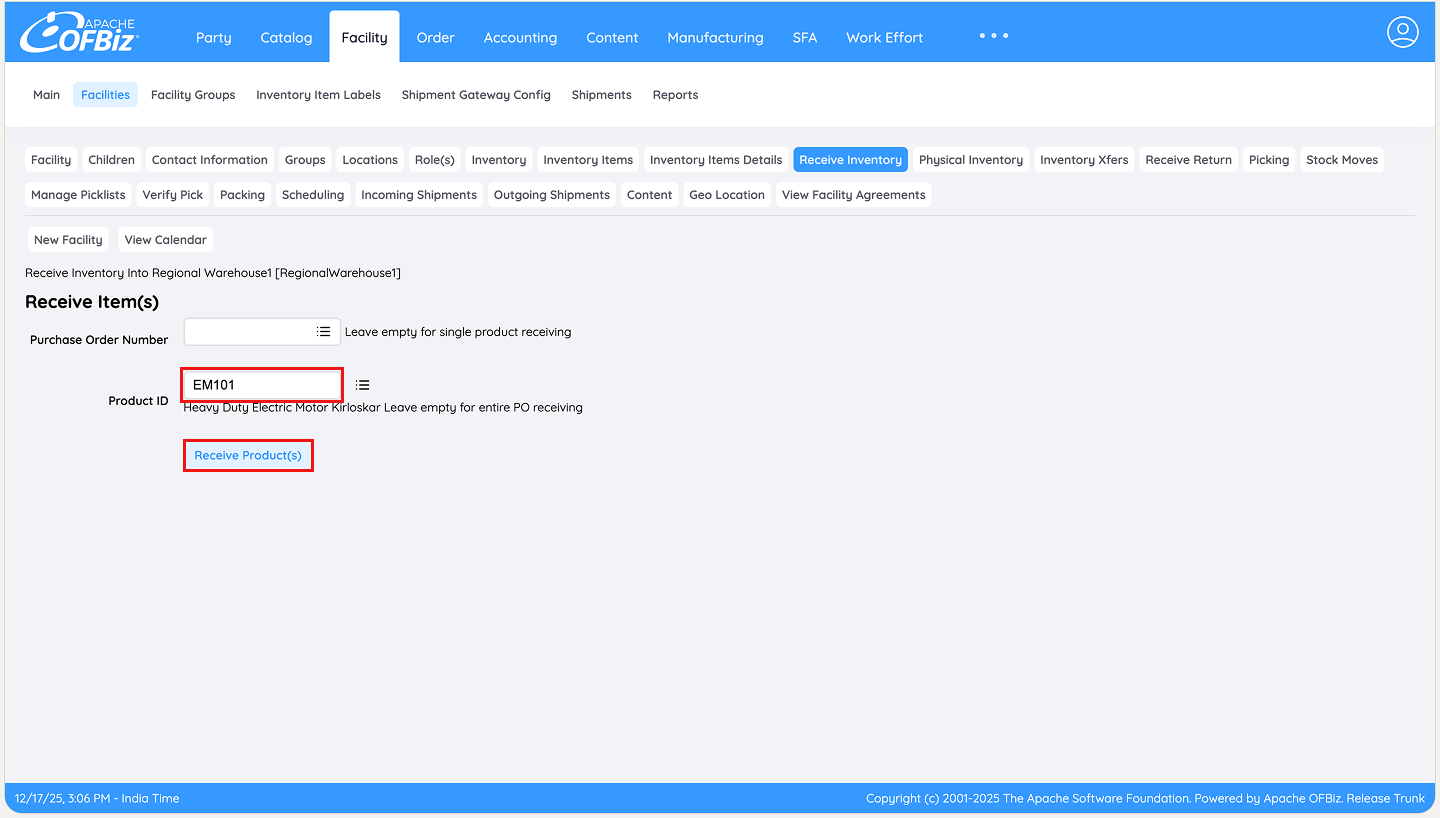
Step 3: Enter the Product ID
In the receiving screen, input the Product ID and click Receive Product(s).
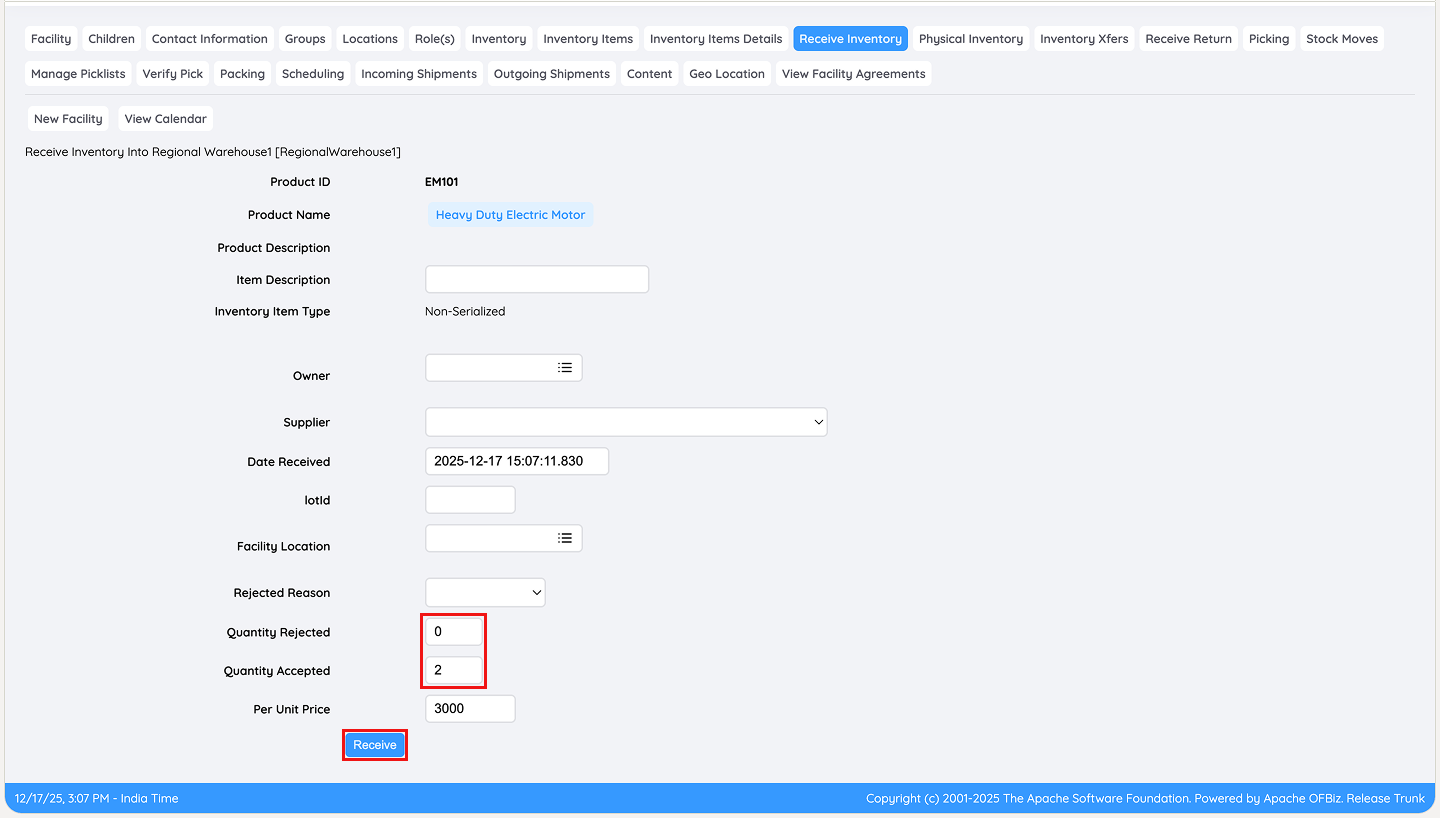
Step 4: Record Received and Rejected Quantities
Enter the quantity physically received in the appropriate field. If any items are rejected (e.g., damaged), record that quantity separately. Click Receive to confirm.
Step 5: Verify the Receipt
A confirmation message appears at the top. For detailed traceability, click Inventory Details to view the newly created inventory item record.
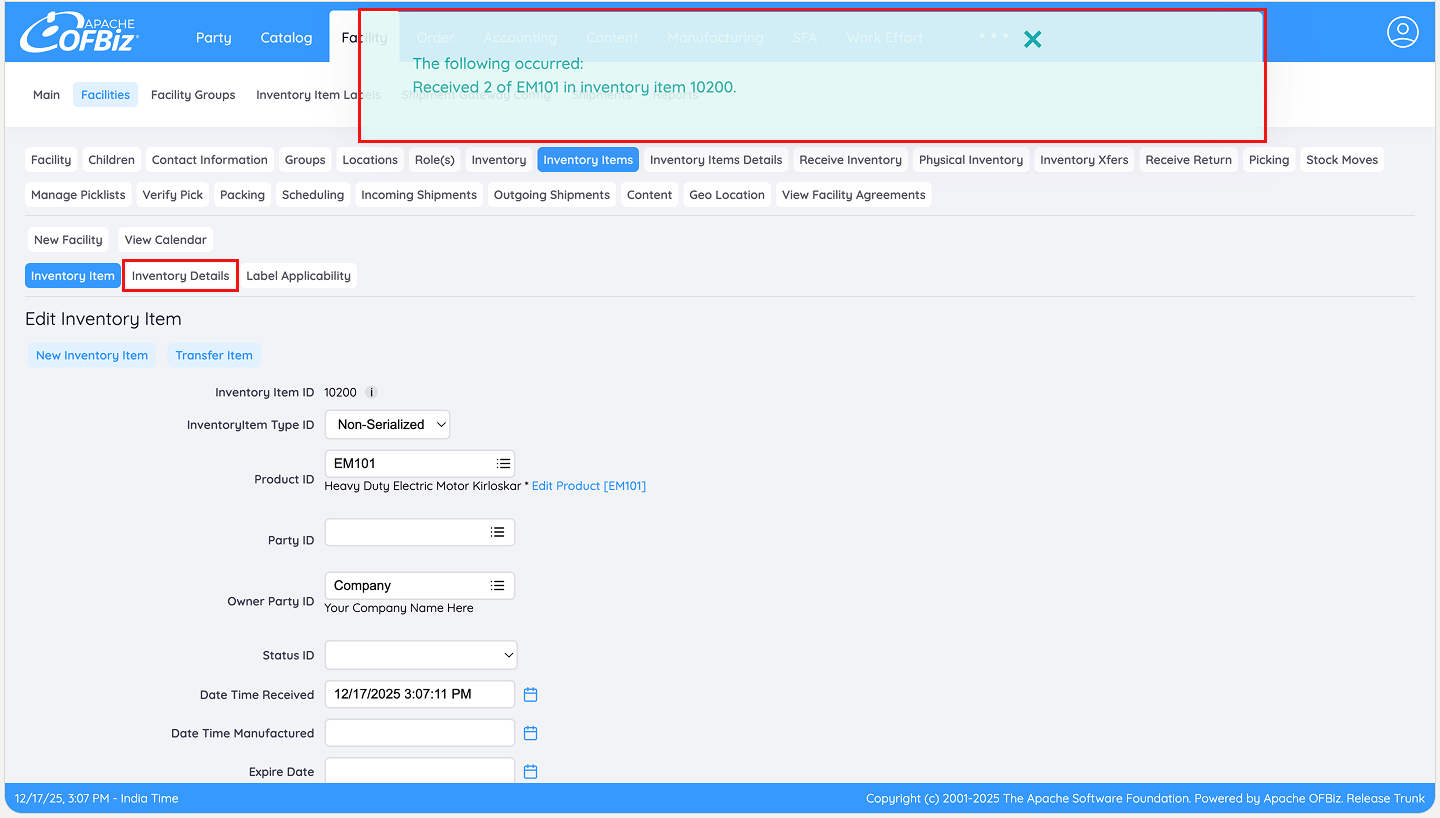
Step 6: Review Receipt History
The inventory details screen shows the receipt entry with a timestamp, confirming the items have been successfully added to stock with full audit information.
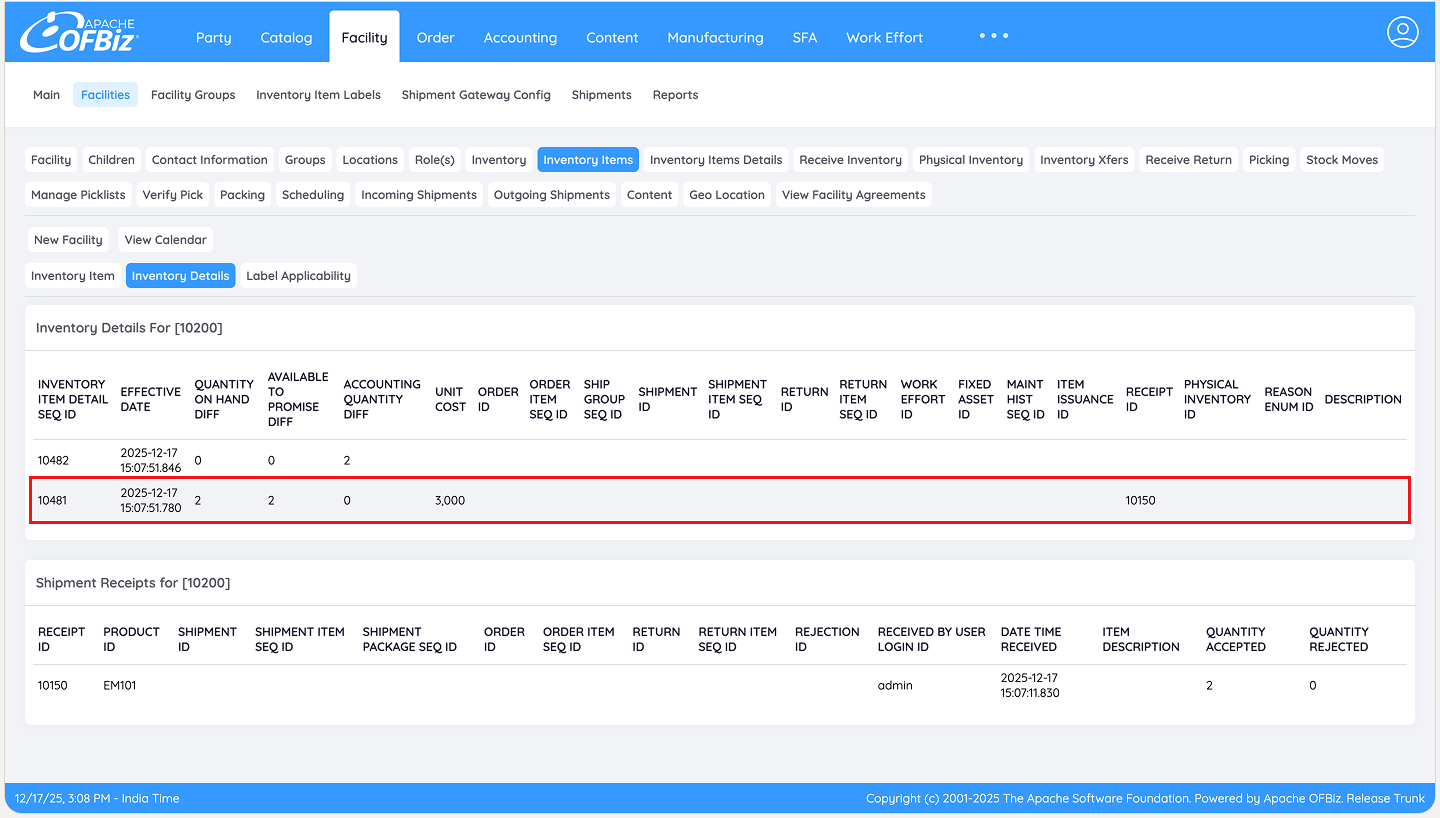
Step 7: Verification of Ad-Hoc Receiving
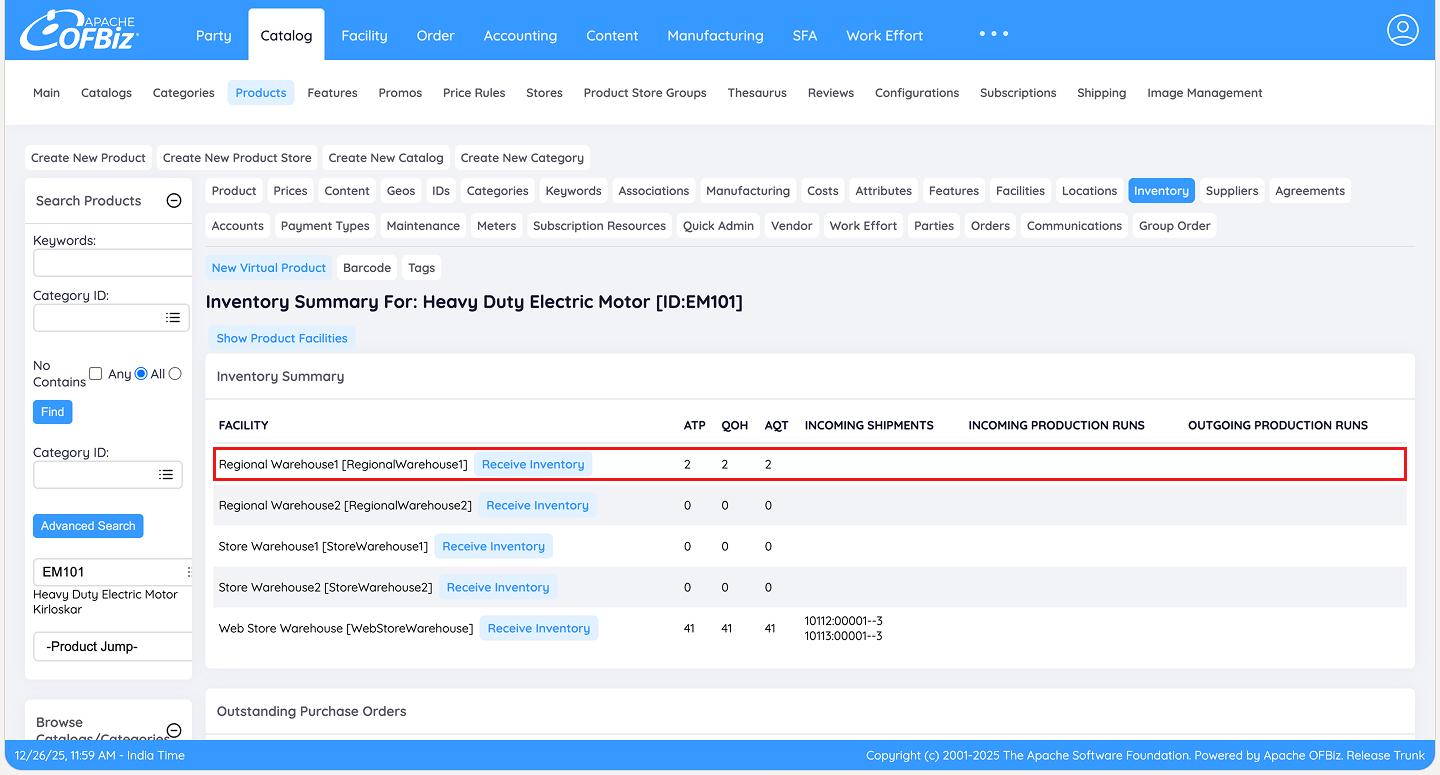
As shown below, the items have been successfully received on an ad-hoc basis directly into the Regional Warehouse. The updated quantities are now accurately reflected in the inventory records, with immediate increases to Quantity on Hand (QOH) and Available to Promise (ATP).
This confirms that stock is ready for use in production, sales, or further transfers, even without a purchase order or shipment record.
Conclusion
Direct receipt without a purchase order in Apache OFBiz delivers a fast, uncomplicated solution for handling unplanned or informal inventory inflows, ensuring immediate stock accuracy and real-time availability for production or sales. This workflow keeps warehouse operations agile while maintaining essential traceability, with any subsequent supplier billing handled manually as required.
For further reading on related receiving workflows, refer to the guides on:
- How to do Partial Receiving of a Shipment against a Single PO in Apache OFBiz?
- How to do Multiple Receiving against a Single PO in Apache OFBiz?
- How to Manage Purchase Orders and Receive Inventory in Apache OFBiz without creating Shipments or Invoices?