DUE TO SPAM, SIGN-UP IS DISABLED. Goto Selfserve wiki signup and request an account.
- Once you are viewing a list of the customer's loan accounts, click the button with the plus
 icon at the bottom-right of your screen. This will launch the loan account creation form.

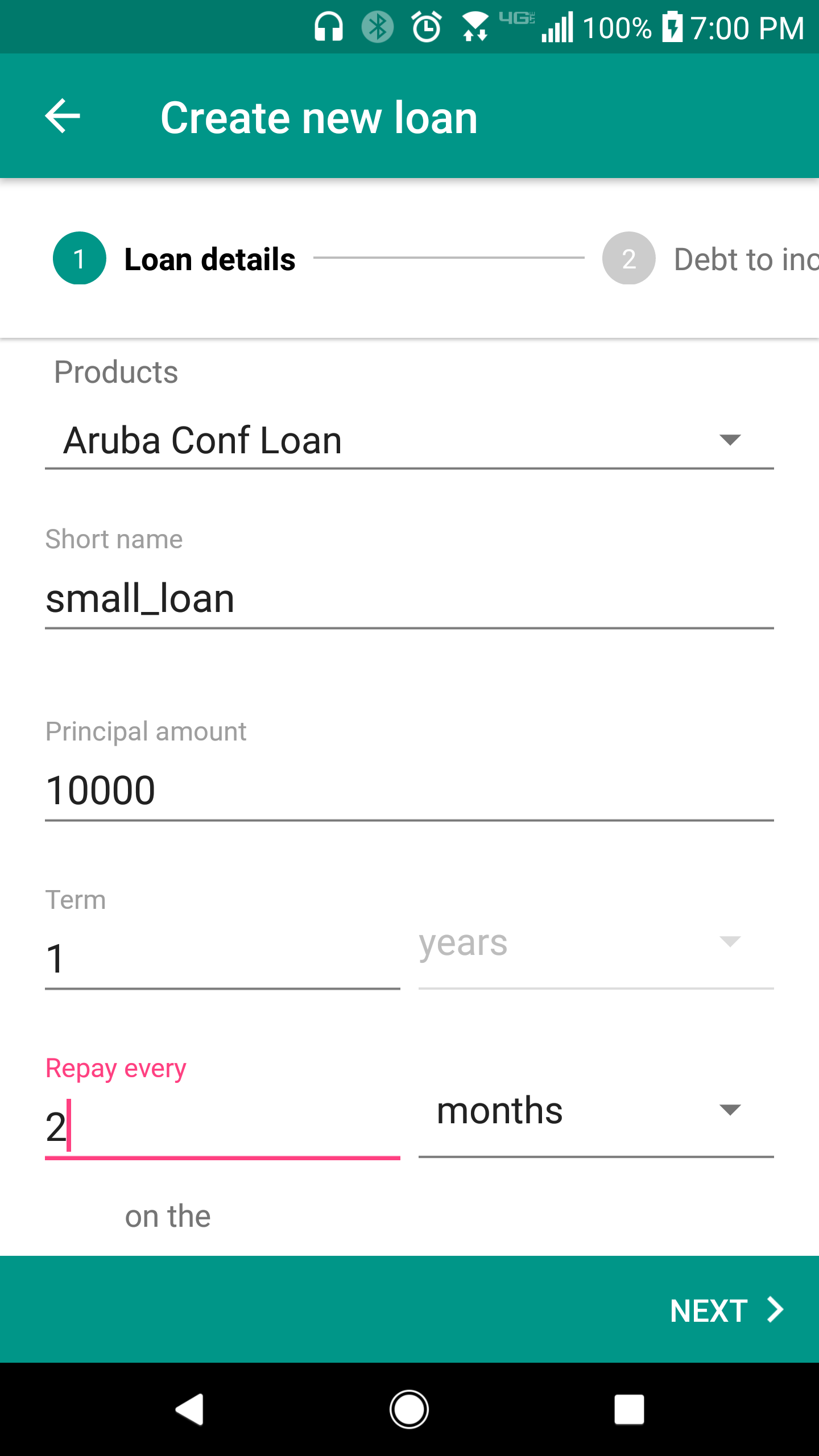
2. Enter in the neccessary information. Then click the "Next" button to proceed.
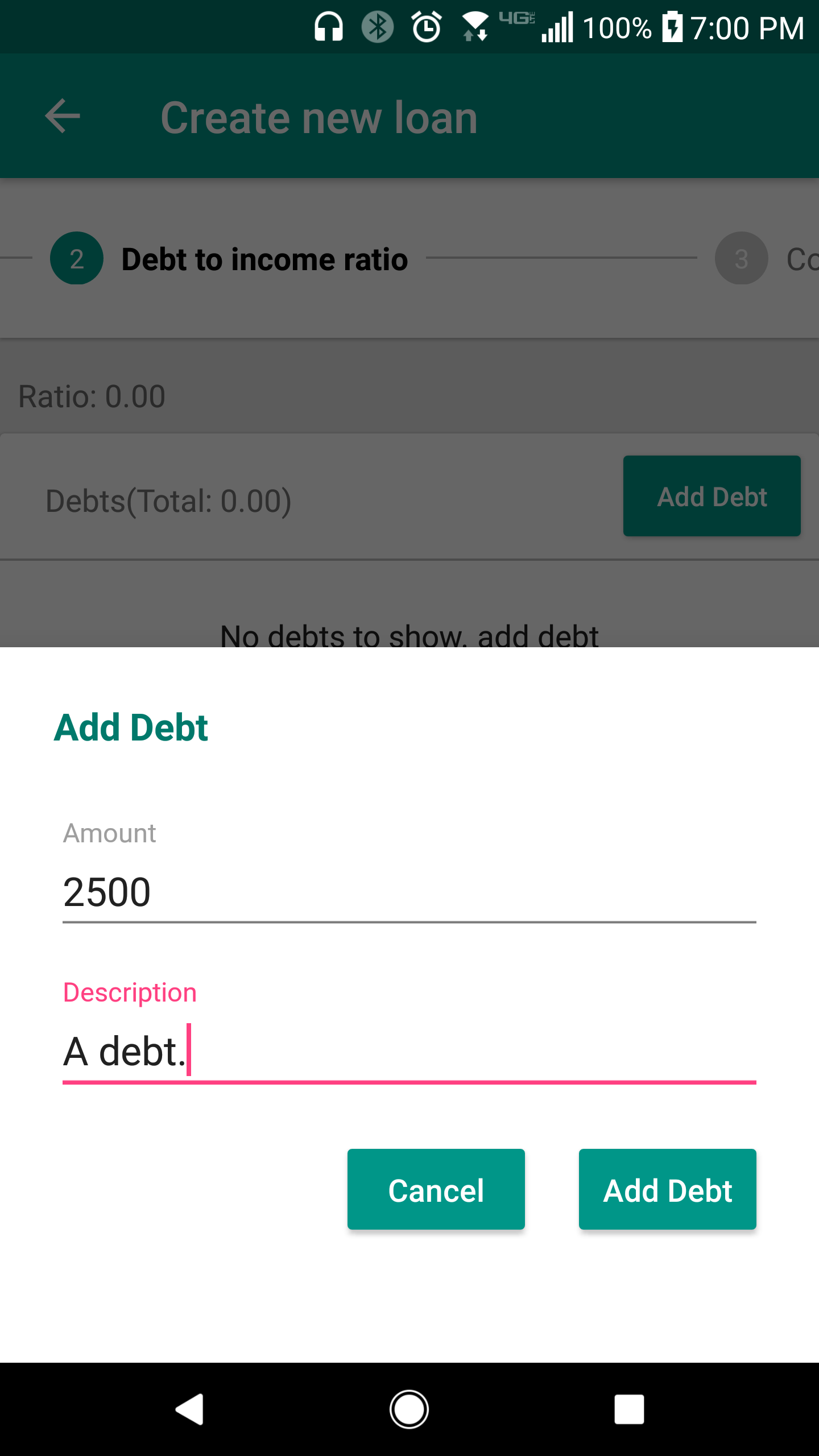
3. The next screen is the "Debt to income ratio" page. Here, add debt (Figure 1) and income (Figure 2) for the customer.

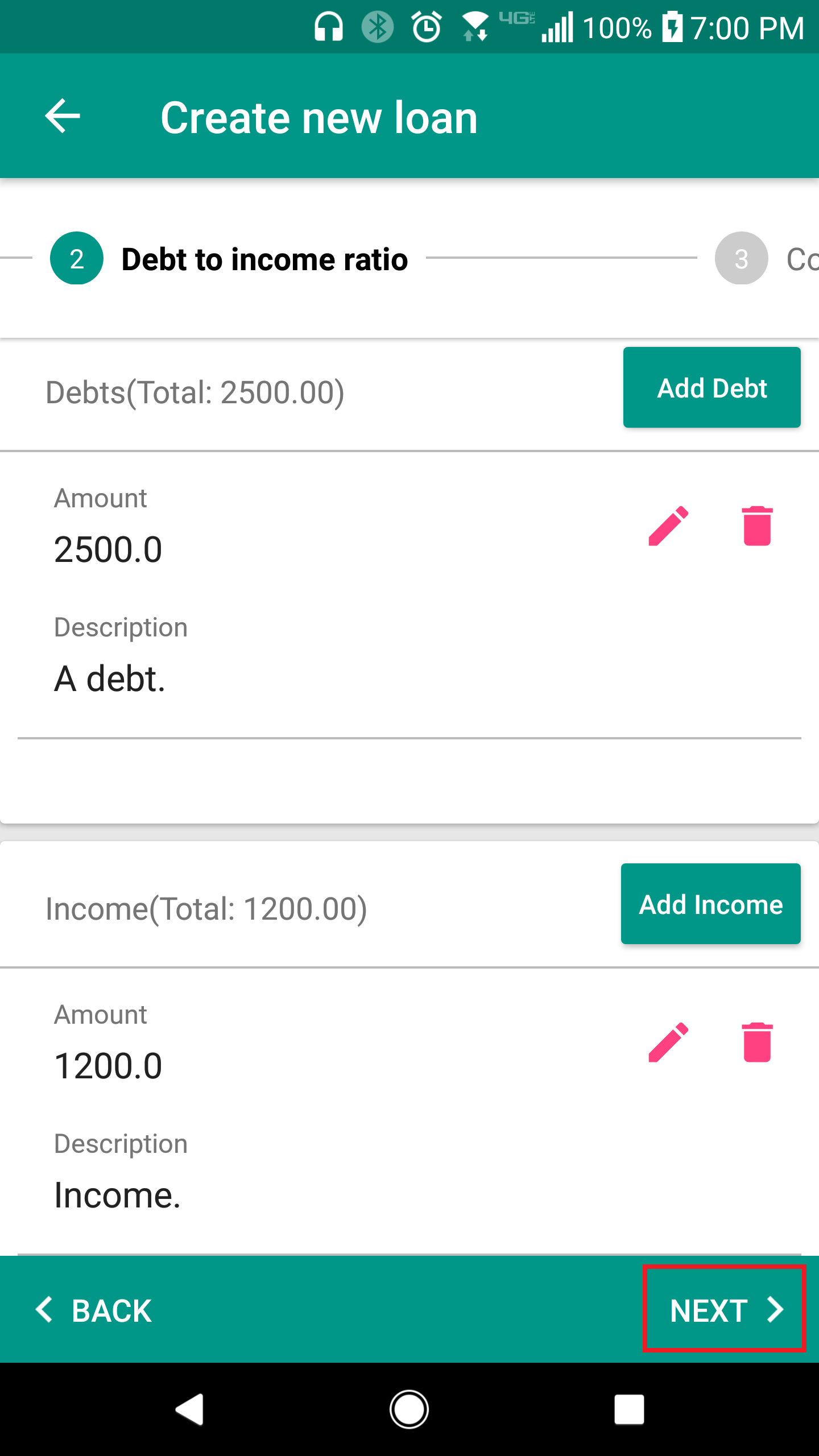
4. The page should look like the image below if you entered in debt and income for the customer. Proceed to the next page by clicking "Next".
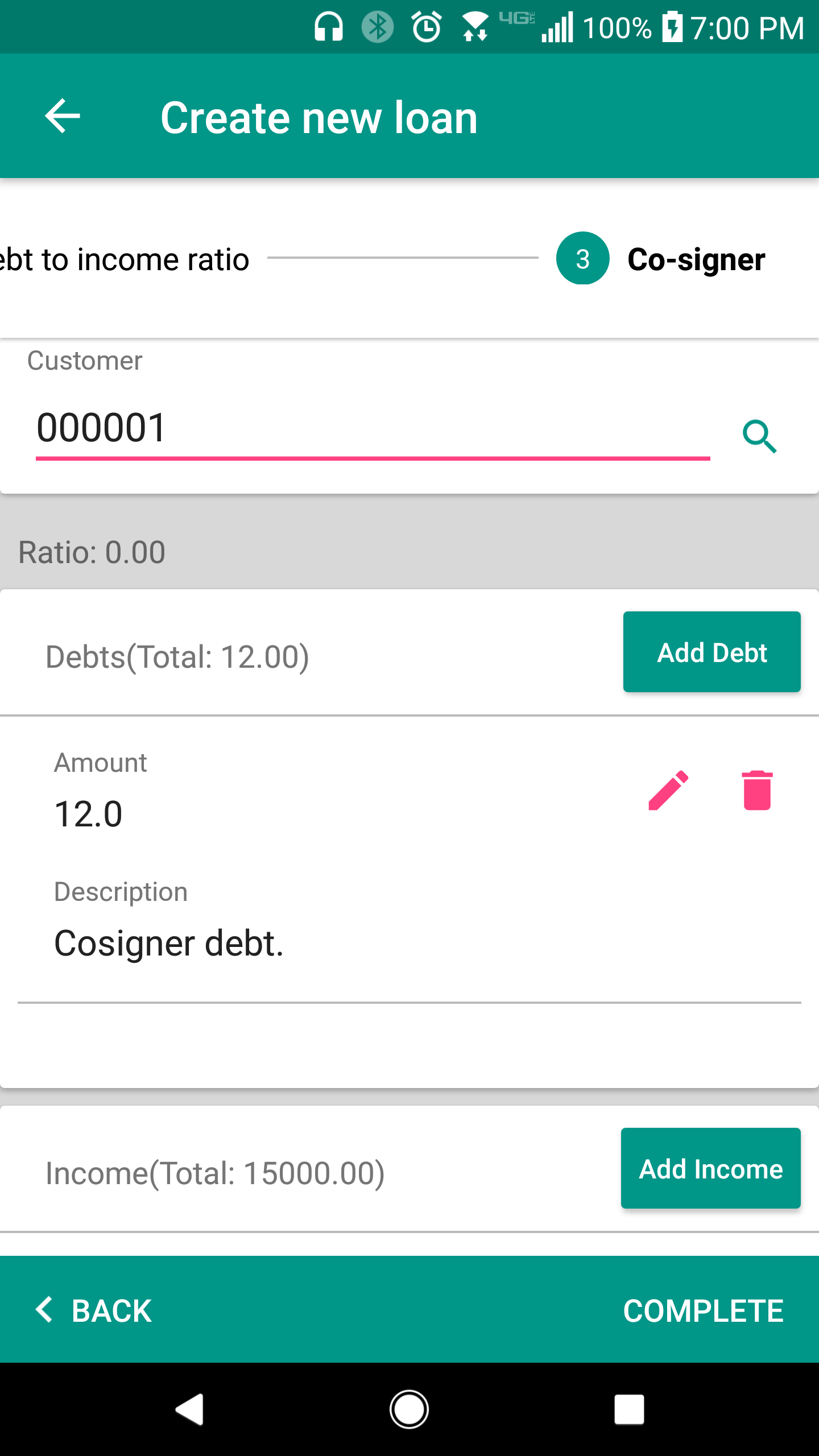
5. You are now at the page for the co-signer. Enter in debt and income for the co-signer. Once all information is entered in, click the "Complete" button to submit your loan account.