Introduction
Purpose
This is a plan for a refactor of the VMware resource deployment functionality to allow for the deployment of OVA containing vApps. Some important features to allow for are:
- multiple disks including multiple ISO images and
- multiple network interfaces and
- mutiple deployment options (configurations) and
- ovf properties (vApp properties)
References
Document History
| Version | Author/Reviewer | Date |
|---|
| 0.1 | Daan Hoogland | |
| 1.0 | Nicolas Vazquez | |
Feature Specifications
This feature enables CloudStack to mimic the end-user experience of importing an OVA with vApps directly into vCenter, such that the end result is a virtual appliance deployed with the same configuration data in the VMX file as would be there if the appliance had been deployed directly through vCenter. To do this, CloudStack extracts information of OVA templates from its OVF descriptor file, which format is defined as: https://www.dmtf.org/sites/default/files/standards/documents/DSP0243_2.1.1.pdf
The relevant information that CloudStack needs to extract from OVF files and prompt to end-users are:
- Configurations (deployment options): A virtual appliance may have different deployment options (example: small, medium, large) considering hardware resources such as CPU, memory.
- One or more network interfaces to connect
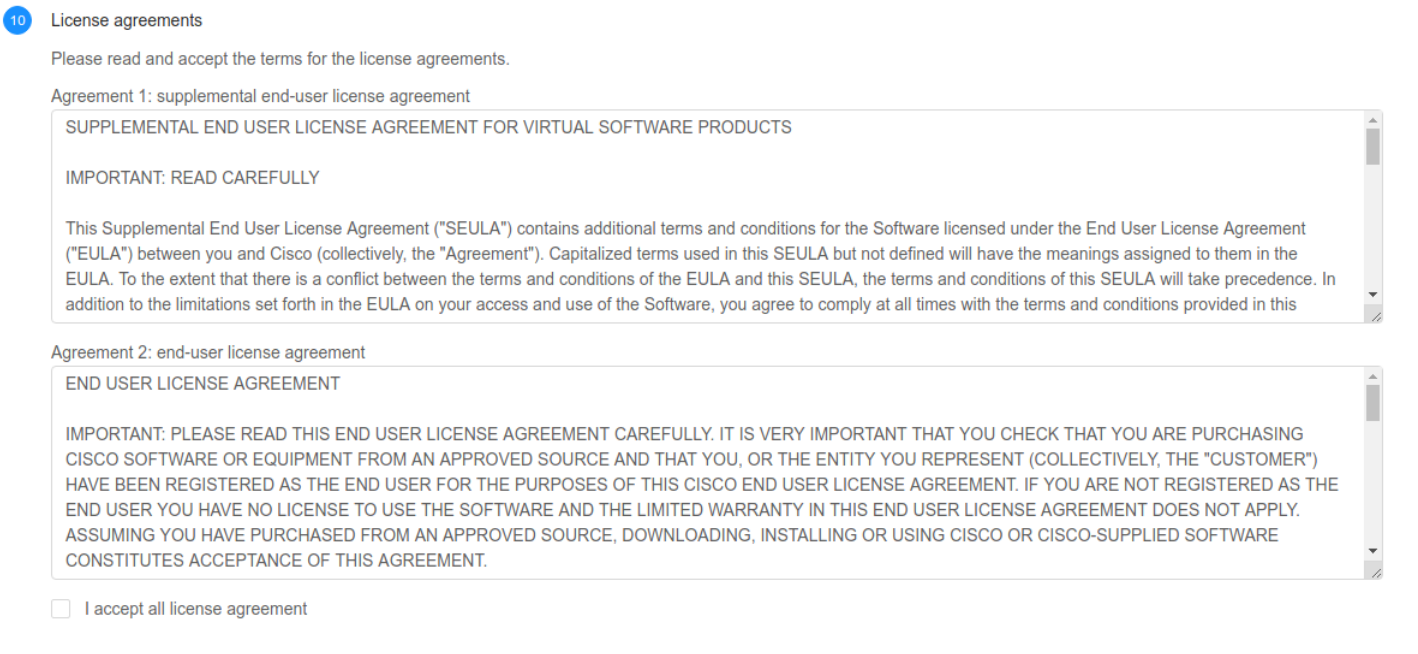
- End-user license agreements (EULAs): VMware requires end-users to accept all the EULAs before proceeding with the deployment of the appliance
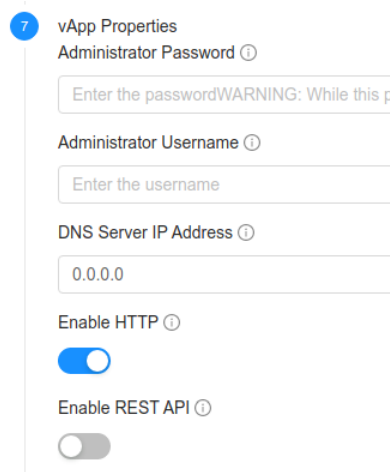
- vApp properties: Properties of any type defined in the appliances for configuration. The user must fill all the required properties for being able to deploy the appliance correctly.
Use cases
The objective of this feature is allowing users to deploy virtual appliances on VMware such as its been made directly though vCenter. Vendors of virtual appliances for VMware often produce ‘templates’of their appliances in an OVA format. An OVA file contain disc images, as well as the configuration data of the virtual appliance and also at times a EULA which must be acknowledged.
Glossary
The new behaviour for VMware virtual machine deployments and lifecycle is also referenced as ‘deploy-as-is’ during the rest of the document.
Architecture and Design description
The deploy-as-is workflow for VM deployment is described below:
- The management server asks the secondary storage VM for the template’s disk information (matching the user-selected configuration). This information is obtained from the extracted OVA template and the OVF file, containing the number of disks, virtual size and relevant information. Also, the root disk controller is obtained at this point and set as a virtual machine detail.
- With respect to the volumes allocation, CloudStack uses the information received to allocate the same number of volumes in the database as the number of volumes obtained from the template.
- On networks allocation, the management server uses the ‘nicnetworklist’ parameter from the 'deployVirtualMachine' API to allocate the VM network interfaces. It uses the template network details and the existing CloudStack networks to allocate the VM interfaces.
- The VM is cloned from the template before sending the StartCommand to the hypervisor layer (instead of creating a worker VM per volume and extract the disk from it as the old workflow did)
- The StartCommand sent to the hypervisor plugin layer contains all the allocated disks and network interfaces information, as well as vApps properties (if available).
- The cloned VM’s disks are mapped to the disk information sent on the StartCommand.
- The network interfaces information is used in the configure VM task.
- The values introduced by the user for the user-configurable vApps properties are passed into the VM vApps.
- These values are persisted in the ‘user_vm_deploy_as_is_details’ table and are sent to VMware when a virtual machine is started
- As most of the appliances need the user values for vApp properties, the reinstallation of virtual machine appliances must only be attempted against the same template. In this way, CloudStack can send the user values stored in the ‘user_vm_deploy_as_is_details’ to VMware. Otherwise, the vApp properties needed by other template appliances will not be found.
DB changes
- The table ‘template_ovf_properties’ is not removed but is deprecated. This means that after upgrading to version 4.15 no new data is going to be inserted into that table. The existing data in this table indicates administrators and users which templates must be registered again in CloudStack.
- Use this SQL to identify existing OVF templates that will need to be re-registered:
- SELECT * FROM vm_template WHERE id IN (SELECT DISTINCT(template_id) FROM template_ovf_properties) and state='Active';
- The table ‘vm_template’ is extended, a new column ‘deploy_as_is’ is added. This column indicates whether a template is registered as deploy-as-is or not.
- A new column ‘deployment_option’ is added on the table ‘template_spool_ref’. This allows keeping deploy-as-is templates with multiple configurations in primary storage.
- The default value for non-deploy-as-is templates is NULL and keeps the previous behaviour for this table.
- A new table ‘template_deploy_as_is_details’ is created. This table keeps the extracted information from the templates OVF descriptor files, as key-value pairs. As explained in previous sections, the key has a prefix to distinguish between networks requirements, properties, license agreements and configurations. The values are persisted as JSON strings.
- A new table ‘user_vm_deploy_as_is_details’ is created. This table keeps the properties key-value pairs with the values the user entered while deploying the VM.
- A new guest OS entry is inserted into the ‘guest_os’ table during the upgrade to this release. This new guest OS entry with name = ‘OVF configured OS’ is used when a template is registered as deploy-as-is.
- The list of the compatible guest OS from the VMware guest OS compatibility list is added: https://code.vmware.com/apis/704/vsphere/vim.vm.GuestOsDescriptor.GuestOsIdentifier.html. Entries for the new guest OS and their hypervisor versions mappings are added into ‘guest_os’ and ‘guest_os_hypervisor’ tables respectively.
API changes
Templates registration
Important notes:
- To keep the backwards compatibility, the deployment and workflow of the virtual machines for all the templates registered (for any hypervisor) prior to the upgrade to CloudStack version 4.15 remain the same as before, not matching the requirements of this feature.
- All the new VMware templates registered after the upgrade to CloudStack version 4.15 will follow the new behaviour, matching this feature requirements (deploy-as-is).
The 'registerTemplate' API is refactored:
- The parameter 'osTypeId' is no longer a required parameter.
- If the hypervisor is not VMware: the API fails if the parameter 'osTypeId' is not set, to keep the backwards compatibility
- If the hypervisor is VMware: the API fails if the parameter 'osTypeId' is set. CloudStack no longer requires this parameter to be set as the guest OS information is extracted from the OVF file.
- The details 'rootDiskController' or 'nicAdapterType' are no longer allowed for VMware
After the template is downloaded and extracted in secondary storage, the OVF descriptor file is parsed and the relevant information described below is extracted and persisted in a new table 'template_deploy_as_is_details':
- Configurations (if available): In this feature, only the CPU and memory hardware requirements are considered for the deployment. Persisted with key prefix 'configuration-'.
- Network interfaces of the appliance: Persisted with key prefix 'network-'.
- vApps properties (if available): Persisted with key prefix 'property-'.
- End-user license agreements (if available): These strings are compressed before being sent to the management server and decompressed before persisted into the database. Persisted with key prefix 'eula-'.
Templates listing
- The ‘listTemplates’ API method is extended:
- A new parameter ‘details’ is added. The ‘details’ parameter accepts a comma-separated list of the following values: ‘min’ and ‘all’ in a similar way like existing APIs such as ‘listProjects’.
- To keep the backwards compatibility, the default behaviour is displaying all the template details (if the parameter ‘details’ is not set).
- If the parameter ‘details’ contains the values ‘all’ then all the template details are displayed. Also, if the template is registered as ‘deploy-as-is’, then all the details parsed from the OVF descriptor file are listed
- If the parameter ‘details’ is set to ‘min’ then the template details are not displayed.
- A new response field ‘deployasis indicates whether the template is registered as deploy-as-is or not.
Important notes:
- The ‘listTemplateOvfProperties’ API is removed.
- The template vApps properties are obtained by the ‘listTemplates’ API on the ‘details’ field with the prefix ‘property-’ in the detail name, and the detail value is a JSON string representing the parsed vApp from the OVF file
VM deployment
The ‘deployVirtualMachine’ API is refactored:
- The existing parameter ‘ovfproperties’ is renamed to ‘properties’
- A new parameter is added, ‘nicnetworklist’, to create a mapping between network interfaces defined in the template and the existings networks. This parameter is mutually exclusive with the parameter ‘networkids’.
- The mapping must match a network ID with an ‘instanceID’ network detail on the template details with prefix ‘network-‘.
For VMware non-deploy-as-is templates, the boot type and boot mode is allowed keep the backwards compatibility.
The API fails in case the boot type and boot mode is set for a VMware deploy-as-is template virtual machine template.
UI changes
All the UI changes are included on Primate
- The templates registration for VMware OVA templates does not allow selecting:
- Guest OS type
- Root disk controller
- NIC adapter type
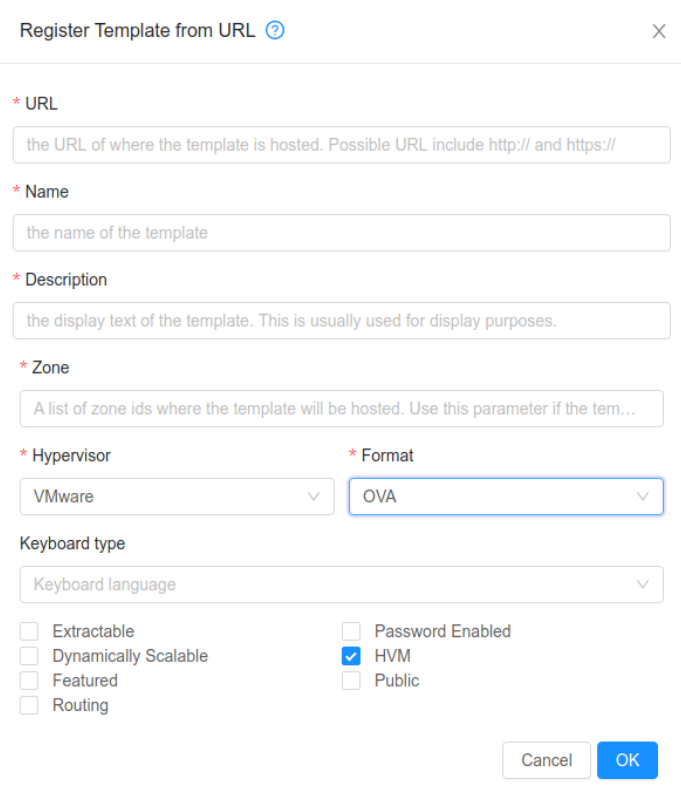
The VM deployment wizard is extended:
- If the appliance contains multiple configurations, then the compute offerings displayed are filtered to match the configuration requirements and the user can select the configuration from the dropdown menu

- The networks section allows the users to connect the appliance NICs to networks

- If the appliance contains vApp properties, then the user is able to configure these properties:
- If the appliance contains EULAs then the user must accept them to proceed with the deployment