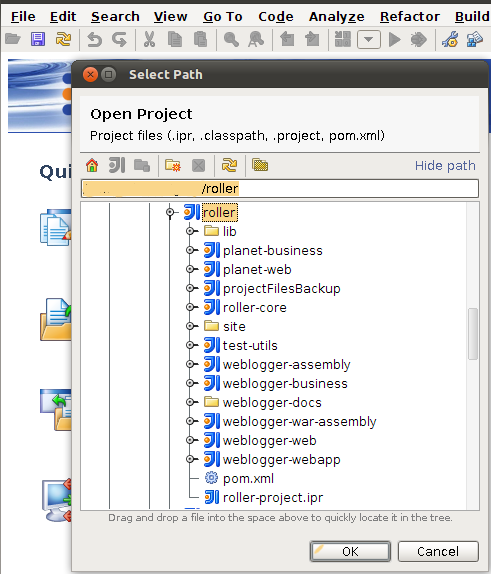
This documentation will explain how to build roller 5 in IntelliJ IDEA 10.x (It should work same for 9.x)
svn co https://svn.apache.org/repos/asf/roller/trunk roller_trunk |
mvn idea:idea |
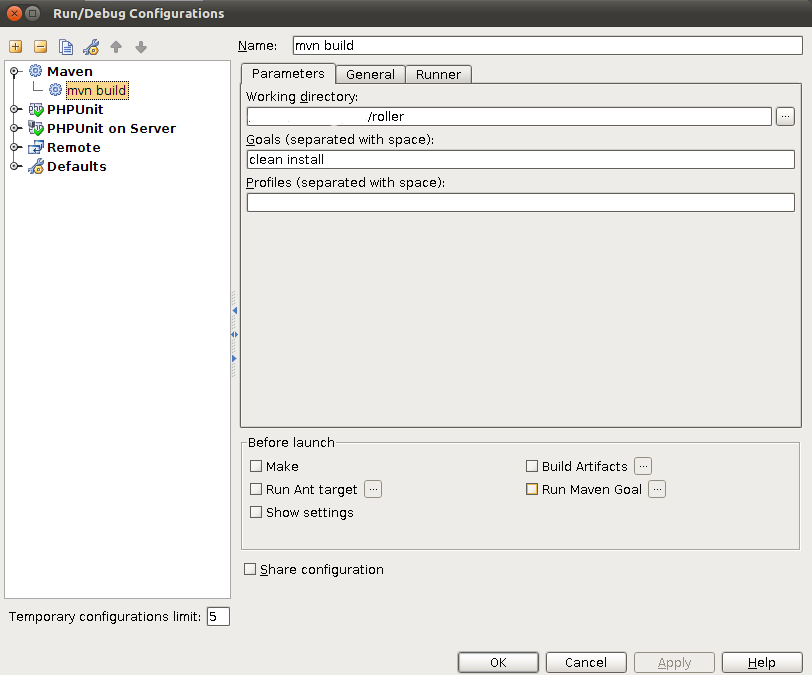
After importing the project click on the run ---> edit configuration. After that click on the + tab appear on the left top corner and select
maven.
We are going to create a maven goal to build the project.Complete the following fields,
Name : suitable name to recognize the run configuration
working Directory : give the root folder of the checked out source (should have the pom.xml that we are going to execute in this path)
goals : clean install
And then click on run and make sure you have selected the correct run configuration.(which appears left to green arrow head)
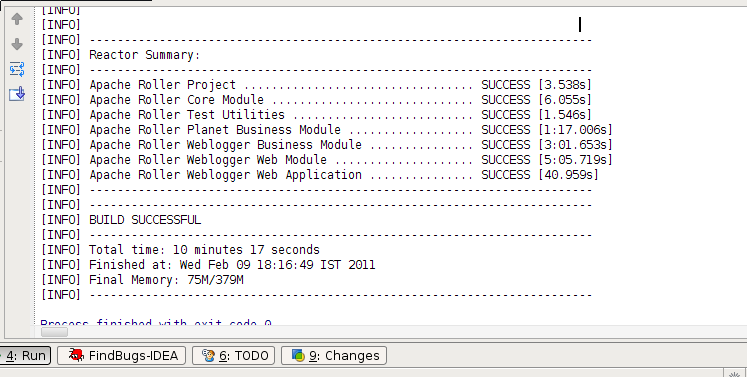
If it is successful you see a dialog like below.
Create another run configuration as above.In this change the following parameters
Name :Suitable name to identify the Configuration
working Directory : ROLLER_ROOT/webloagger-webapp
goal : jetty:run
Then select the configuration and run using the green arrow head.
Test Apache roller on http://localhost:8080/roller