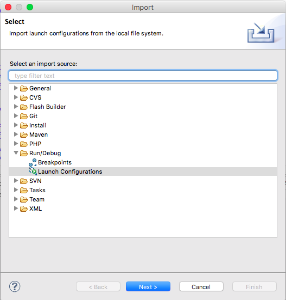
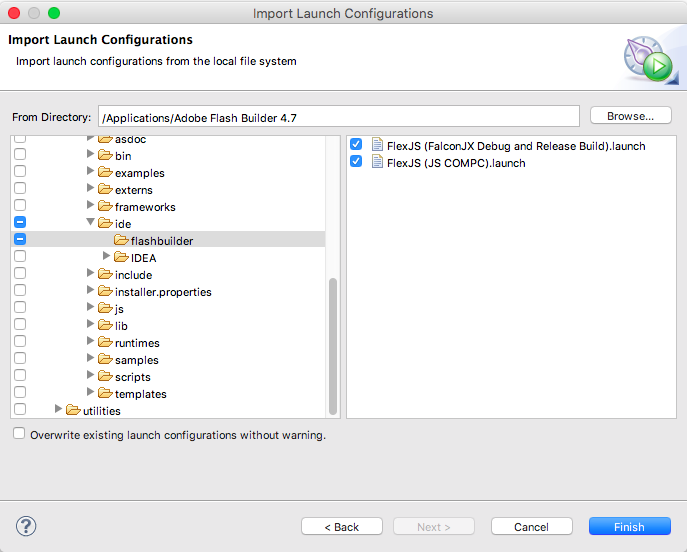
Follow these instructions to use Flash Builder 4.7 for developing FlexJS applications. These instructions assume you have installed the Apache FlexJS SDK via one of the methods described in "Getting Started".
Also, starting with Apache FlexJS 0.8.0, you will need to have upgraded Flash Builder to run on Java 7 or 8. See http://blogs.adobe.com/flashplayer/2016/09/running-adobe-flash-builder-on-mac-with-java-78.html
The FlexJS SDK is designed to look like the Flex SDK so that Flash Builder can just treat it as the regular Flex SDK. To add the FlexJS SDK to Flash Builder:
There should now be around 9 new configs in the Run menu under External Tools
Creating a FlexJS Application
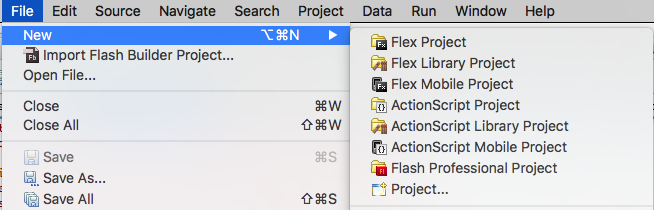
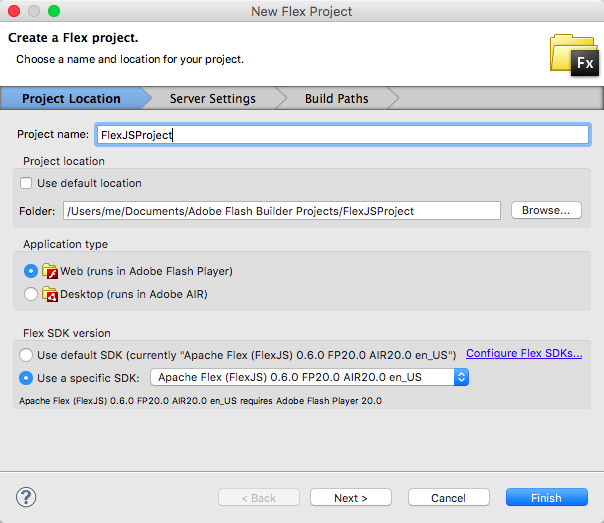
Flash Builder does not have a default Application template for a FlexJS project. The recommended way to create a new Flex JS application is to create a Flex Project specifying the FlexJS SDK and then use a launch config to modify the project. Another alternative is to copy in an existing working example and modify it as follows:
<?xml version="1.0" encoding="utf-8"?>
<js:Application xmlns:fx="http://ns.adobe.com/mxml/2009"
                xmlns:js="library://ns.apache.org/flexjs/basic"
                >

    <fx:Style>
        @namespace basic "library://ns.apache.org/flexjs/basic";

        .labelStyles {
            font-weight: bold;
            background-color: blue;
        }
    </fx:Style>

    <!-- Initial View -->
    <js:initialView>

        <js:View>
            <js:Label text="Hello World" x="100" y="100" className="labelStyles"/>
        </js:View>

    </js:initialView>

    <js:valuesImpl>
        <js:SimpleCSSValuesImpl />
    </js:valuesImpl>

</js:Application> |
For a more comprehensive example locate the DataBindingExample in the examples/flexjs folder in the Apache FlexJS SDK directory.
<?xml version="1.0" encoding="utf-8"?>
<js:Application xmlns:fx="http://ns.adobe.com/mxml/2009"
                xmlns:js="library://ns.apache.org/flexjs/basic"
                xmlns:models="models.*"
                xmlns:controllers="controllers.*"
                xmlns:local="*">

    <js:initialView>
        <local:MyInitialView />
    </js:initialView>

    <js:model>
        <models:MyModel />
    </js:model>

    <js:controller>
        <controllers:MyController />
    </js:controller>

</js:Application> |
As you edit and save changes to the code, the new compiler known as FalconJX is compiling not only a SWF, but also cross-compiling your source code into JavaScript, and reporting any errors it finds. FlexJS uses a "common denominator" approach to its libraries. Where there are differences in the APIs between Flash and Javascript runtimes, the FlexJS library API will present a new common API that will work for both runtimes, but also expose the runtime-specific APIs as well. This makes it possible for the library code to be as fast as possible. Instead of calling APIs on instances of objects that wrap runtime objects, your code can directly access the runtime object itself. The danger is that if you are porting existing Flash-specific code, you won't know if you are still calling APIs that only exist on Flash. Each FlexJS library is actually two libraries, one for Flash, one for JavaScript and when your code is cross-compiled, the cross-compiler (or transpiler) will look in the JavaScript version of the library and realize that some of those Flash-specific APIs are not implemented for JavaScript.
To run the Flash version of your application, you should be able to set breakpoints and debug as you would any other Flex project.
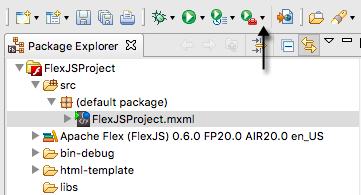

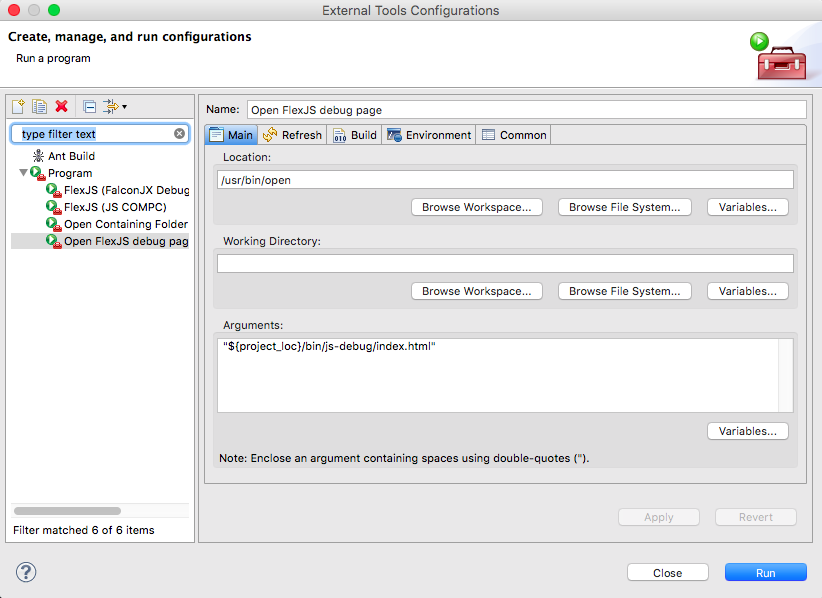
To run or debug the JavaScript version, use a browser to open the index.html in the bin/js-debug of the project, or the minified version in the bin/js-release folder. Each browser has its own JavaScript debugging tools. You can also create a External tool to open the debug index.html using the settings below (on Mac)
By default, Flex JS does not yet support opening the class declarations. You can add support manually to each FlexJS project by following the steps below:
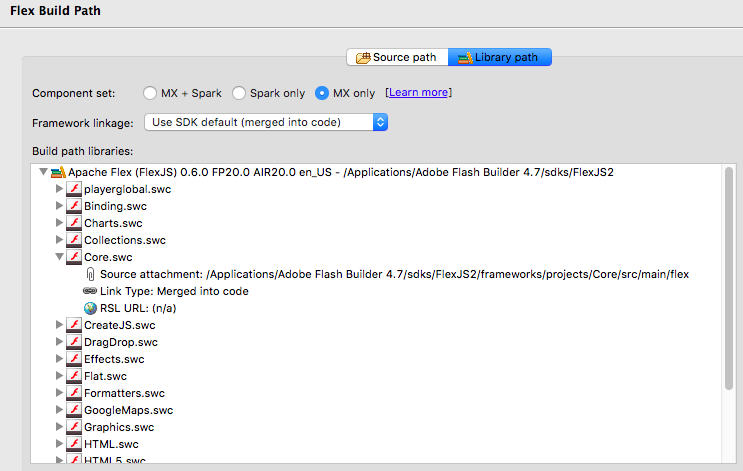
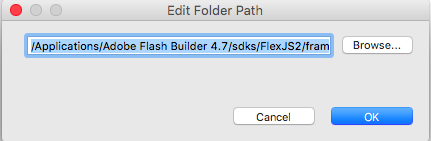
You should now be able to open declarations of the source files.
The FlexJS prototype is so new, that nobody has attempted to convert an existing application since significant functionality is probably missing. However, the steps should be:
Please ask questions on the dev@flex.apache.org mailing list. Please start the subject of your email with "[FlexJS (legacy)]". You may file bugs at https://issues.apache.org/jira/browse/FLEX under the component "FlexJS". Remember, Apache projects like Apache Flex is mostly staffed by volunteers so response times may vary and any contributions like patches are welcome.