Introduction
This wiki page aims to show how to change log levels via administration console.
Change Log Level
- Click on Configuration tab.
- Click on Core Log/Console Log tab and change log levels as needed.

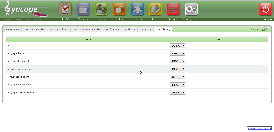
- ALL: turn on all logging.
- DEBUG: fine-grained informational events that are most useful to debug an application.
- ERROR: error events that might still allow the application to continue running.
- INFO: informational messages that highlight the progress of the application at coarse-grained level.
- OFF: turn off logging.
- TRACE: finer-grained informational events than the DEBUG.
- WARN: potentially harmful situations.
Log levels can be changed and take effect at runtime.
Be aware that Core Log also changes persist in Syncope database and persist over Syncope restart while Console Log, that is't a separate component and depends on database, use the /WEB-INF/classes/logback.xml of Syncope Console webapp to init log levels.