Flaky tests are the ever-present enemy of a build system. A flaky test is any test which does not consistently pass or fail. These tests reduce the confidence in our build. The presence of flaky failures also means that we rarely see "green builds" on Pull Requests or trunk builds. A small negative signal (one flaky failure) is amplified into a large negative signal (failing build). This means that committers become accustomed to ignoring build failures. On several occasions, this has allowed other negative signals such as checkstyle or compile errors to be ignored.
We should strive to reduce, if not eliminate, flaky tests from our build.
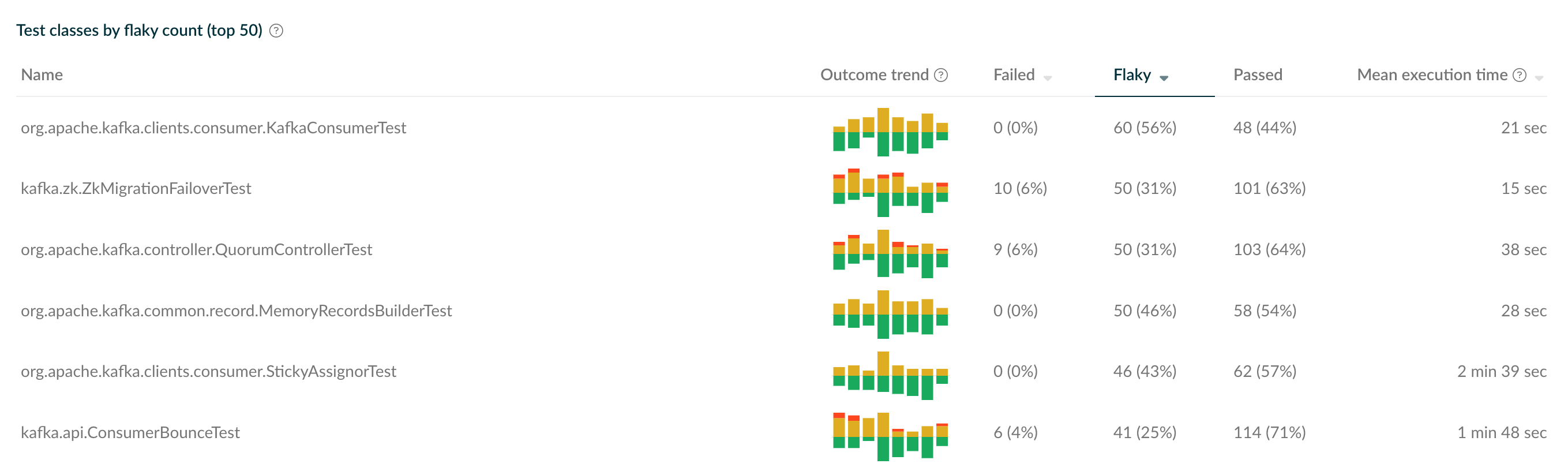
The Develocity build scans offer very useful insight into the Apache Kafka builds. Under the Tests view, we can look at the most flaky tests classes across a given period time.
Here is an example of the top 6 flaky tests from Aug 29, 2024.
If we browse through the results, there is likely to be a long tail of flaky tests. That is to say, a small number of tests are responsible for a majority of the flaky failures. These are the ones to prioritize.
Drilling down into a particular test class, we can see which test cases are the most flaky.
Taking KafkaConsumerTest as an example (also from Aug 29, 2024)
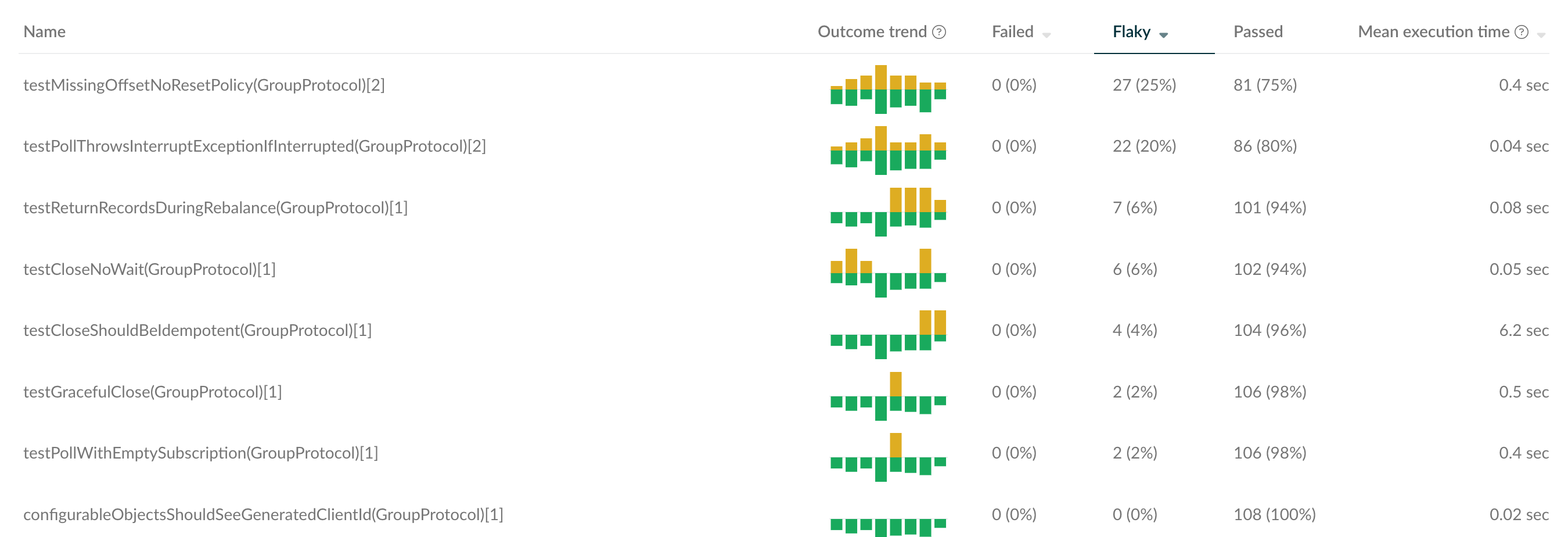
Here we see that only a few test cases are causing flaky failures for this test class.
Once a flaky test case has been found, search the Apache Kafka JIRA and create a ticket if necessary. The ticket should be for the type Test and the severity should be set according to the flakiness over the last 7 days.
If an existing issue is found and the flakiness has changed, adjust the severity accordingly.
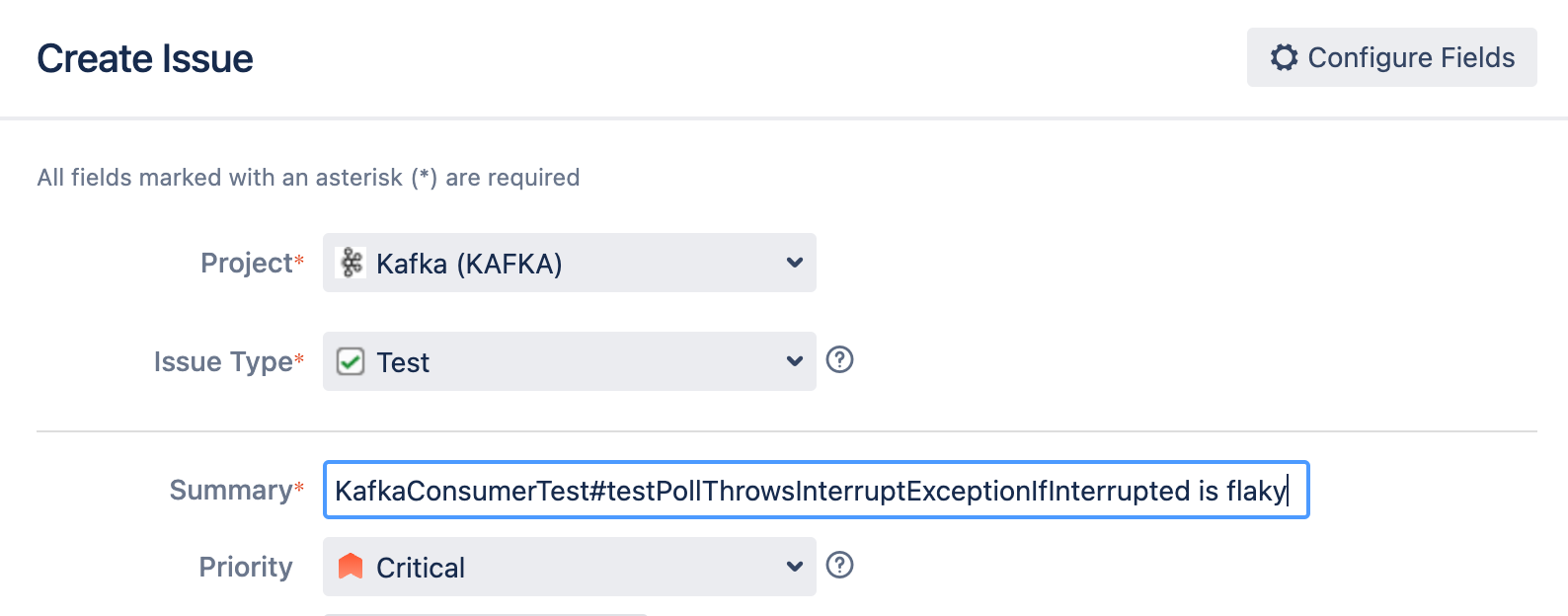
Include links to Develocity report in the test ticket. If you plan on working on the fix, assign the ticket to yourself.
The simplest way to reproduce a flaky test is to run it several times locally.
To run a single test class from the command line, use the "--tests" flag for gradlew.
./gradlew :clients:test --tests "*KafkaConsumerTest*"
To run this repeatedly, you can use a Bash loop (as mentioned in the project README)
I=0; while ./gradlew clients:test --tests "*KafkaConsumerTest*" --rerun --fail-fast; do (( I=$I+1 )); echo "Completed run: $I"; sleep 1; done
Additionally, you may pass in Gradle properties to utilize the Develocity test retry behavior
./gradlew -PmaxTestRetries=10 :clients:test --tests "*KafkaConsumerTest*"
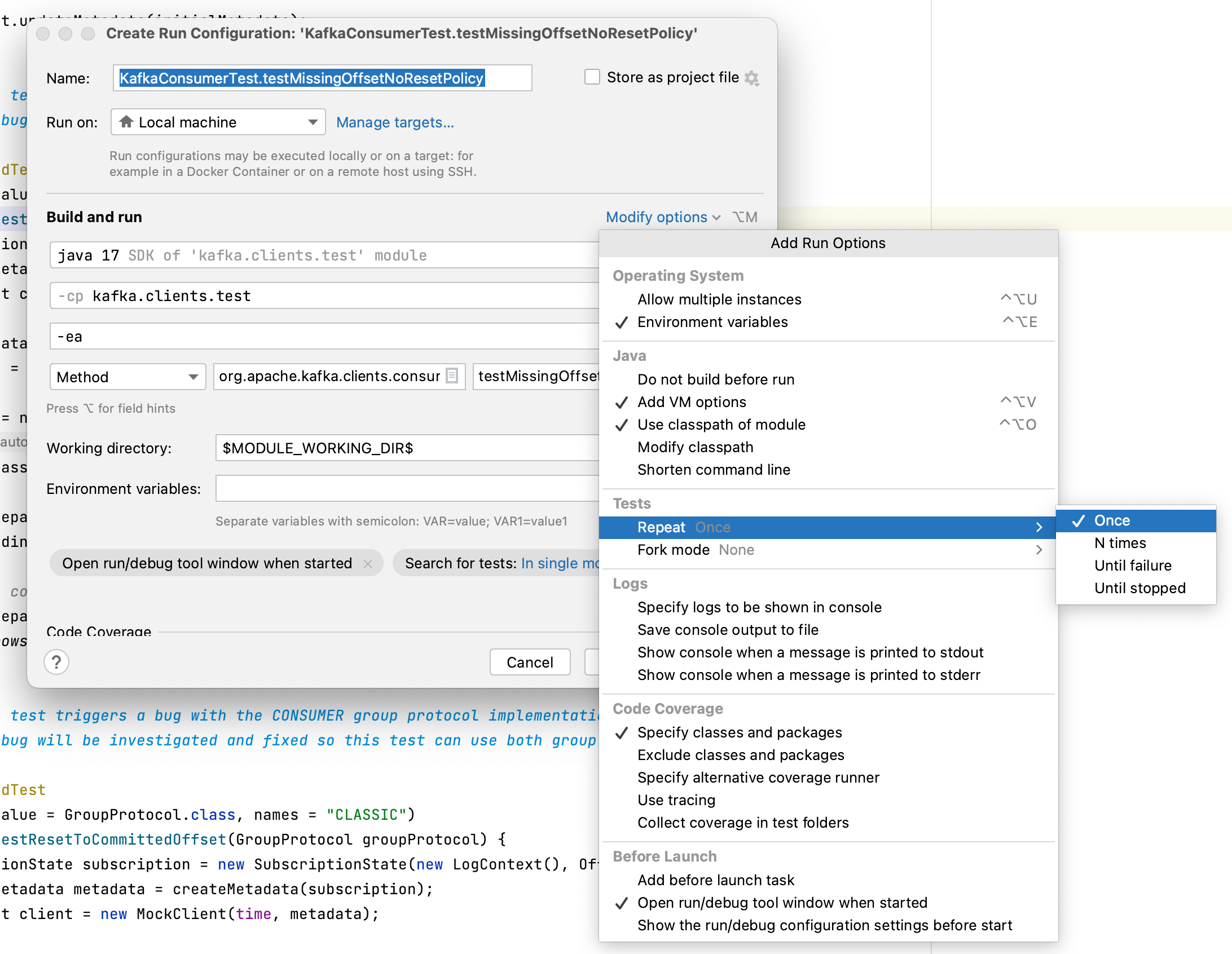
Some times, running the tests repeatedly with Gradle does not produce enough load on the system to expose the flakiness. If you are using IntelliJ IDEA, there is an option to run a single test N times or until failure. To enable this, first modify IntelliJ to run the tests directly rather than calling out to Gradle
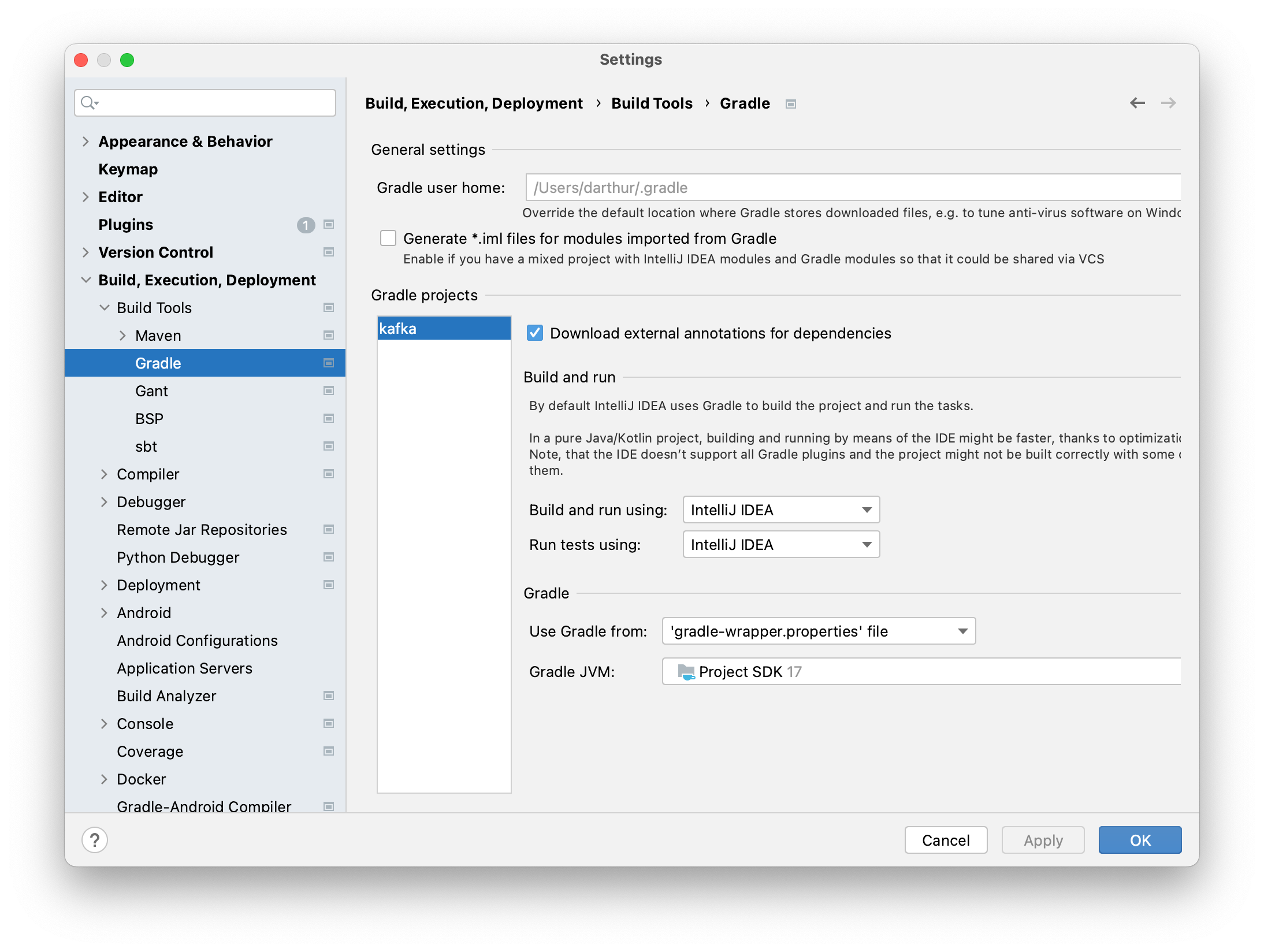
Then, create a Run Configuration for the flaky test. Under Modify Options, find the Repeat section. On older version of IntelliJ, this dialog may look different, but the option is there somewhere.
Find the root cause of a flaky test is usually the hardest part. After all, it the problem was obvious, someone would have probably fixed it already  .
.
Some common causes of flaky tests include: