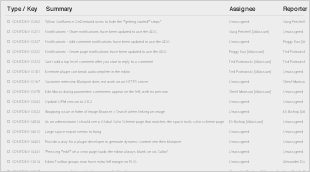
See also the Testing and QA Projects page and the Quality Assurance JIRA Component.
One of the static analysis tools we run on Traffic Server to find problems in the code.
See the Development Process#Coverity page, the Coverity Scan and the currently active (per release) Coverity Jira.
The coverity-submit tool makes it pretty easy to post new builds up to the Coverity scanning service.
Building Traffic Server with Clang also exposes problems in the code.
See the Building#Clang page, the clang-analyzer.sh script and TS-427.
You can also run clang-analyzer via the CI image with this:
docker run --rm -it -v $(git rev-parse --show-toplevel 2>/dev/null || pwd):/src -v $(git rev-parse --show-toplevel 2>/dev/null || pwd)/clang-analyzer:/tmp -w /src ci.trafficserver.apache.org/ats/centos:7 /src/ci/jenkins/bin/clang-analyzer.sh |
Script to check API signatures for inconsistencies.
See the apichecker.pl script and TS-590.
Checks that all API functions declared in a header file (e.g. ts/ts.h) are defined in a source file (e.g. InkAPI.cc).
$ proxy/InkAPI-ensure-funcs-present.pl proxy/api/ts/ts.h proxy/InkAPI.cc |
See the InkAPI-ensure-funcs-present.pl script.
Compares the default values in RecordsConfig.cc with the values in records.config.default.in and the documented values in the records.config reference.
See the compare_RecordsConfigcc.py script and TS-1789.
Audits license headers, the boilerplate text needed in most source files.
The $ make rat Makefile target performs a RAT report.
See the Continuous Integration#RATreports page and TS-28 and TS-2266.
Run $ traffic_server -R 1 to run regression tests.
The $ make test Makefile target runs unit tests.
See the RegressionAndUnitTests page and Building Traffic Server in the Administrator's Guide.
Harness to run the following tests:
See the regression.pl script.
Dynamic analysis tools for profiling e.g. memory and CPU usage.
See the Profiling page.
TSQA is a set of python libraries used in conjunction with python's unittest to create an integration testing framework for ATS. The python library is a sub-project of TrafficServer (trafficserver-qa). For examples of how to write tests, you can look at trafficserver-qa, example tests in trafficserver, or by looking at other tests. Details on how to run the tests are located in the README.
Interesting test suite work.
See https://github.com/mingzym/trafficserver/blob/refine_test/test/docs/index.html
Commercial suite of tests that checks for violations of the HTTP protocol.
The results of testing Traffic Server as well as other open source proxies are discussed in this presentation.
See the Acknowledgements page and TS-2038.
Load testing and benchmarking tool.
See the README.
Load testing and benchmarking tool.
See the README.
Load testing and benchmarking tool.
See the README. and Markdown README in Chinese: tools/jtest/README.zh.md
The Jenkins continuous integration infrastructure regularly confirms that Traffic Server successfully builds on a variety of platforms. It also automates additional quality assurance tasks:
| Coverity | See the coverity.sh script and TS-2039. |
|---|---|
| RAT | Maybe? See the rat.sh script. |
| Regression and Unit Tests | Yes, see the regression.sh script. |
| tsqa | Yes, See |
| Co-Advisor | See TS-2038. |
See the Jenkins dashboard and the Continuous Integration page.