Mission
To improve user experience for the Apache Zeppelin notebook, allowing faster work flow and enhanced capabilities in collaboration.
1. Drag & Drop
Reorder
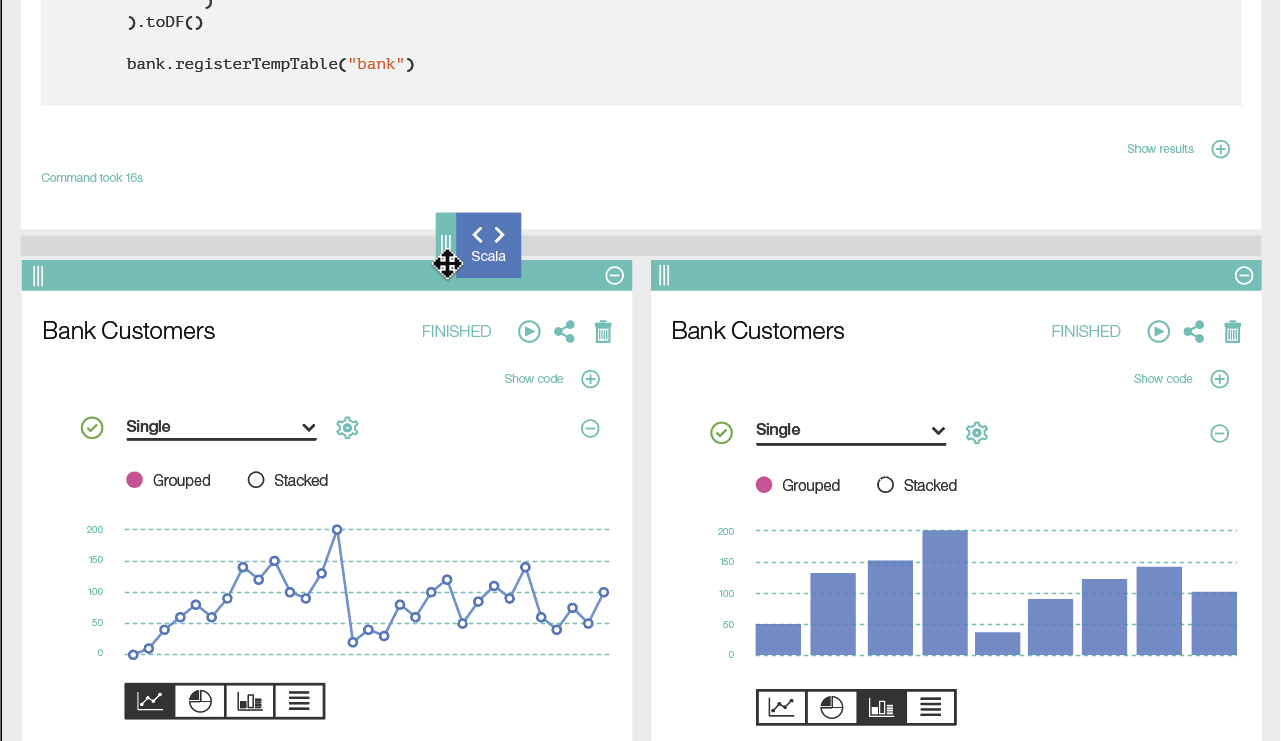
Allow users to easily reorder notebook paragraphs, by introducing a drag and drop feature. A user will be able to grab the top bar of a paragraph and drag it to a new location within the notebook. Once the paragraph is dragged from its original location, it will shrink down into a small icon around the cursor, making it easy to drag longer paragraphs. The user will then be able to drop the icon between any existing paragraphs, where it will expand into full size again. Spaces before and after paragraphs will have a subtle highlight as the user passes over them, indicating they are drop zones.
- Interactions: Use CSS transitions for a smooth experience (ex. transition: 0.5s ease;)
- Cautions: The drag interaction should require a relatively significant gesture, to avoid accidental dragging.
Side by Side
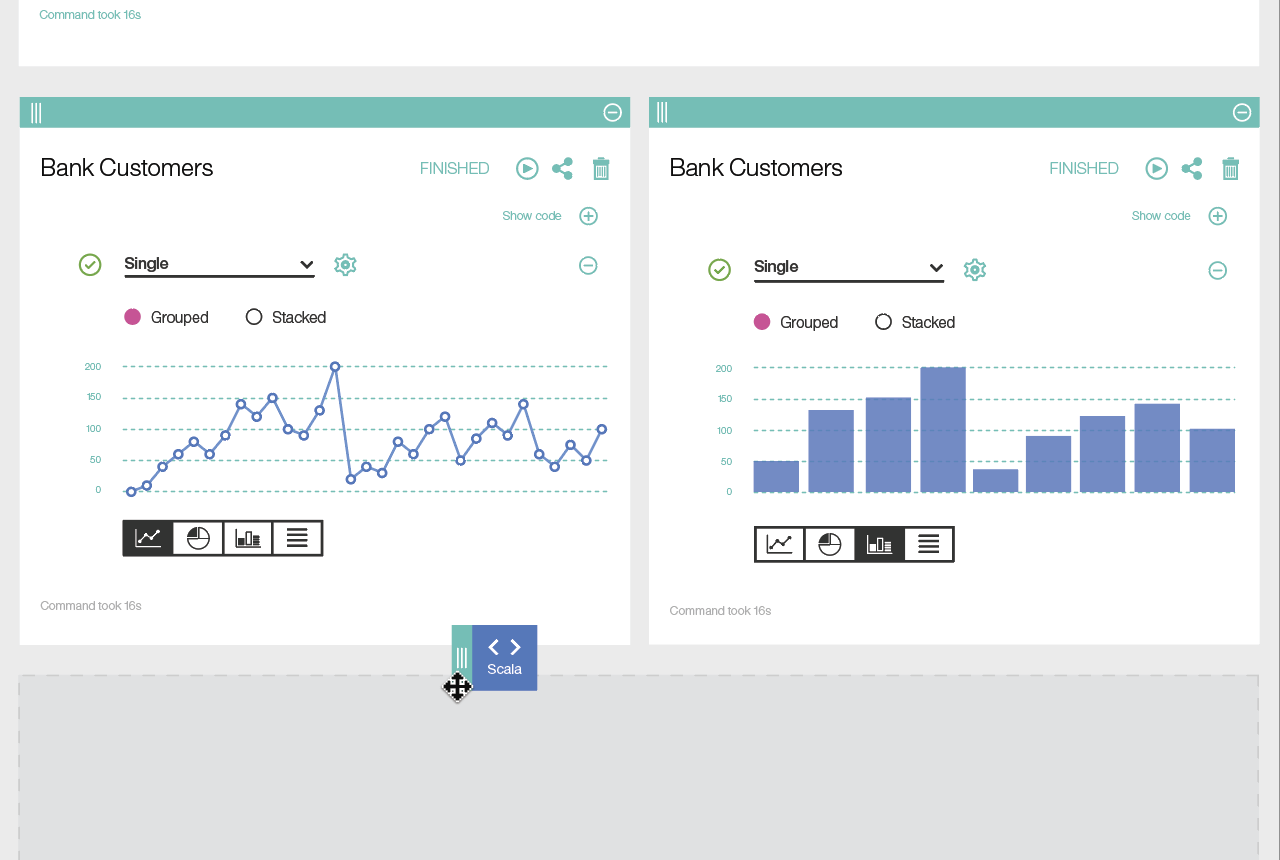
Allow users to easily arrange and compare notebook paragraphs side by side, by simply dragging paragraphs into the same horizontal row as an existing paragraph(s). Paragraphs are then automatically resized to fit beside each other in the horizontal space.
- Interactions: Use CSS transitions for a smooth experience (ex. transition: 0.5s ease;)
- Cautions: Should limit how many paragraphs can exist in a row, based on available width in browser to ensure content is readable.
Manual Resize
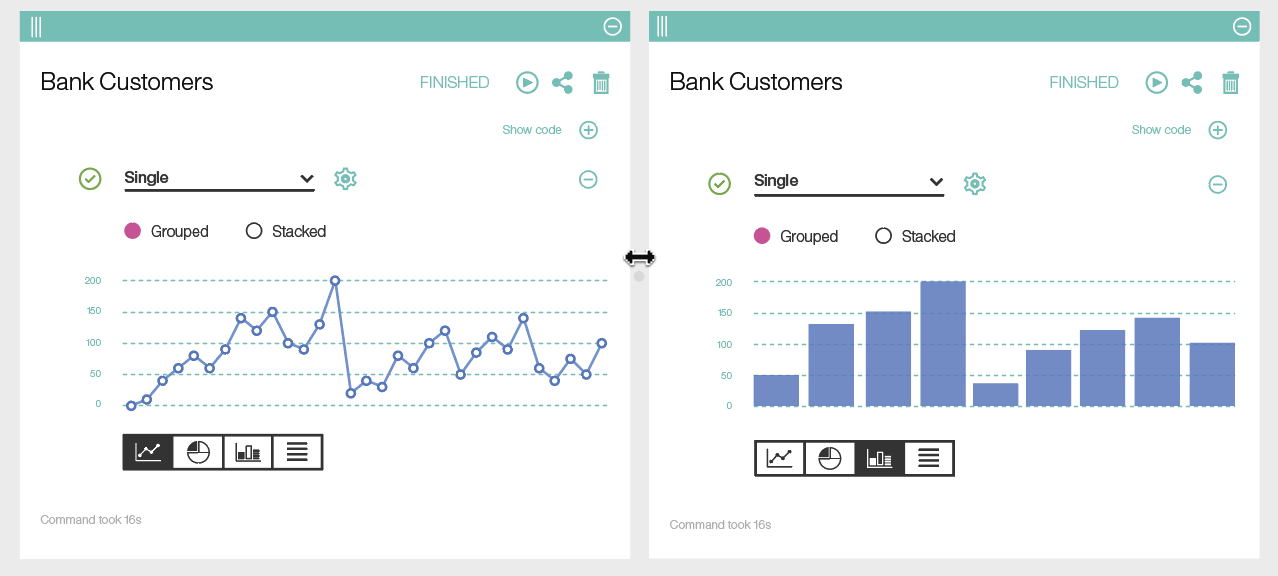
Allow users to resize side by side paragraphs by dragging vertical space between them.
Code Dock
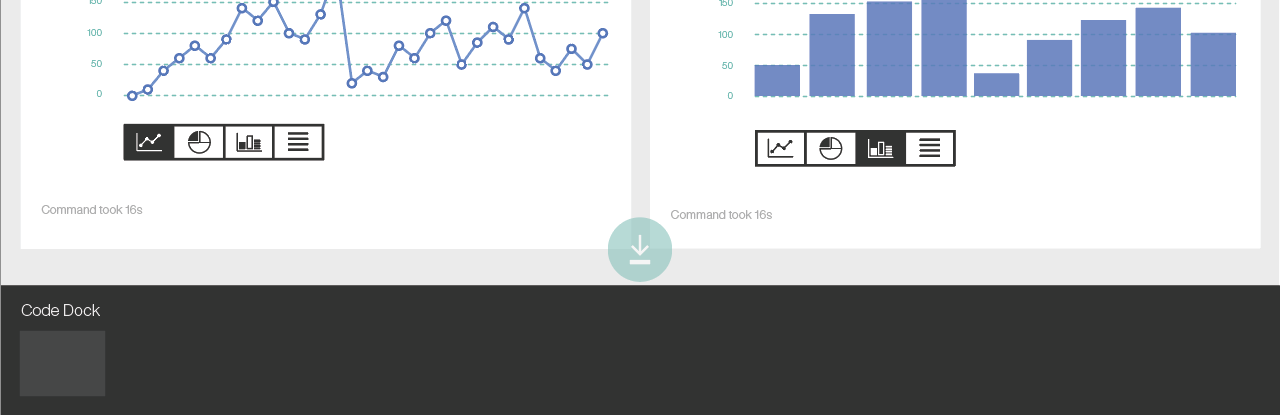
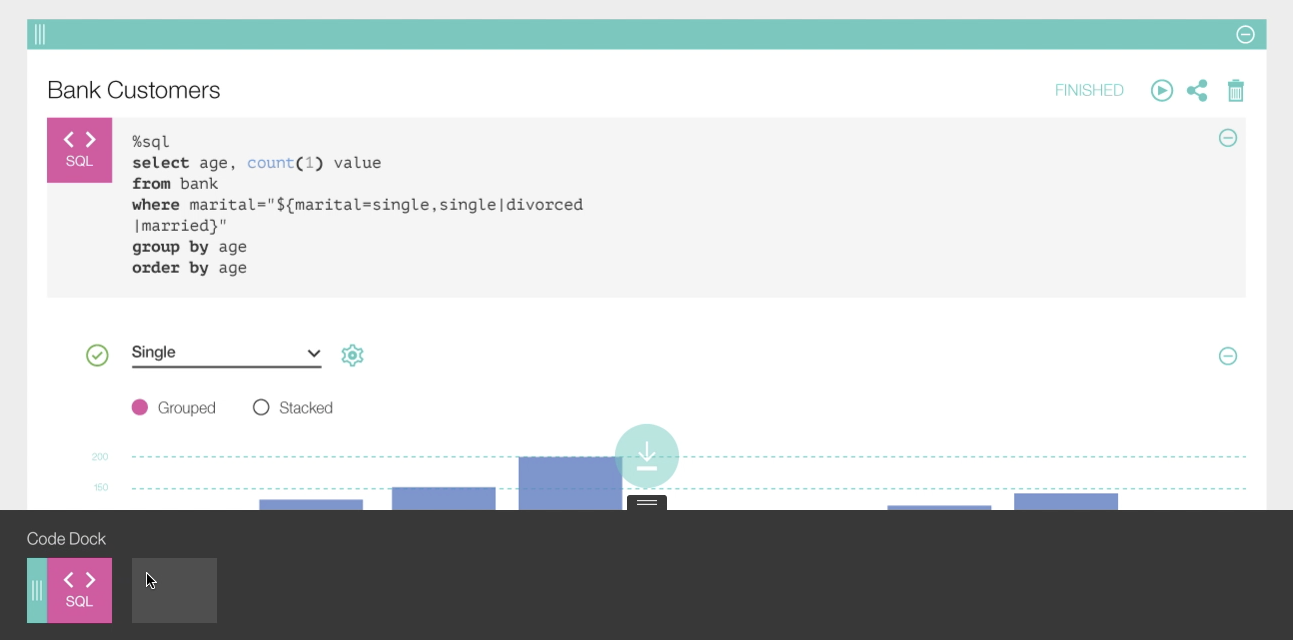
A code dock will slide up from the bottom of the screen when a user begins to drag a paragraph. This will allow the user to temporarily store code snippets in the dock for later use, or to quickly scroll inside a long notebook and then place the code snippet back in a new location within the notebook.
- Interactions: Use CSS transitions for a smooth experience (ex. transition: 0.5s ease;)
- Behavior: A tab should be available for the user the manually open and close the dock whenever there is at least one code snippet being stored there.
- Bonus: Ability to save and access saved code snippets from with the code dock, that users can then drag into their notebooks.
Auto Scroll Zone
When a user initiates dragging a paragraph or code snippet, an auto scroll icon will fade-in in the middle of the screen, just above the code dock. When a user drags a paragraph/code snippet over this zone, it will trigger page auto scroll. This will allow user to easily drag items to and from the code dock, without unintentionally trigger page scroll.
- Interactions: Use CSS transitions for a smooth experience (ex. transition: 0.5s ease;)