In this exercise, you will have to add two service units and redeploy the service assembly by yourself
Instead of simply copying files from one directory to the other, we are now going to send the message straight to a JMS queue. We also want to retain a copy of the original message for archiving, so we are going to use the wiretap pattern for that.
You can also use servicemix-camel instead of servicemix-eip to implement the wiretap pattern. Just omit the steps related to tutorial-eip-su and have a look at Replacing tutorial-eip-su with tutorial-camel-su to learn how to do this.
First of all, we have to create two additional project modules for our two new service units. Instead of using the plain servicemix-service-unit archetype as before, we are now going to use two new archetypes:
servicemix-eip-service-unit to create module tutorial-eip-suservicemix-jms-provider-service-unit to create tutorial-jms-suCheck this page if you need help in running the archetype. These archetypes are a bit more advanced:
Afterwards, add these two new service units to the service assembly by adding the necessary <dependency/>s to the SA's pom.xml. If you want, you can also change the <name/>s to get a cleaner build log.
tutorial-jms-suChange the tutorial-jms-su's xbean.xml to access a queue named queue/tutorial on ActiveMQ (which is embedded in ServiceMix).
tutorial-eip-suChange the tutorial-eip-su's xbean.xml to define the wiretap we need.
We want to forward the message exchange to the jms endpoint, so we specify that information on the first <eip:exchange-target/>. The second one refers back to the <file:sender/> endpoint we declared earlier.
tutorial-file-suYou have to change the targetService on the <file:poller /> endpoint to refer to our newly created wiretap. Afterwards, it should like this:
When everything is done, you are ready to build and deploy the service assembly. When you do the build, the log should be similar to this one (if the SA isn't built last, you forgot to add the necessary <dependency/> to that pom.xml file):
For the deploy, you have two ways :
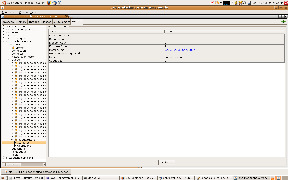
If you copy a file into the poller's target directory now, it will also be moved into the sender's directory, just as before. However, there should also be a copy of the message in our JMS queue. To check this, connect to ServiceMix using a JMX console (refer back to our previous tutorial if you need help doing this) and navigate the MBean tree to org.apache.activemq/localhost/Queues. A queue should have been auto-created with the name queue/tutorial and the EnqueueCount attribute is showing the number of messages that have already been sent (in our case: 1).
mvn jbi:projectDeploy -DforceUpdate=true command or to create the new SA zip file using mvn install and copy the zip file into the SERVICEMIX_HOME/hotdeploy directorytutorial-jms-su