The Platform allows you to set-up cash drawers for proper cash management and reconciliation.
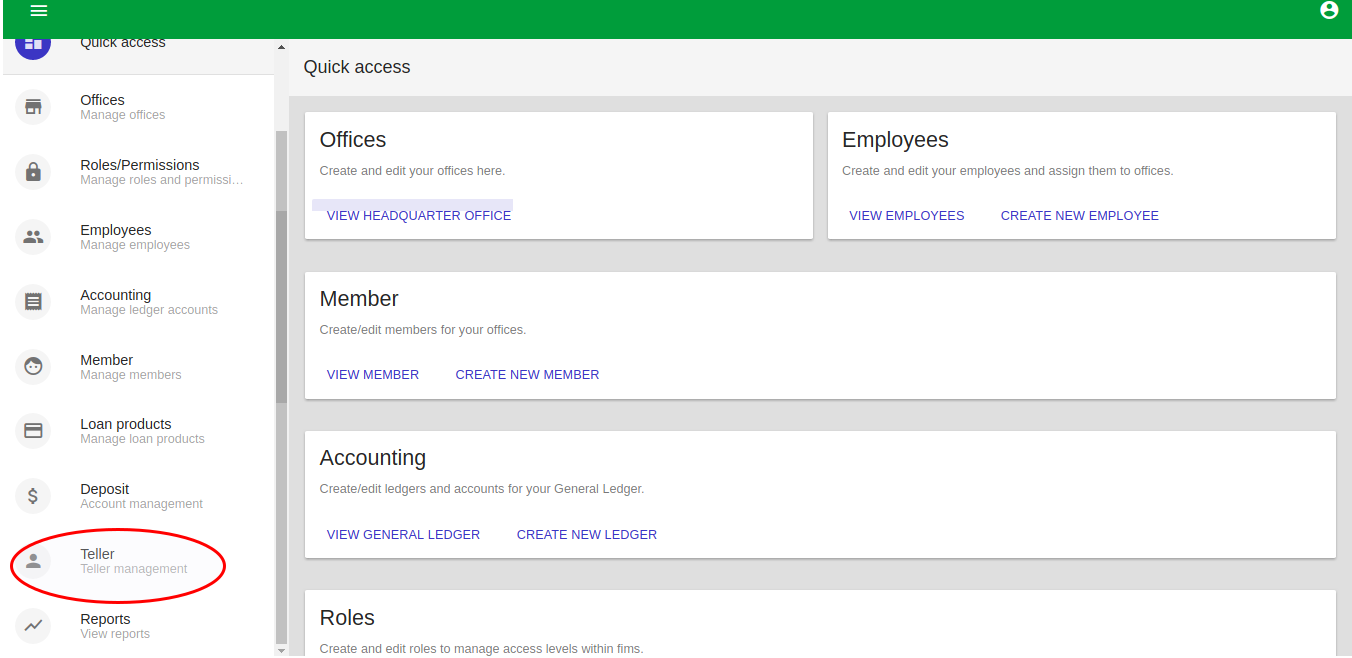
Select Teller from the Quick access drop down menu.
The Unlock drawer page will be launched. You must have a teller Account before you can unlock the drawer.
Manage Tellers
Return to the Manage Offices screen and click on Tellers.
Creating Tellers
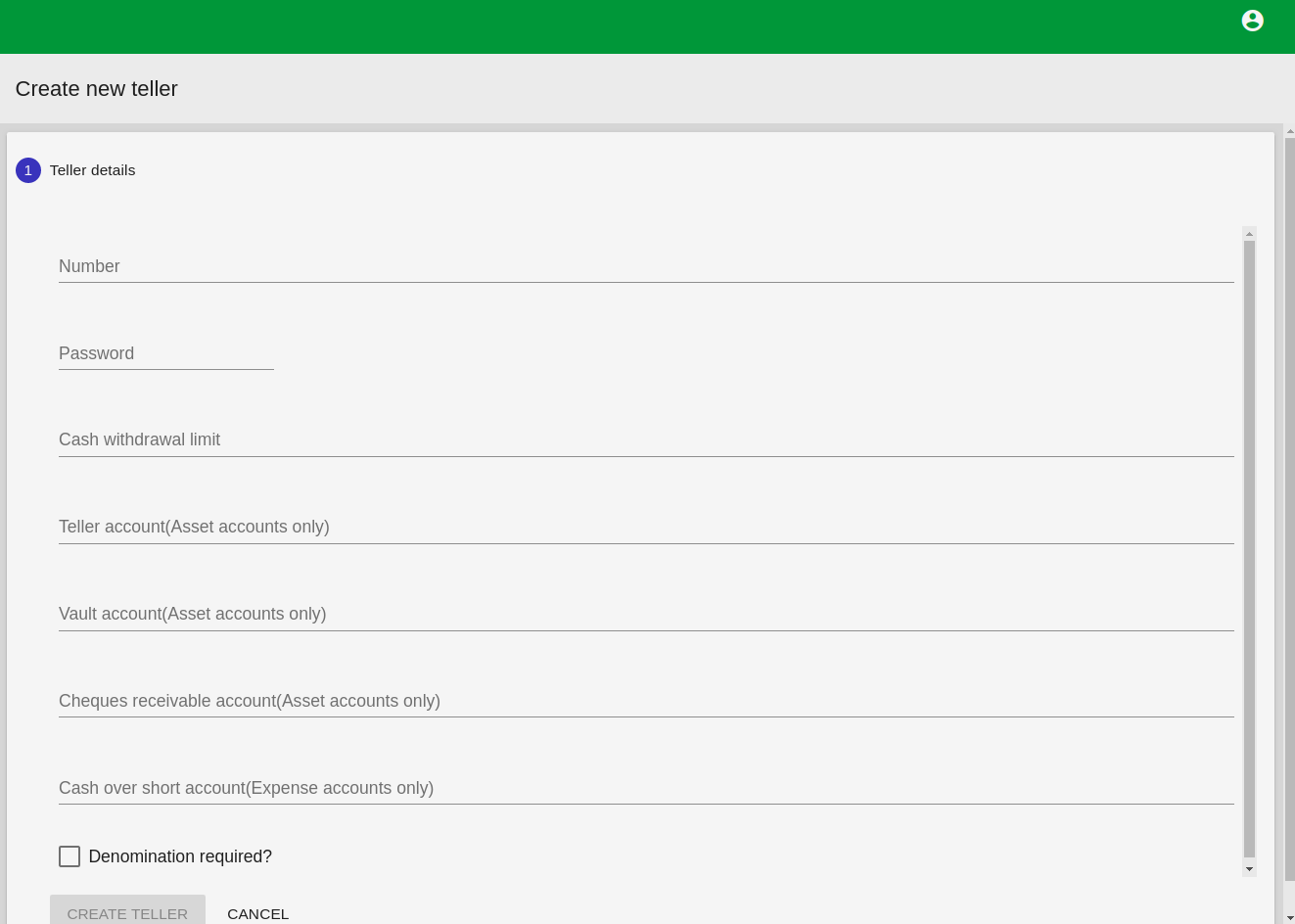
On the Manage Teller screen, click on the blue +Create Teller icon at the right bottom side of the page. Complete the fields on the screen.
In Name Field, enter teller name
In Password field, enter teller password
In Cash Withdrawal limit field, Enter maximum amount which the teller can withdraw.
In Teller account field, enter teller account number. The account should be an asset account
In Vault account Field, enter vault account number. The account should be an asset account
In Cheques Receivable acount field, enter account number. The account should be an asset account.
In Cash over short account field, enter account number. The account should be an Expense account.
Click on CREATE TELLER
Unlock Drawer
Complete the fields that follow:
In Teller Number field, enter tell account number
In Password field, enter the password of the Teller.
Click Unlock
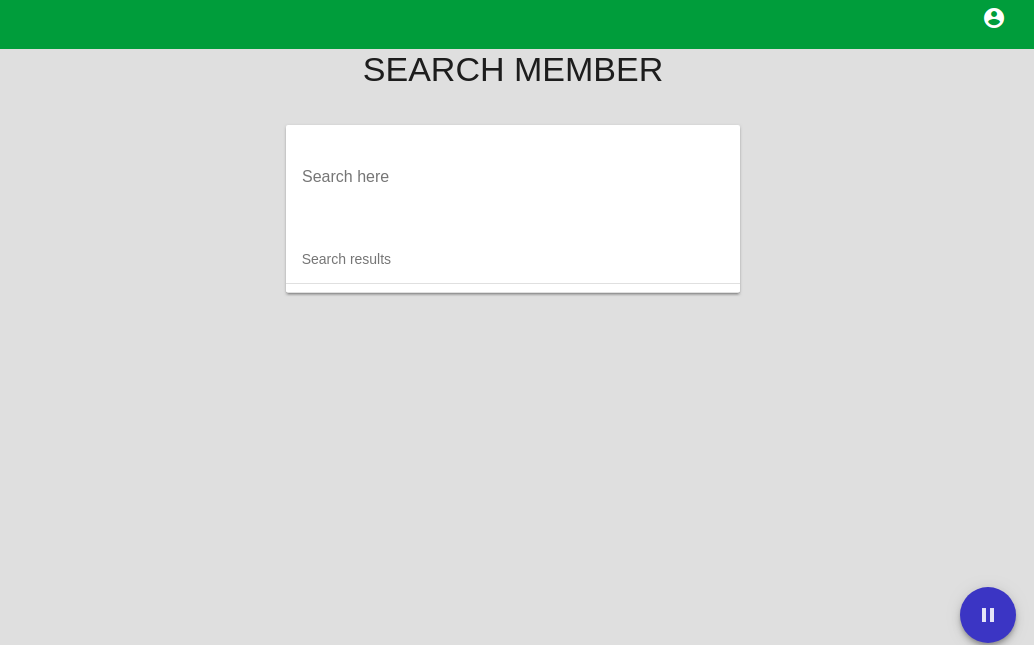
Click on Search here to search for the member you want to carry out transactions with.
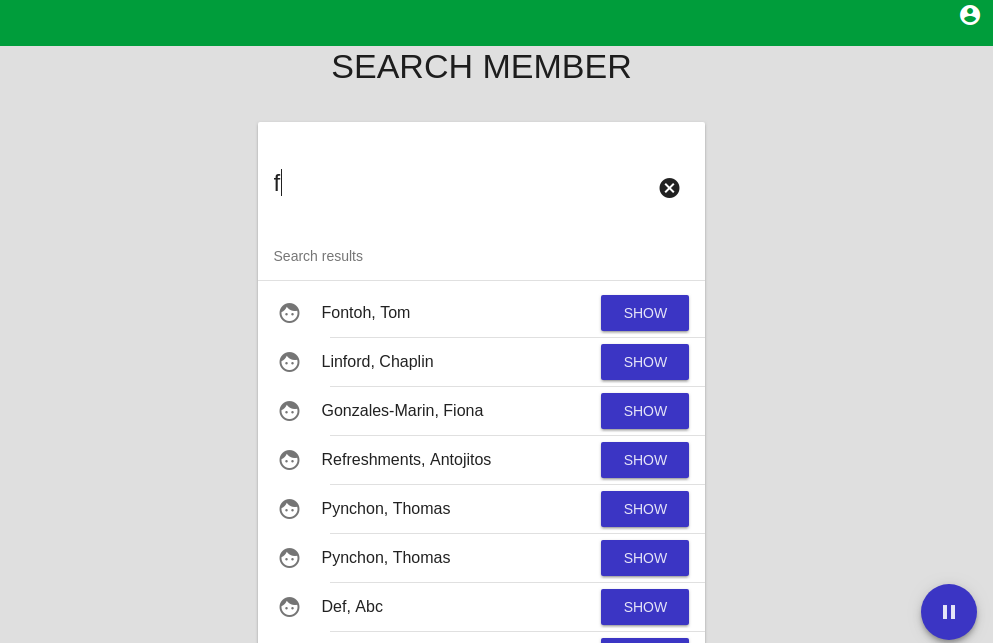
From Search Results displayed, Select appropriate member by clicking on blue SHOW button Against the members name. The member page will be launched.
Select the transaction you want to carry out from the list of transactions: Close account, Account transfer, Cash deposit, Cash withdrawal, Cash cheque and Repay loan
Close Account
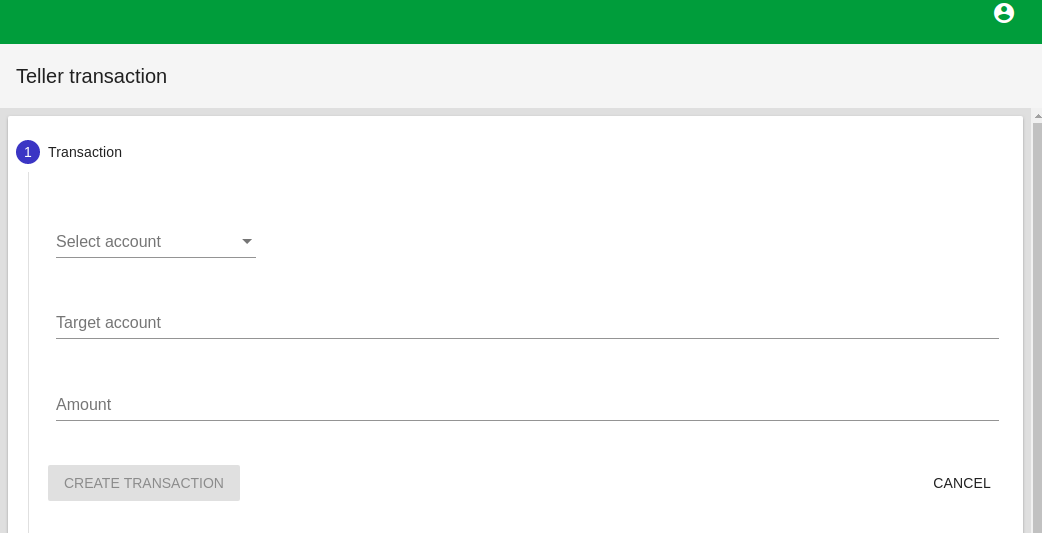
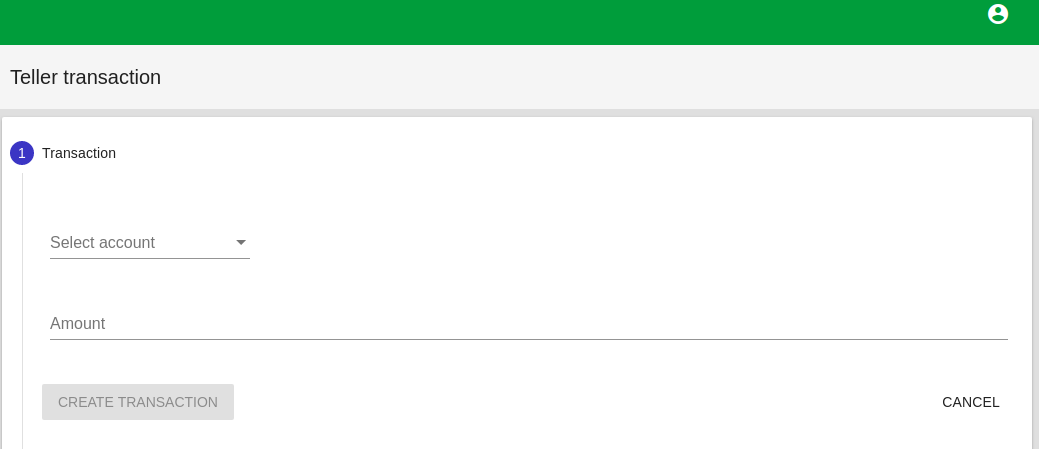
Select Account from Drop down menu
Enter Amount e.g 1000
Click CREATE TRANSACTION.
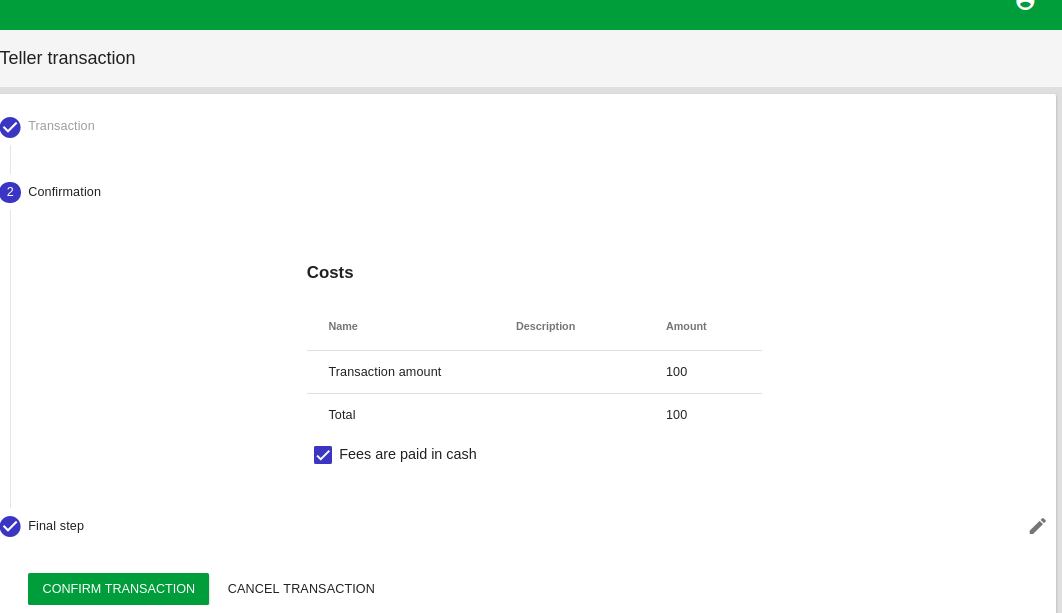
Verify Transaction
Enter Voucher Number
Click CONFIRM TRANSACTION
Account Transfer
Select Account from drop down menu
Enter Target account
Enter Amount
Click on CREATE TRANSACTION
Verify Transactions
Click CREATE TRANSACTION
Cash Deposit
Select Account from drop down menu
Enter Amount
Click CREATE TRANSACTION
Verify Transaction
Enter Voucher Number
Click CONFIRM TRANSACTION
Cash Withdrawal
Select Account from drop down menu
Enter Amount
Click Create Transaction
Verify Transaction
Enter Voucher Number
Click Create Transaction
Cash Cheque
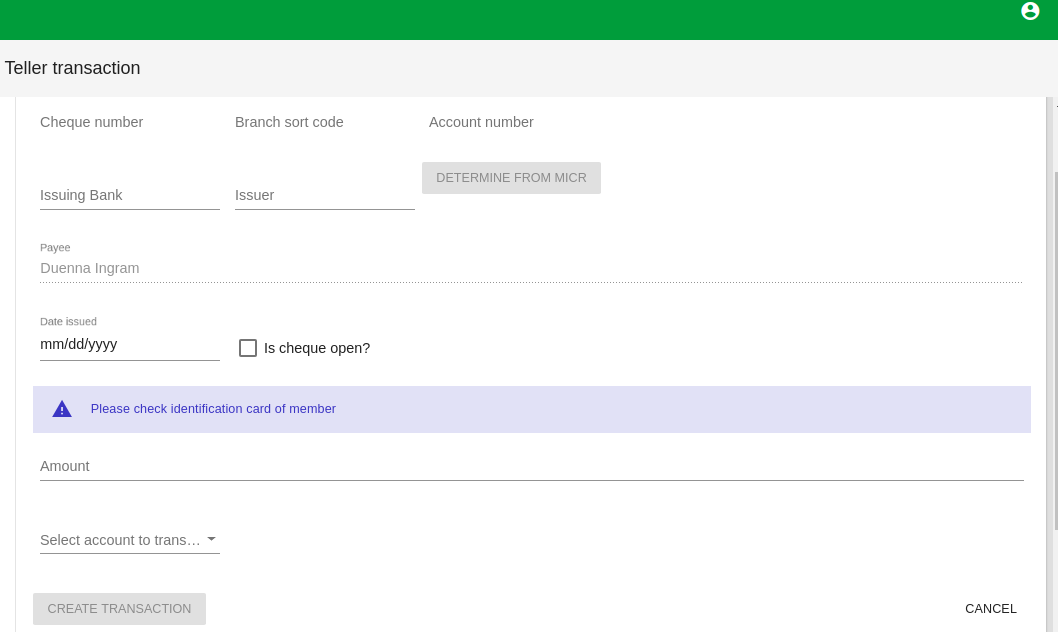
Enter Cheque number
Enter Branch sort Code
Enter Account number. click on DETERMINE FROM MICR to confirm account number
Enter Issuing bank
Enter Issuer
Enter Date Issued
Select is Cheque open? if the cheque is opened
Enter Amount
Select Account to transfer
Click CREATE TRANSACTION
Verify Transaction
Click CONFIRM TRANSACTION
Repay Loan
Select Account From Drop down Menu
Enter Repayment Amount
Click Create Transaction
Verify Transaction
Click Confirm Transaction