This document details how to release artifacts to the staging repository. It is currently a manual process, but will be automated in the future.
There are three architectures supported OSX cpu, Linux cpu, and Linux gpu. A build and deploy must be done for each to publish the 3 artifacts.
First we need to modify the project file to create the correct artifact and test to make sure it is good.
:url "https://github.com/apache/incubator-mxnet"
:license {:name "Apache License"
:url "http://www.apache.org/licenses/LICENSE-2.0"}
The tests should run without error
Now that we know we are producing a good jar, we can move to deploy it. There are two authentication parts to deploying, your ASF login used to login to the repository and your GPG signature that is used to sign the release.
The leiningen build tools handles configuration for both these parts. Good resources to review are:
https://github.com/technomancy/leiningen/blob/master/doc/DEPLOY.md
https://github.com/technomancy/leiningen/blob/master/doc/GPG.md
The first thing you will need is to create a credentials file for leiningen - this will be encypted with gpg
The next thing you will need is to modify the project.clj file to have the ASF deploy staging repo and also point to your ASF gpg key.
:deploy-repositories [["staging" {:sign-releases true
:url "https://repository.apache.org/service/local/staging/deploy/maven2"
:creds :gpg
:signing {:gpg-key "your key"} ;; this can be email of key-id
:snapshots true
:checksum :fail
:update :always
:releases {:checksum :fail :update :always}}]]
if it does not prompt for passphrase (known bug in OSX) - you can run
gpg --quiet --batch --decrypt ~/.lein/credentials.clj.gpg
Now you can run the deploy with lein deploy staging. You will be prompted for you gpg passphrase.
For automatic deploys in the future, we can look into more why this is prompting. It does not prompt for linux
If all went well with the deploy step, you need to login to the repository and verify the upload and then close it. See this document https://central.sonatype.org/pages/releasing-the-deployment.html#locate-and-examine-your-staging-repository for more details.
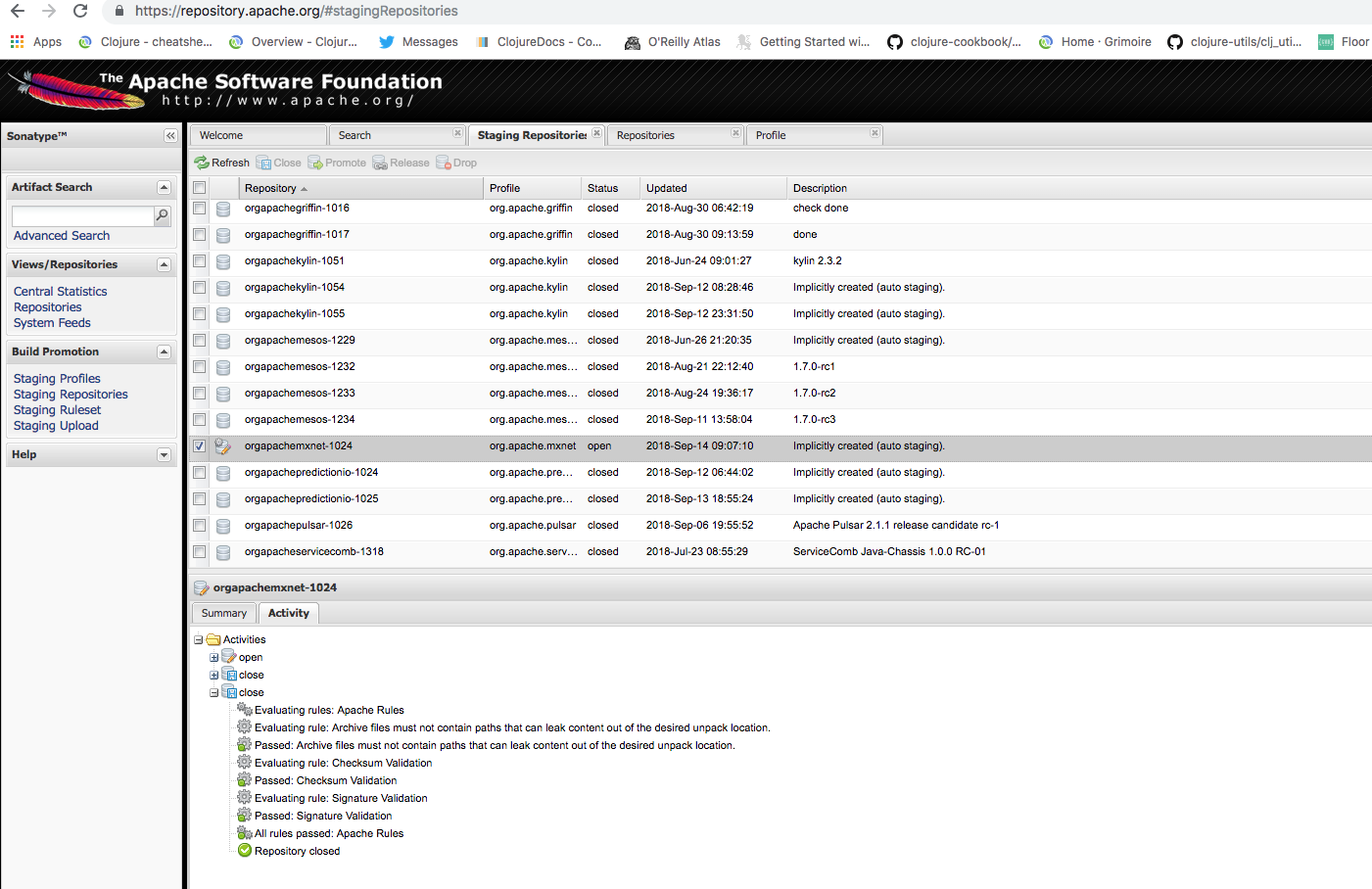
If you run into an error closing, it will show up here. For example, your apache gpg public key needs to be uploaded here http://pgp.mit.edu:11371/ or at another public server to verify the release.
To give the jar a final test, you can delete it from your local ~/.m2 cache and try to run the example again with
:repositories [["staging-download" {:url "https://repository.apache.org/content/groups/staging"
:snapshots true
:checksum :fail
:update :always
:releases {:checksum :fail :update :always}}]]
Retrieving org/apache/mxnet/contrib/clojure/clojure-mxnet-osx-cpu/1.3.0/clojure-mxnet-osx-cpu-1.3.0.pom from staging-download
To build for linux-cpu platform and gpu platforms, we use the AWS Deep Learning Base AMI that comes built with all the necessary
libraries such as opencv/cudnn etc,.
First you need to export the gpg keys you created on Mac and import to the linux host
Install Maven, gnupg, gnupg2 & gnupg-agent
|
Export and ship gpg keys you created on the Mac
|
Import and verify they look fine
|
Update the gnupg-agent cachettl, it takes a long time to build on linux and linux-gpu instances and will time out during release if you don't baby sit the build
|
Start gpg-agent to use the above
|
Follow the same instructions as for OSX but use clojure-mxnet-linux-cpu for the project name
Follow the same instructions as for OSX.
If you run into trouble with it prompting you or not prompting you for signing key use this:
export GPG_TTY=$(tty)
same process as OSX
Same process as OSX with correct linux-cpu artifact
You can do this in the same instance as the linux cpu since you have all the keys setup
Follow the same instructions as for OSX but use clojure-mxnet-linux-gpu for the project name
Follow the same instructions as for OSX but you won't need to recreate your credentials.clj.gpg file
If you run into trouble with it prompting you or not prompting you for signing key use this:
export GPG_TTY=$(tty)
same process as OSX
Same process as OSX with correct linux-gpu artifact