In order to store credentials that are required during the runtime of CI/CD, we are making use of AWS SecretsManager. Using IAM roles, we are able to grant slaves permissions to specific credentials. The differentiation here is done between restricted and unrestricted slaves.
The general rule we employ here is that unrestricted slaves must not have access to any credentials since they run arbitrary and unvalidated code. Only restricted slaves are granted permissions to credentials. For more details, please consult this guide.
There are various password-based services where it's required to authenticate with credentials:
For some services, there are alternatives to use instead of password-based services:
This part explains how to configure credentials. It is aimed towards the people who manage the MXNet CI infrastructure because it requires elevated access permissions. For everybody else, you can simply skip this part.
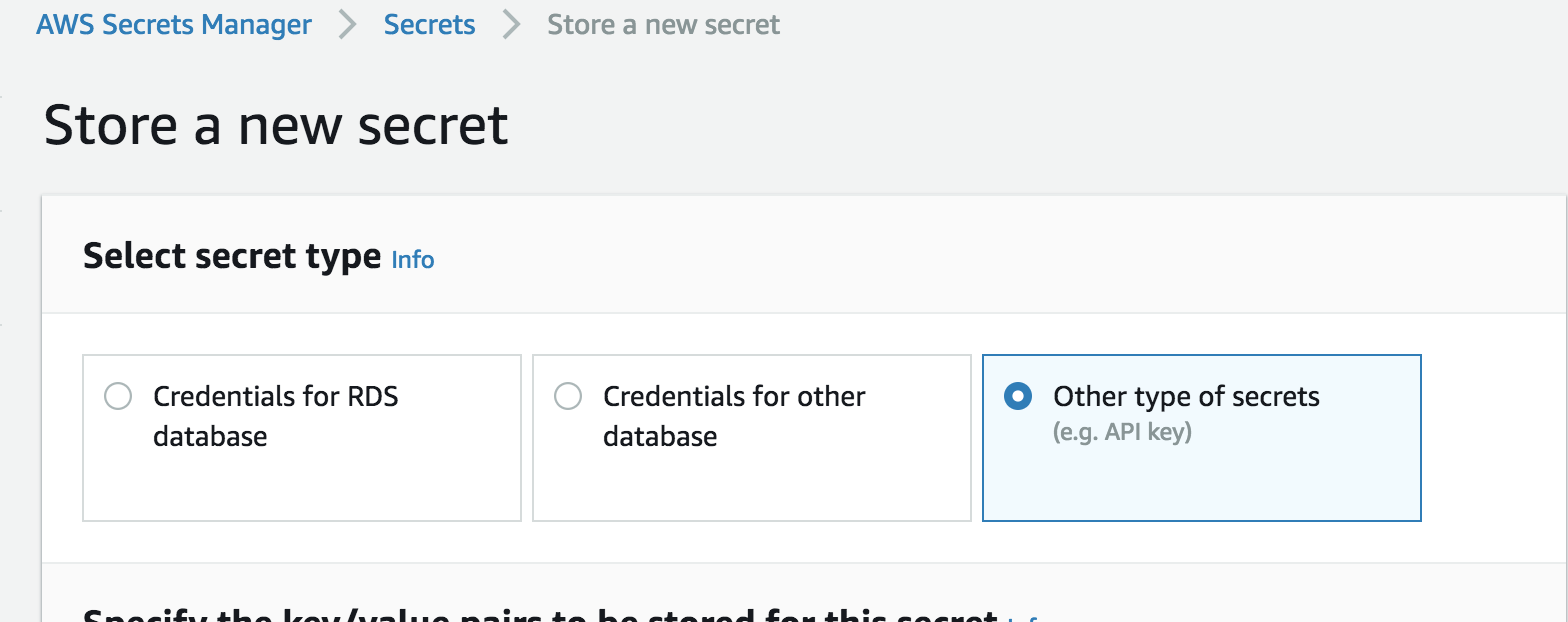
To create a secret in AWS SecretsManager, first log in to the account that the CI is running under. Then, navigate to https://us-west-2.console.aws.amazon.com/secretsmanager/home?region=us-west-2#/newSecret?step=selectSecret (region-specific URL) and select "Other types of secrets":
You can either specify Key-Value pairs or enter plaintext (e.g. for PGP keys). We'll stick with Key-Value-pair for this example:
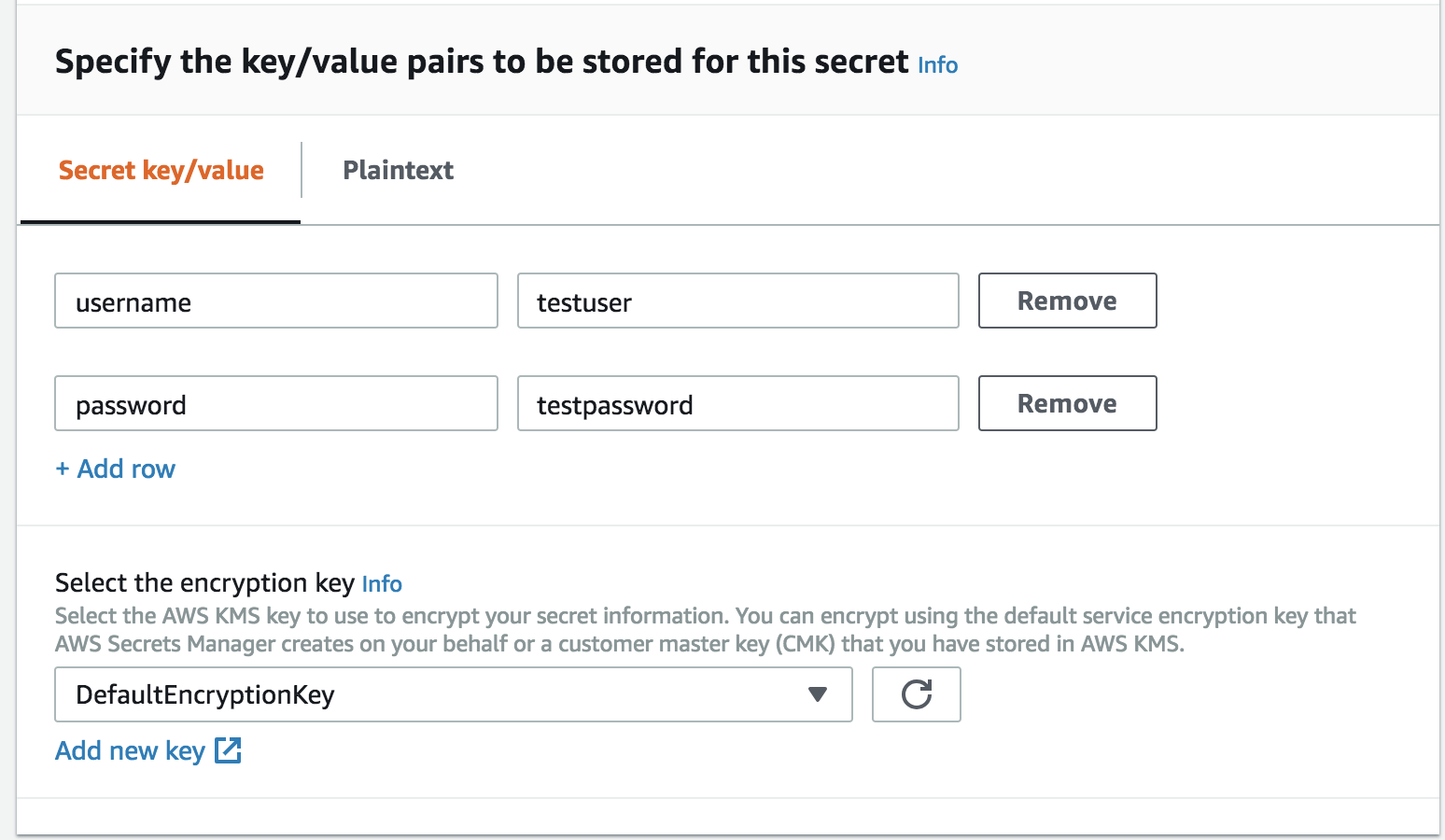
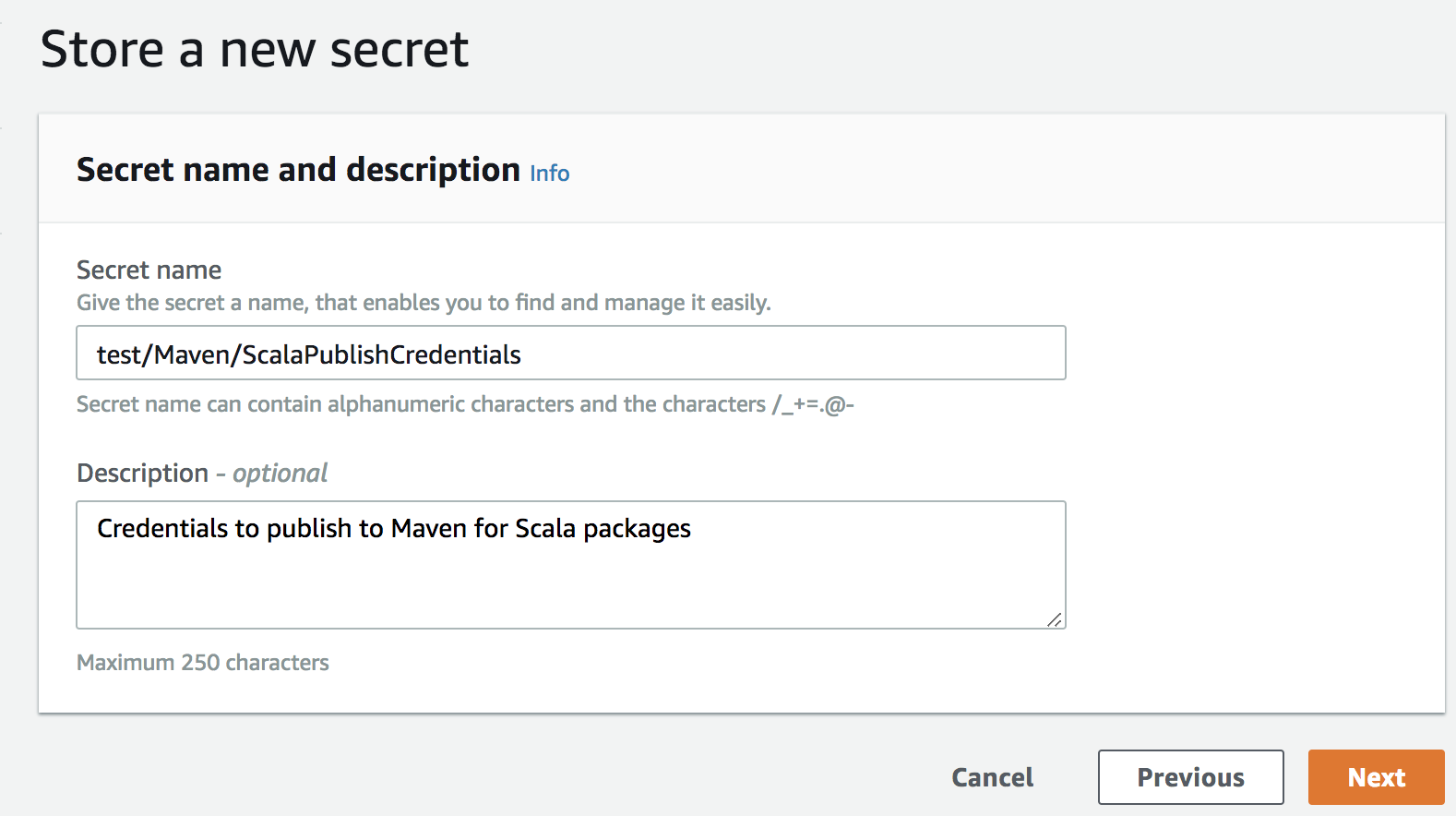
Leave the encryption key as-is. After clicking "Next" you will have to enter a name and a description for your secret:
After that, you will be facing a screen like the following:

While generally it's a good practice to have auto-rotating keys, it's usually not that easy to set up. Thus, we'll leave it disable for now.
After previewing and saving it, you're good to proceed to the next step.
Jenkins Environment Variables