DUE TO SPAM, SIGN-UP IS DISABLED. Goto Selfserve wiki signup and request an account.
...
Select Jetty Webapp and click the New button, then fill in a few values:
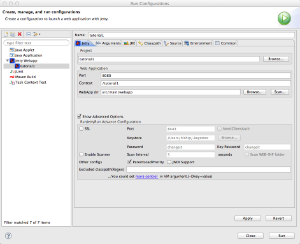
Make sure you clear the field labeled HTTPS.
You will need to click the "Show advanced Options" checkbox, then uncheck "SSL" and "Enable Scanner".
Tapestry runs best with a couple of additional options; click the "Arguments" tab and enter the following VM Arguments: -XX:MaxPermSize=256M -Xmx600m -Dtapestry.execution-mode=development
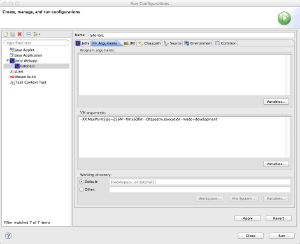
Tapestry uses more PermGen space (the part of Java memory used for loading classes) than a typical application, and uses more heap memory than the default; the above settings are good for a medium-to-large size Tapestry application, and will keep Java from running the Garbage Collector too often. The setting of tapestry.execution mode tells Tapestry to run in development mode, where runtime exceptions are reported more exhaustively.
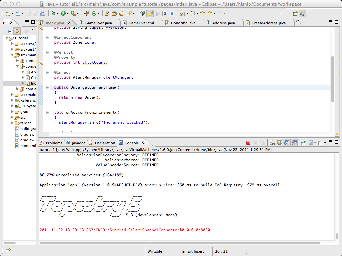
With those settings in place, you You can then click Run and Jetty will launch (it takes only a few seconds):
Once you click Run, Jetty will start up and launch (it should take about a second or two seconds).
You may now start the application with the URL http://localhost:8080/tutorial1/
...