...
- Source code for the Marketplace client. Marketplace client is installed along with CloudStack management server and provides the Marketplace UI to the admins and users. The Marketplace client points to various listing repositories specified by the admin.
- Listing repositories contain product listings. An Apache listing repository contains listings contributed by the vendors to Apache CloudStack. Any third party can set up its own private or public listing repositories.
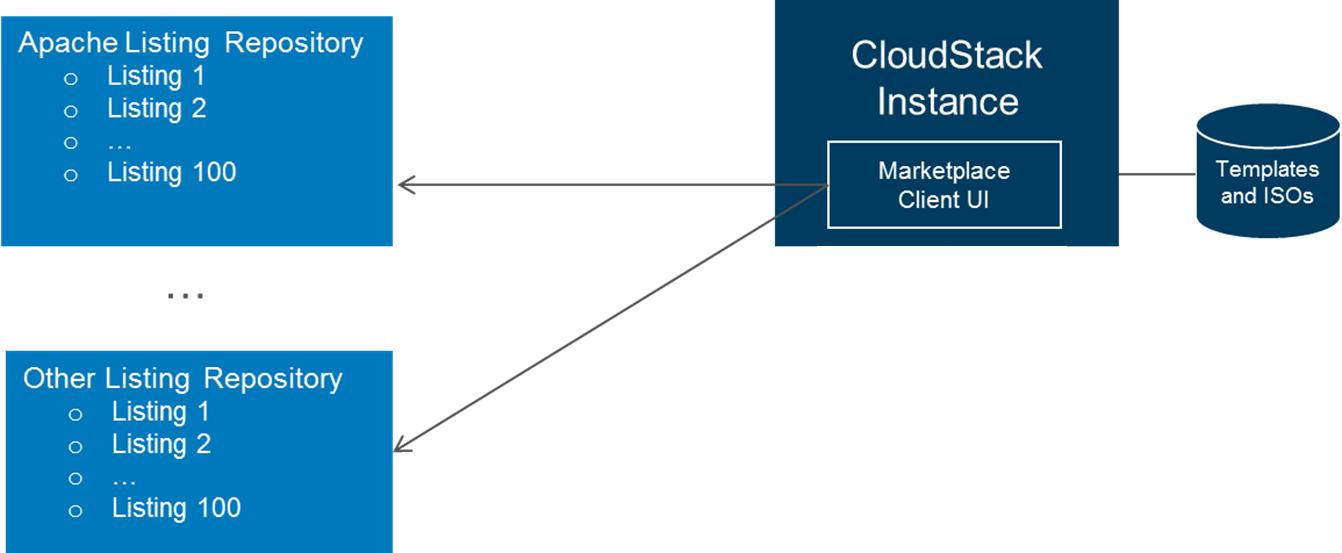 Image Modified
Use Cases
Version 1.0 will support vendor products and services distributed in the forms of image templates, bootable ISOs, non-bootable ISOs, and SaaS/PaaS offerings.
...
The listing repository contains a config.js file and vendor product folders. The config.js file contains an index of the listings, which will be read by the Marketplace UI to build the Marketplace Homepage. The Listing folders contain metadata and supporting files for each product listing, which will be read by the Marketplace UI to build the Details page for each listing.
 Image Modified
For image templates and ISOs, vendors can contribute a product listing following these steps:
...
- From the CloudStack UI after login, link to Marketplace is on the left or top navigation bar.
- From the http://<cloudstack management server>/marketplace. When accessing marketplace from here, no login is required until admin/user wants to take action on a listing (for example, create an instance). Without login, the user view of the marketplace is shown.
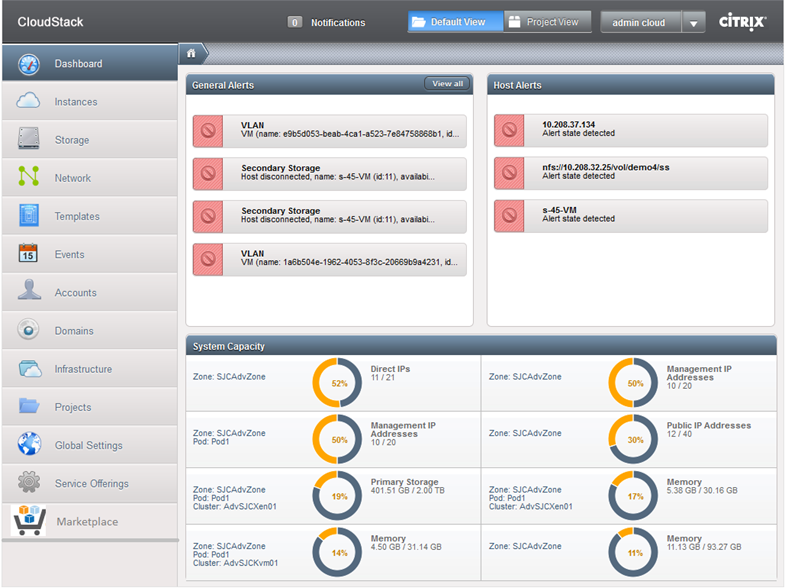 Image Modified
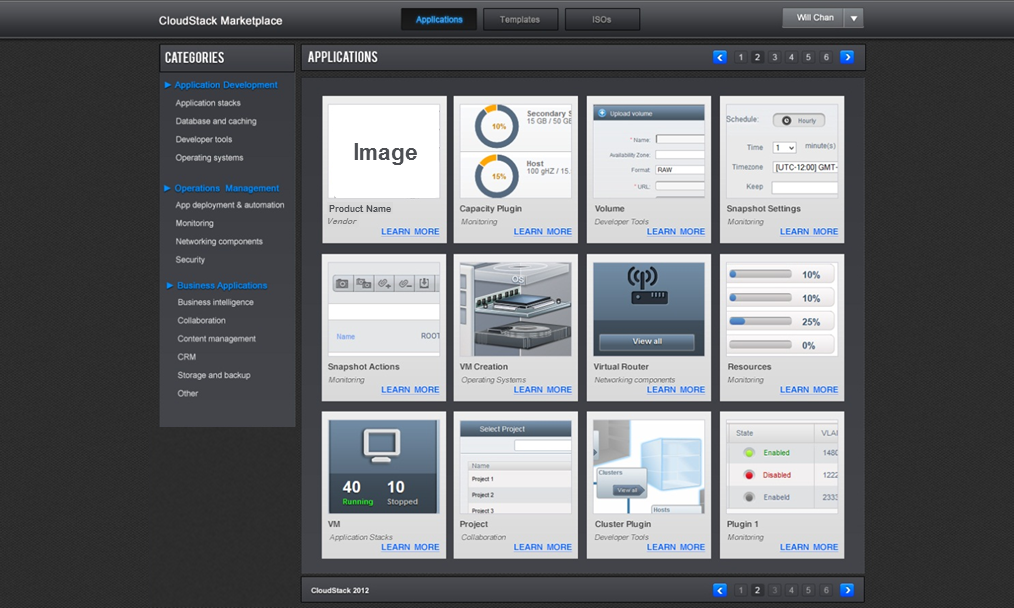 Image Modified
Use Image Templates and ISOs in CloudStack Marketplace
The
For listings require admin intervention, admins can follow the instructions provided by vendors in the listing files to set up the services. Admins will then make these listings available to their users. For templates and ISOs, admins can import them into CloudStack so that when users create VMs from them, launch time is shorter.
For listings containing templates and ISOs only, users should be able to select the template or ISO, and create instance directly from the listing (or attach ISO to an existing VM). If the template or ISO is not yet imported by either the admins or the user, it will be imported first.
...
following figure shows an example of how a product Detailed page look like for image templates.
- Admin perspective - Admin will see an action button "Create Template". Admin can select an image template from the list and click "Create Template" button to create a template within CloudStack. Admin can set the template to be "public", so that any subsequent user request to "create instance" from this image template in the Marketplace can leverage it. In addition, the public template will be accessible to all users in the CloudStack UI.
- User perspective - User will see an action button "Create Instance". If a template has already been created within CloudStack previously (by admin or this user) and is accessible, this user will be able to create an instance directly. If the template has not yet been created or is not accessible, this user will be asked to create a template before creating instance.
Bootable ISOs will be handled similarly. For non-bootable ISOs, instead of "create instance", user will be asked to "attach ISO" to an existing instance.
 Image Added
Use SaaS/PaaS in CloudStack Marketplace
The following figure shows an example of how a product Detailed page look like for image templates.
- Admin perspective - Admin will see an action button "Create Template". Admin can select an image template from the list and click "Create Template" button to create a template within CloudStack. Admin can set the template to be "public", so that any subsequent user request to "create instance" from this image template in the Marketplace can leverage it. In addition, the public template will be accessible to all users in the CloudStack UI.
- User perspective - User will see an action button "Create Instance". If a template has already been created within CloudStack previously (by admin or this user) and is accessible, this user will be able to create an instance directly. If the template has not yet been created or is not accessible, this user will be asked to create a template before creating instance.
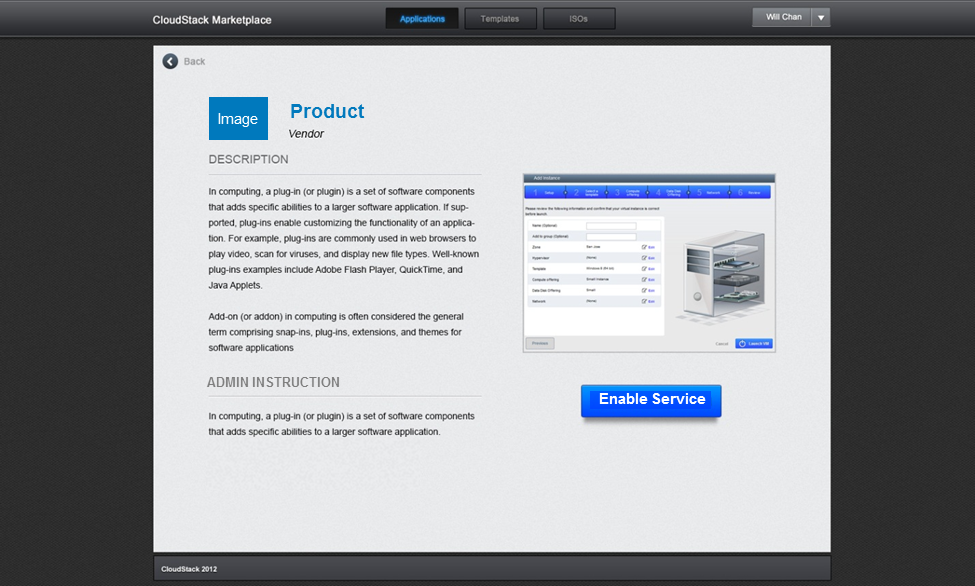 Image Added
Future Enhancement
The following are potential future enhancements:
...
