DUE TO SPAM, SIGN-UP IS DISABLED. Goto Selfserve wiki signup and request an account.
Apache Airavata
Go to https://demo..airavata.org/ and log in through CILogon
Click "Launch a Notebook" button and create a notebook server by providing a name for it. This will spin up a Jetstream2 cloud-hosted notebook server

Once the notebook server is available, you should be able to see a start button in front of the notebook entry

Click the start button and it will open up a new tab with access to the newly created notebook server
Click and open Example.ipynb notebook.
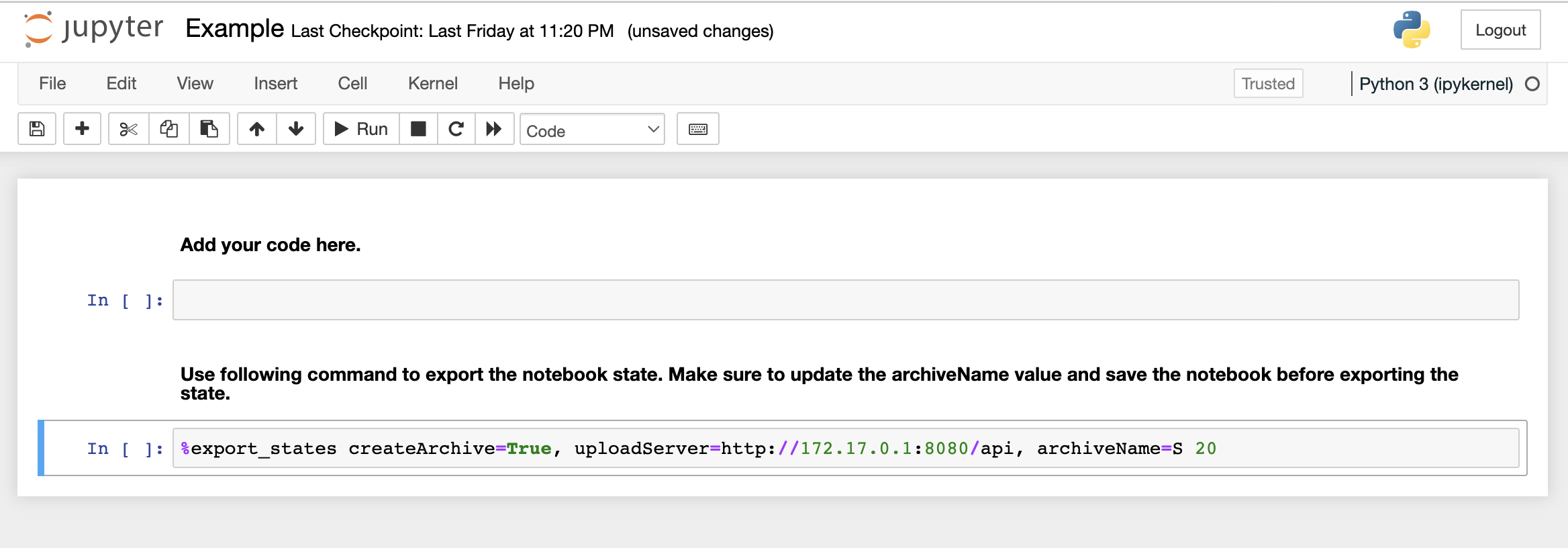
Run following code blocks in individual notebook cells
# Code Block 1
with open('output-onlinerandomtools.txt', encoding='utf-8-sig') as f:
content = f.read()
array = content.split()
numbers = []
for item in array:
numbers.append(int(item))
# Code Block 2
total_sum = sum(numbers)
print(total_sum)
#Code Block 3
import matplotlib.pyplot as plt
plt.hist(numbers)
Above import will throw an error because the notebook runtime does not have matplotlib installed by default. To install matplotlib, get a new cell and run the following command
pip install matplotlib
Once the library is installed, try running code block 3 to make sure that the library is properly installed
Save the notebook and run the last line of a notebook with an appropriate description
#Code Block 4
%export_states createArchive=True, uploadServer=http://172.17.0.1:8080, archiveName=Experiment with total sum <SUM>
Overview
Content Tools
For an overview of Apache Airavata visit the Website - https://airavata.apache.org/