DUE TO SPAM, SIGN-UP IS DISABLED. Goto Selfserve wiki signup and request an account.
Unknown macro: {tutorialnav}
The first step is to ask Maven to generate the Eclipse control files (.classpath and .project) for us:
$ mvn eclipse:eclipse -DdownloadSources=true
[INFO] Scanning for projects...
[INFO] Searching repository for plugin with prefix: 'eclipse'.
[INFO] org.apache.maven.plugins: checking for updates from apache-snapshots
[INFO] org.codehaus.mojo: checking for updates from apache-snapshots
[INFO] artifact org.apache.maven.plugins:maven-eclipse-plugin: checking for updates from apache-snapshots
[INFO] snapshot org.apache.maven.plugins:maven-eclipse-plugin:2.9-SNAPSHOT: checking for updates from apache-snapshots
Downloading: http://repository.apache.org/snapshots//org/apache/maven/plugins/maven-eclipse-plugin/2.9-SNAPSHOT/maven-eclipse-plugin-2.9-20101117.070458-148.pom
11K downloaded  (maven-eclipse-plugin-2.9-20101117.070458-148.pom)
Downloading: http://repository.apache.org/snapshots//org/apache/maven/plugins/maven-eclipse-plugin/2.9-SNAPSHOT/maven-eclipse-plugin-2.9-20101117.070458-148.jar
194K downloaded  (maven-eclipse-plugin-2.9-20101117.070458-148.jar)
[INFO] ------------------------------------------------------------------------
[INFO] Building tutorial1 Tapestry 5 Application
[INFO]    task-segment: [eclipse:eclipse]
[INFO] ------------------------------------------------------------------------
[INFO] Preparing eclipse:eclipse
[INFO] No goals needed for project - skipping
[INFO] [eclipse:eclipse {execution: default-cli}]
[INFO] Using Eclipse Workspace: /Users/Howard/Documents/workspace
[INFO] Adding default classpath container: org.eclipse.jdt.launching.JRE_CONTAINER
[INFO] Wrote settings to /Users/Howard/Documents/workspace/tutorial1/.settings/org.eclipse.jdt.core.prefs
[INFO] Wrote Eclipse project for "tutorial1" to /Users/Howard/Documents/workspace/tutorial1.
[INFO]
[INFO] ------------------------------------------------------------------------
[INFO] BUILD SUCCESSFUL
[INFO] ------------------------------------------------------------------------
[INFO] Total time: 5 seconds
[INFO] Finished at: Wed Nov 17 17:13:11 PST 2010
[INFO] Final Memory: 21M/81M
[INFO] ------------------------------------------------------------------------
~/Documents/workspace/tutorial1
$
At this point, Maven has created the Eclipse .project and .classpath files, and we can import the project.
Launch Eclipse and switch over to the Java Perspective.
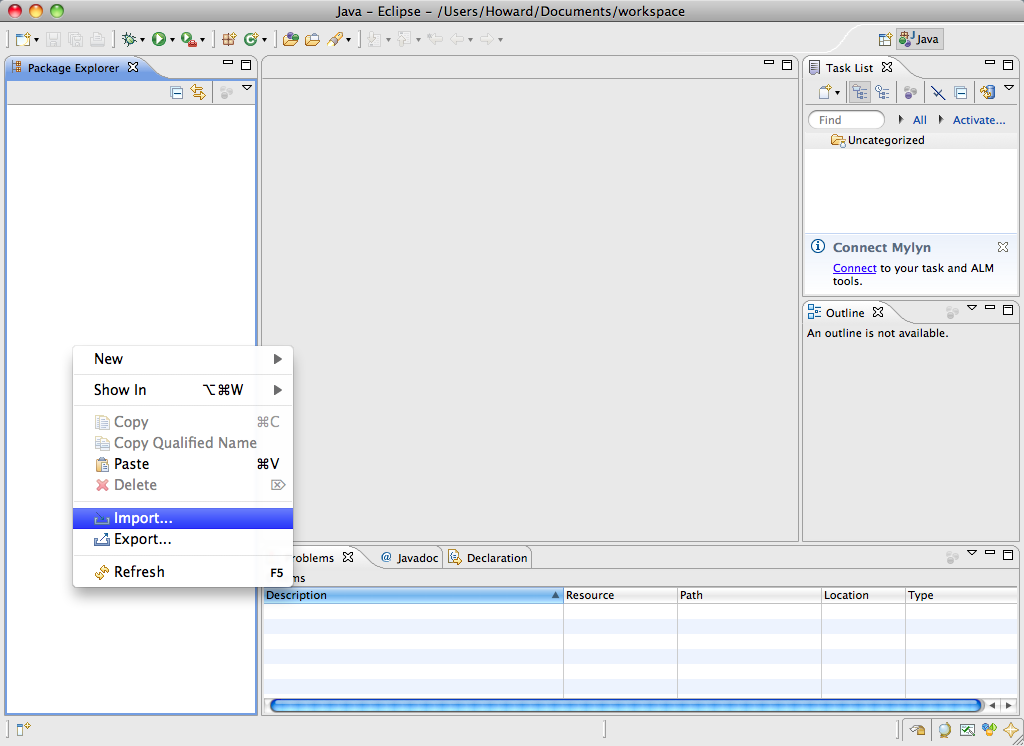
Right click inside the Package Explorer view and select Import ...
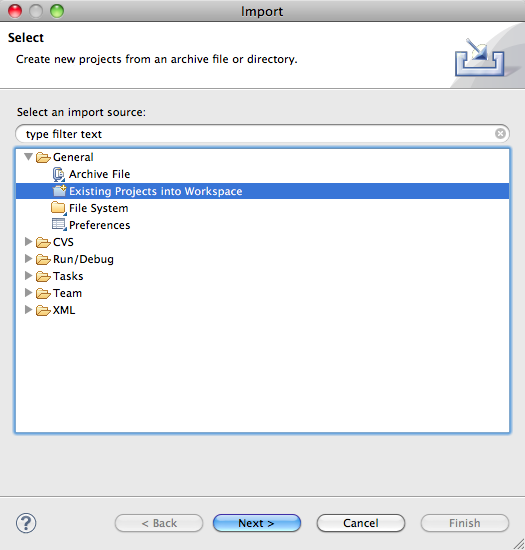
Choose the "existing projects" option:
Now select the folder created by Maven:
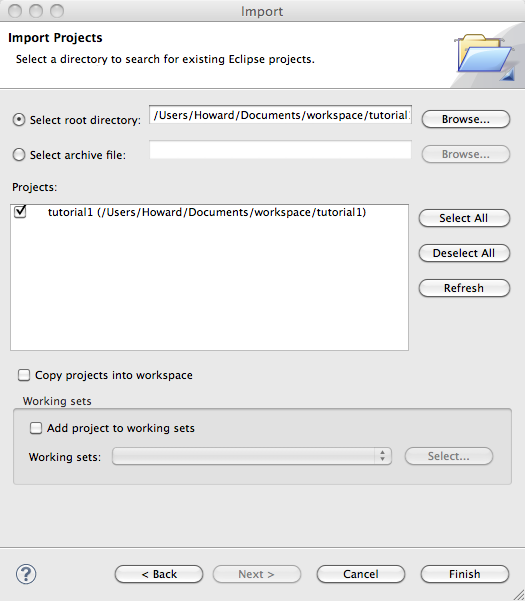
When you click the Finish button, the project will be imported into the Eclipse workspace.
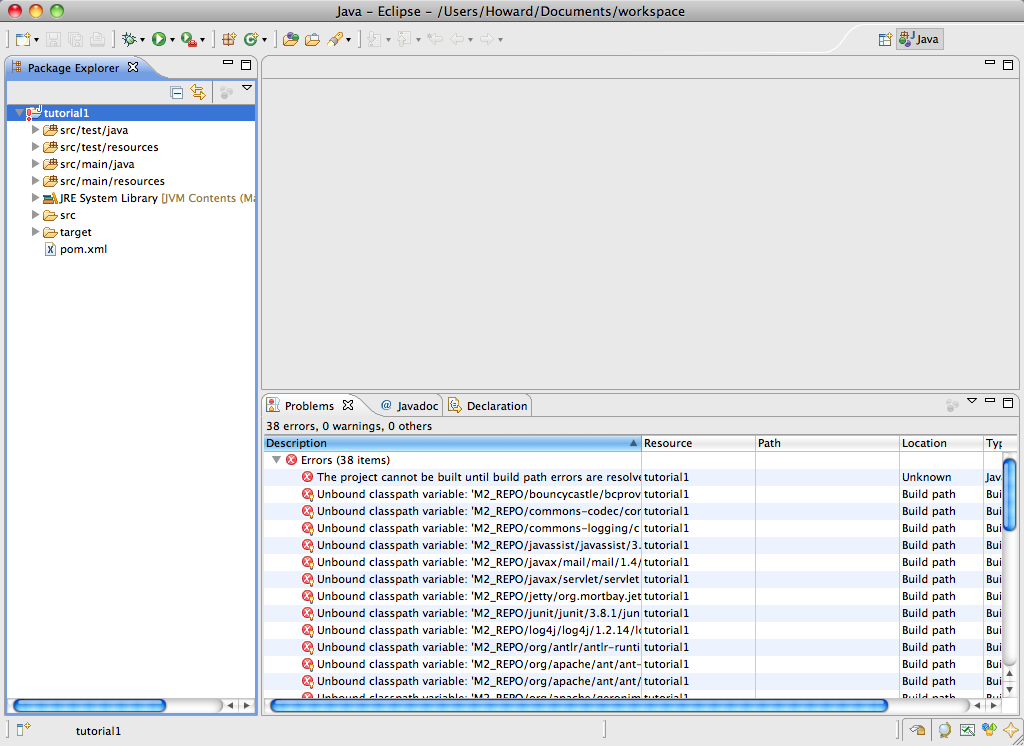
However; there are many errors. Maven expects that you will configure a classpath variable, M2_REPO, that points at your local repository; a directory in your home directory that stores all those downloaded JARs and other files. Open Eclipse's preferences panel and navigate to Java > Build Path > Classpath Variables:
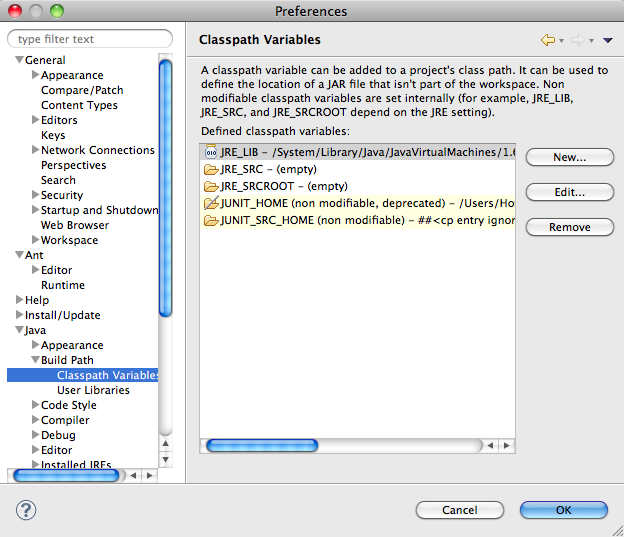
Click the New button, and enter the new variable (you'll have to adjust this for your operating system and local paths):
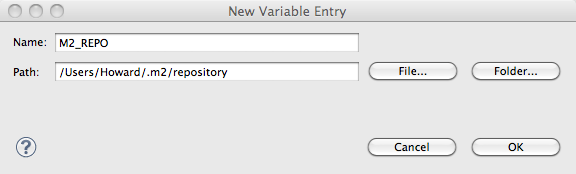
Eclipse will ask to perform a clean build, and the errors will be gone once it has done so.